Amplify Hebrew Tool not working in 14.1.0 (Mac)

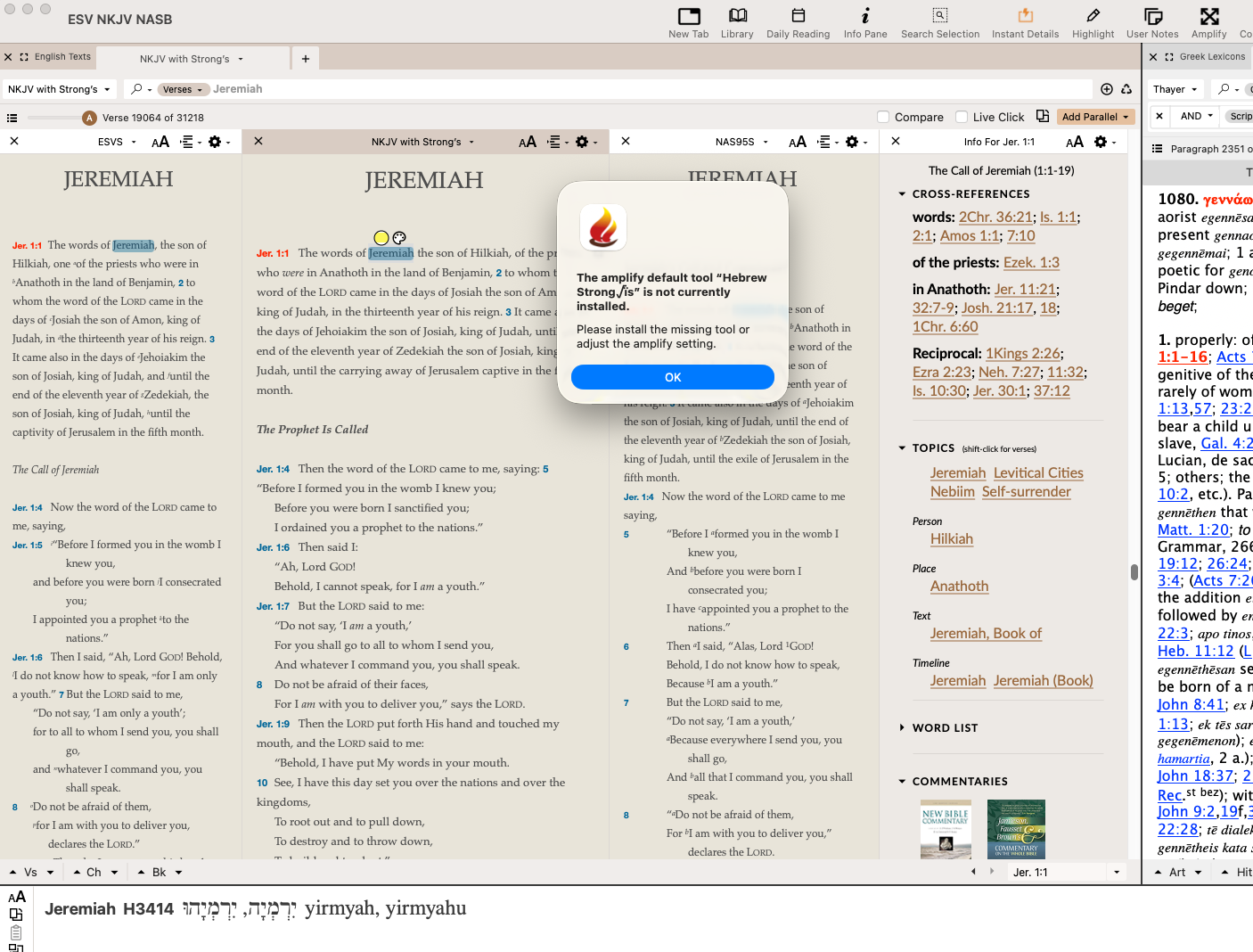
Triple clicking a Hebrew word used to bring up my Hebrew Strongs, now I'm getting an error message:
The amplify default tool “Hebrew Strong√ïs” is not currently installed. Please install the missing tool or adjust the amplify setting.
-

Try this article and see if this helps: https://support.accordancebible.com/hc/en-us/articles/35762401534875-Accordance-Safe-Mode
0 -
I tried everything the article suggested and I'm still getting the same error.
It works if I switch from Hebrew Strong's to NAS Hebrew Dictionary and there is no problem with the Greek Strong's. I can open Hebrew Strong's from my library and search for the word or number in its tab.
0 -

I have the same problem. I have tried all the suggestions and nothing works. This is very frustrating. Prior to this problem I could simply triple click on a word and the amplify window would appear. Now, I have to go to the Hebrew or Greek tools menu and select the appropriate tool (e.g. Kolhenberger/Mounce, Hebrew Strongs, NAS Hebrew, etc.)
0 -
Try emailing techsupport@accordancebible.com. In the meantime, we're marking this bug report confirmed so programming can take a look.
0 -

Same here., also when removing cache etc. Pretty annoying.
0 -

Triple click on Strong's or GK tagged text don't work anymore.
Please fix.
0 -
Hello André-Philippe Therrien,
Affected are at least SCHLAS, STATEN-S, RUSB-S
0
Please sign in to leave a comment.
Comments
7 comments