Appearance Settings> General Theme - Not Working

After Downloading the latest Alph Beta (14.1.0b2), I noticed that is that I can't change the General Theme to any of the options listed. As you can see from the attached picture, Classic is the option I chose and when I clicked preview all I'm left with is the default theme.

Also, Dark Mode isn't working correctly either (see attached pic).
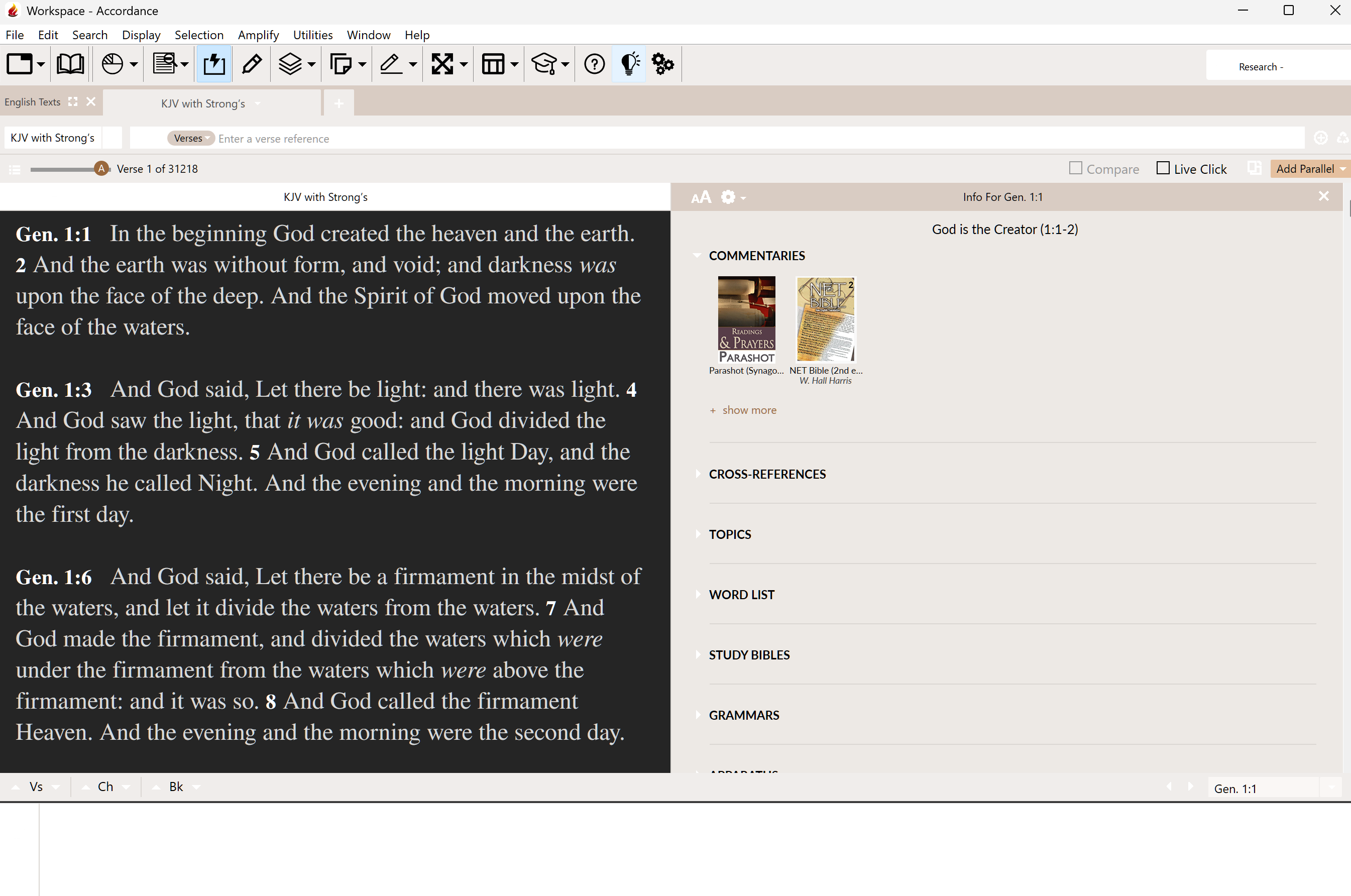
-

I'm not getting precisely the results you are, but there is definitely something odd about the Theme setting. I'd noticed recently that the background tab color (the primary element of theme) was different than what I remembered, and not something that I would have chosen….the same or similar color to what shows in your screen shot.
When I opened Settings>Appearance to see if I could reproduce your issue, the box claimed the theme being used was Azure, but that was definitely not the case. (Azure involves a bluish background; mine was tan/light brown). Initially when I changed the setting and clicked “Preview,” nothing seemed to change…but it may be that I had chosen the theme that was actually being used that time.
Subsequently I was able to change the theme and Preview would show the correct color. That theme stuck when I hit “Save.”
I'm working in Accordance 14.1.b3, on an Intel Macbook running Ventura.
0 -

Misulejoha We deleted the duplicate over on closed beta, and you can continue commenting here. This is the best place to post this.
0 -

Thank you for the feedback, we found the issue with Dark Theme on Windows and it should be better in the next build.
0 -
Thank you, Mike Garrity . Will the issue with Appearance>General Theme be addressed as well?
0 -
Yes, sorry I was not clear, the issue with General/Dark theme was found and should be better in the next build.
0 -

I am running Accordance 14.1.0 and don't have exactly the problems above, so the build is obviously better in this version, however, while it's a small issue I'm finding the appearance setting defaults back to Canyon every time I toggle light/dark mode whatever other setting I give it.
Running Mac Tahoe 26.0.1 on a M5 Macbook Pro
Can you confirm this is a known bug?
0
Please sign in to leave a comment.
Comments
6 comments