Sync issues

Using 14.20b2 with Mac OS Sequoia 15.5 and I cannot sync using “Sync with Accordance” or “Sync with Mobile Device.” I understand that 14.0.11 is available and will sync with Dropbox. I've not been able to sync since Dropbox support was removed from Accordance, so before I try backing up to 14.0.11, I'll ask:
Which version of the mobile app will sync with Dropbox, and where can it be found?
For any users who are successfully syncing between Mac OS and iOS devices, what settings worked for you? I cannot find a way that allows sync to occur.
Thanks!
-
An update on my experience with syncing:
MacBook Air M1 (2020), 8 GB RAM, Sequoia 15.5
Accordance 14.2.0b2 (desktop) and 3.5.1 (mobile app with iOS 18.7.2 on iPhone 12 Pro, iOS 26.5.2 on M1 iPadPro)
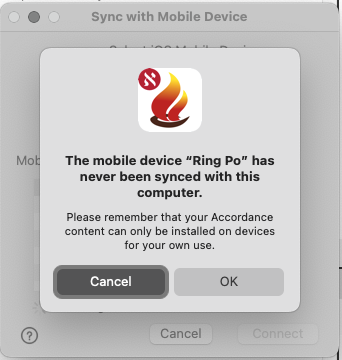
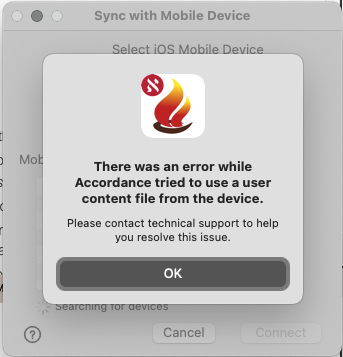
When using wifi, an alert appears that says the device has never been synced. (It has been, but it was years ago.) When the sync process begins, an error appears.
When syncing with Accordance, the desktop app says there is nothing to sync.
In either case, it appears that the desktop and iOS apps find each other, but they cannot sync. The main thing I want to sync is my Notes file. If I could sync highlighting of text also that would be nice but it's not necessary.
 0
0 -

Syncing really does not work much at all, and it is essentially worthless to me if I cannot sync with my phone and iPad. On top of this, once I did the sync with Accordance, I lost the ability somehow to synch my User Bibles to my phone and iPad where I use them a lot. I have waited a long time for them to get this fixed. So far, no luck.
2 -
With the latest beta (14.2.0b3) there is absolutely no change in sync behavior, or more precisely, failure to sync.
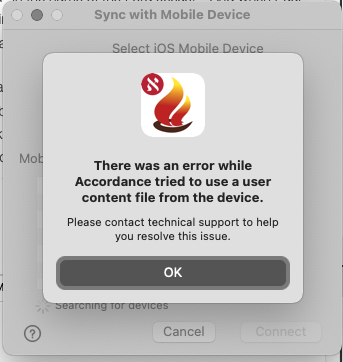
When attempting with wifi, the device is recognized, I'm alerted that it has never been synced before, and then this error appears:
If I use the “Sync with Accordance” option, the response “nothing to sync.”
This has been a failure of Accordance so very long that I shouldn't be surprised or bothered by it. This is its normal performance.
0
Please sign in to leave a comment.
Comments
3 comments