see two workspaces at one time on same screen

I have Accordance 14 on both Mac and PC. I recall one time seeing two workspaces on my screen together in one window. I could click either one like you would a tab only above the tabs it showed Workspace then the other next to it. How can I do that again?
-

two steps
file - new workspace - enter
again - file new workspace - enter
this gives two independent workspaces, but they need to be arranged on one screen
next step - on the main menu at the top of the page go to - window - arrange - tile windows
this gives two independent workspaces on the same screen
0 -

David:
Dick's instructions give you something like this screen shot below:
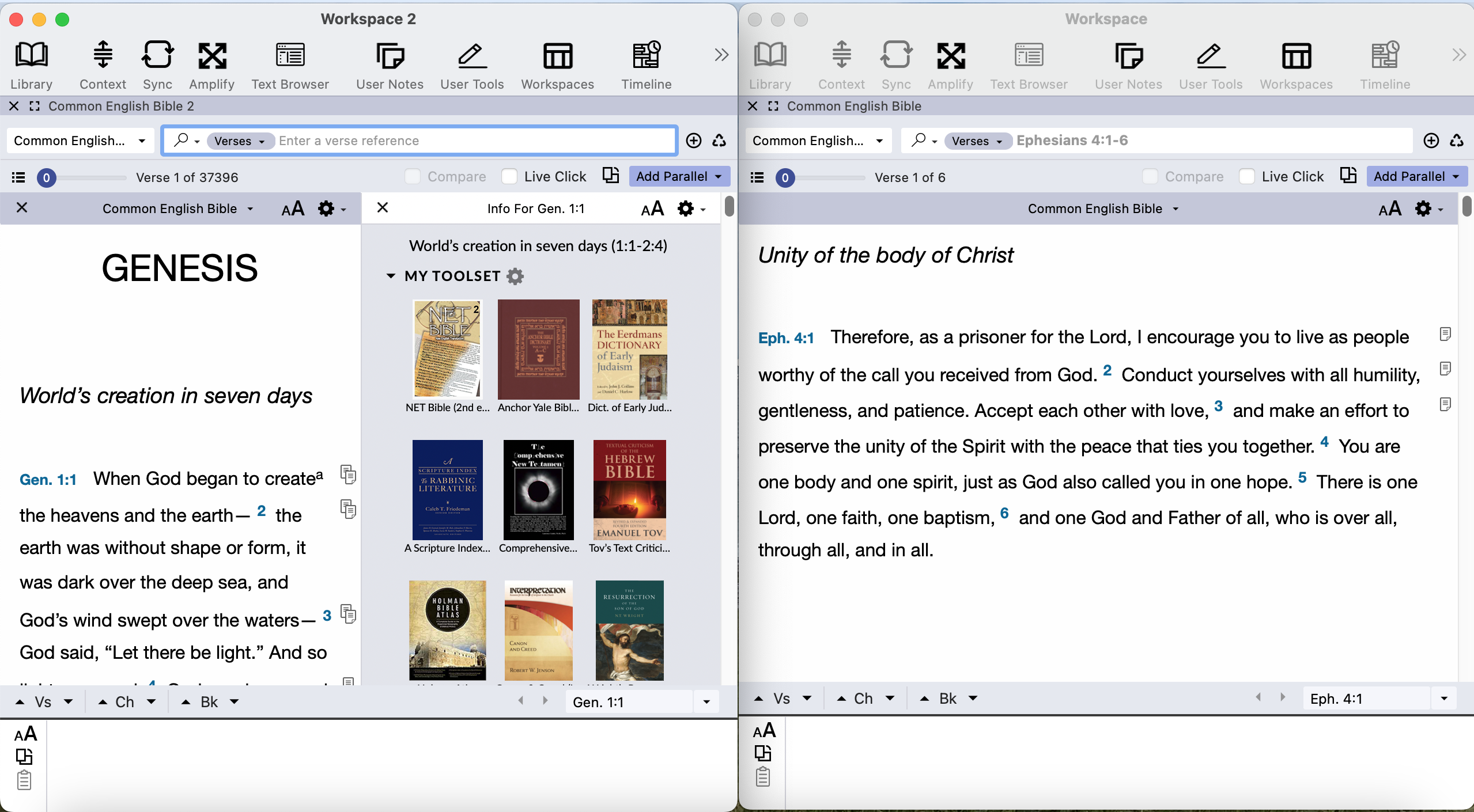
However, your comment about “seeing two workspaces on my screen together in one window.” (emphasis mine) makes me wonder if you are thinking about something like this instead:
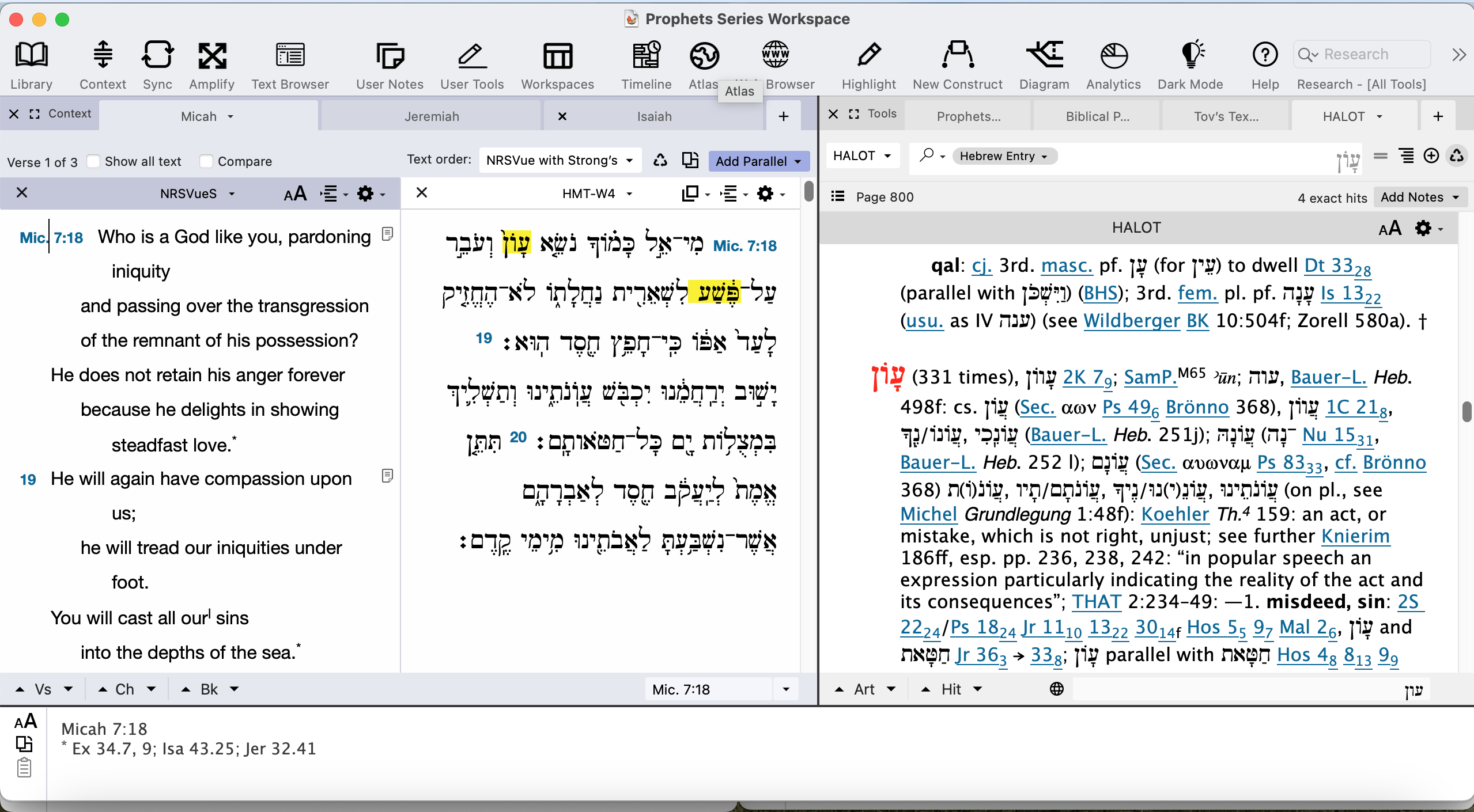
In this second picture, I have two zones within one workspace. Each zone has several tabs. In this particular setup, Scripture tabs (aka text tabs) are in the zone to the left and various kinds of reference tabs (HALOT, a user too, some other resources) are in the zone to the right. If this is what you are wanting, you can drag tabs to different locations within the workspace. Deepening on how your settings are set up, different kinds of resources may automatically open in different zones.
I currently have Settings>Workspaces set to allow a maximum of 4 zones, as follows:
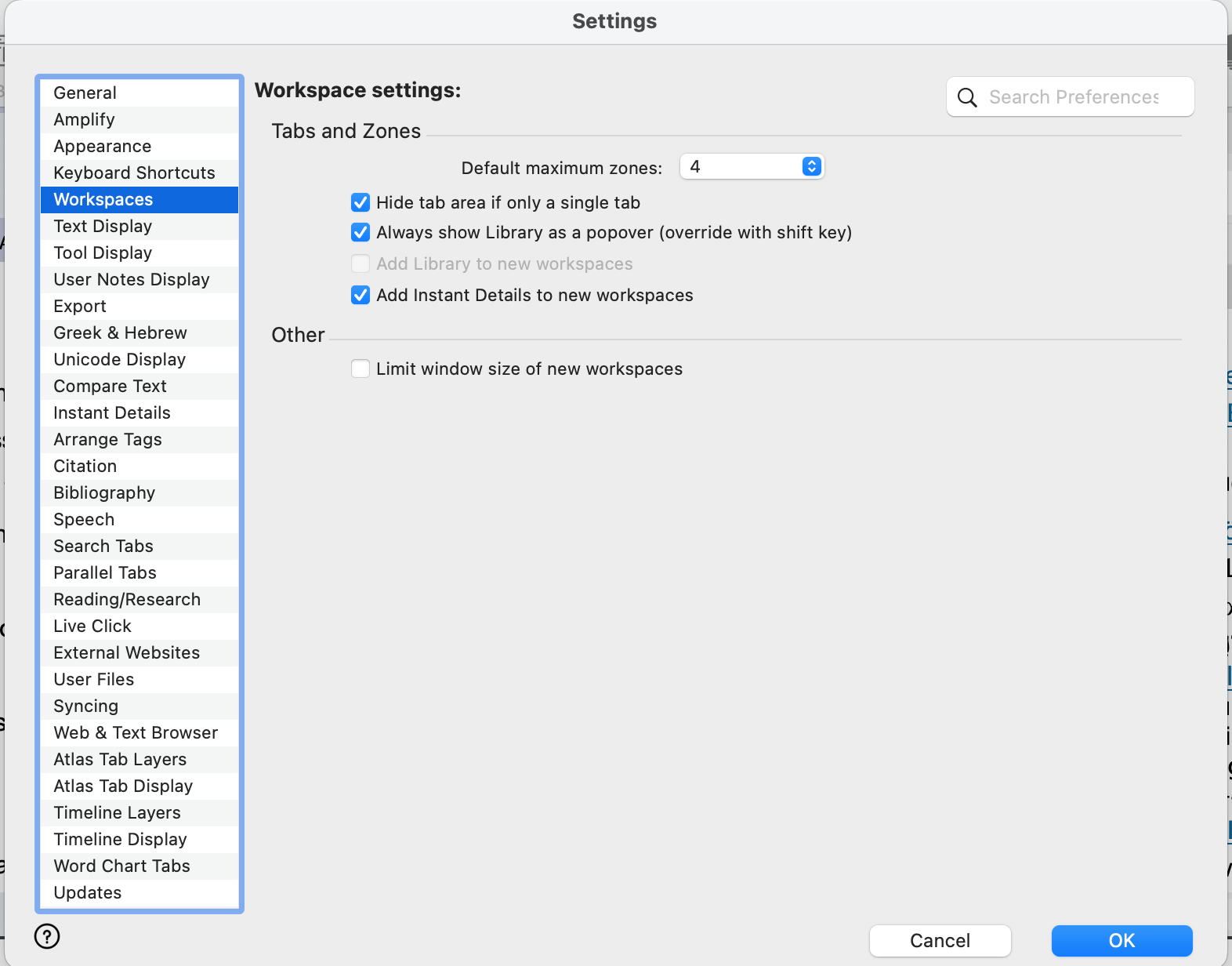
This means if i start with a workspace of one zone, say a Search tab, and then open a different type of resource, such a HALOT (a lexicon), it will open in another zone. If I open a third type of resource (say a commentary), it will open in a third zone, if I open type of resource, like the Atlas, it will open in a third zone. If I open a fourth type of resource (like a diagram), it will open in a fourth zone. But any additional types will not spawn a new zone because my max is 4. I'm not entirely sure how Accordance groups resource types to decide when a new zone is called for. That might be discussed in the help.
If none of that i happening for you, check to see if by any chance the max number of zones is set to 1.
0 -
Thank you Dick and Lorinda for you help. I think the thing I saw at one time is maybe not possible. I either dreamed it or something not sure. Everywhere I have looked on line seems to point to it not being possible to have two workspaces (not windows or zones) in the same window showing as two separate main tabs. so above the zones with tabs was workspace 1 then a line and workspace two.
Dave
0 -
Is this what you are looking for? two separate workspaces, arranged horizontally - each work independently
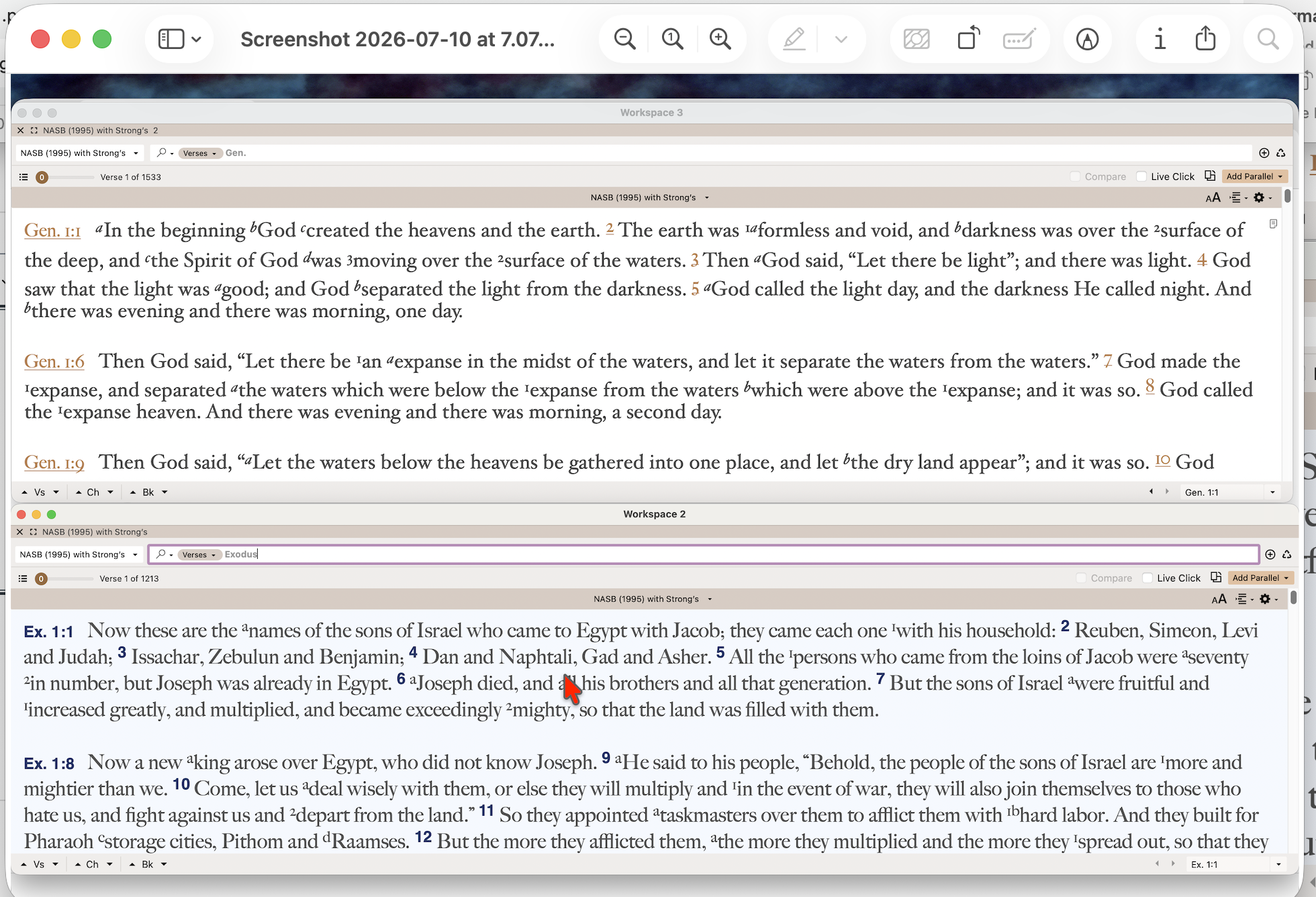 0
0 -
Zones can also be one above the other rather than left/right.
david chatel is there some thing specific you are wanting to do/achieve? Or were you just trying to recreate what you remembered it as an experiment? If the former, if you tell us more about what you are wanting to do, we might be able to help you to find a way to do it efficiently.
0 -
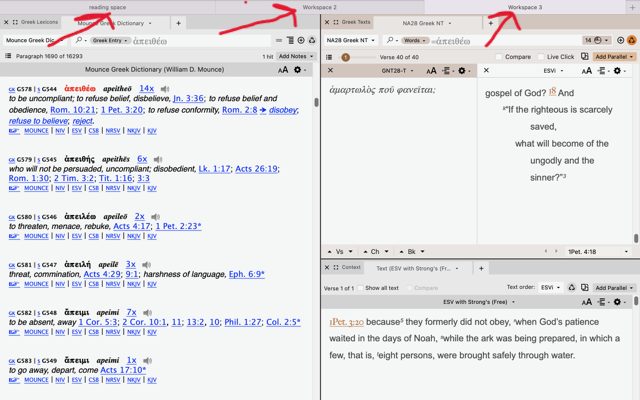
so finally got to see this on my Mac. notice at the top several workspaces are open yet I can see them all as tabs instead of having to go to “windows” then pic the workspace.
 0
0
Please sign in to leave a comment.
Comments
6 comments