Search Criteria

How would I go about entering a search criteria for finding prophetic scripture in the old teastament about Jesus ? I understand there are around 300. Thank you for your consideration on this topic.
-

Hi Tom, the best replication I could come up with was this:
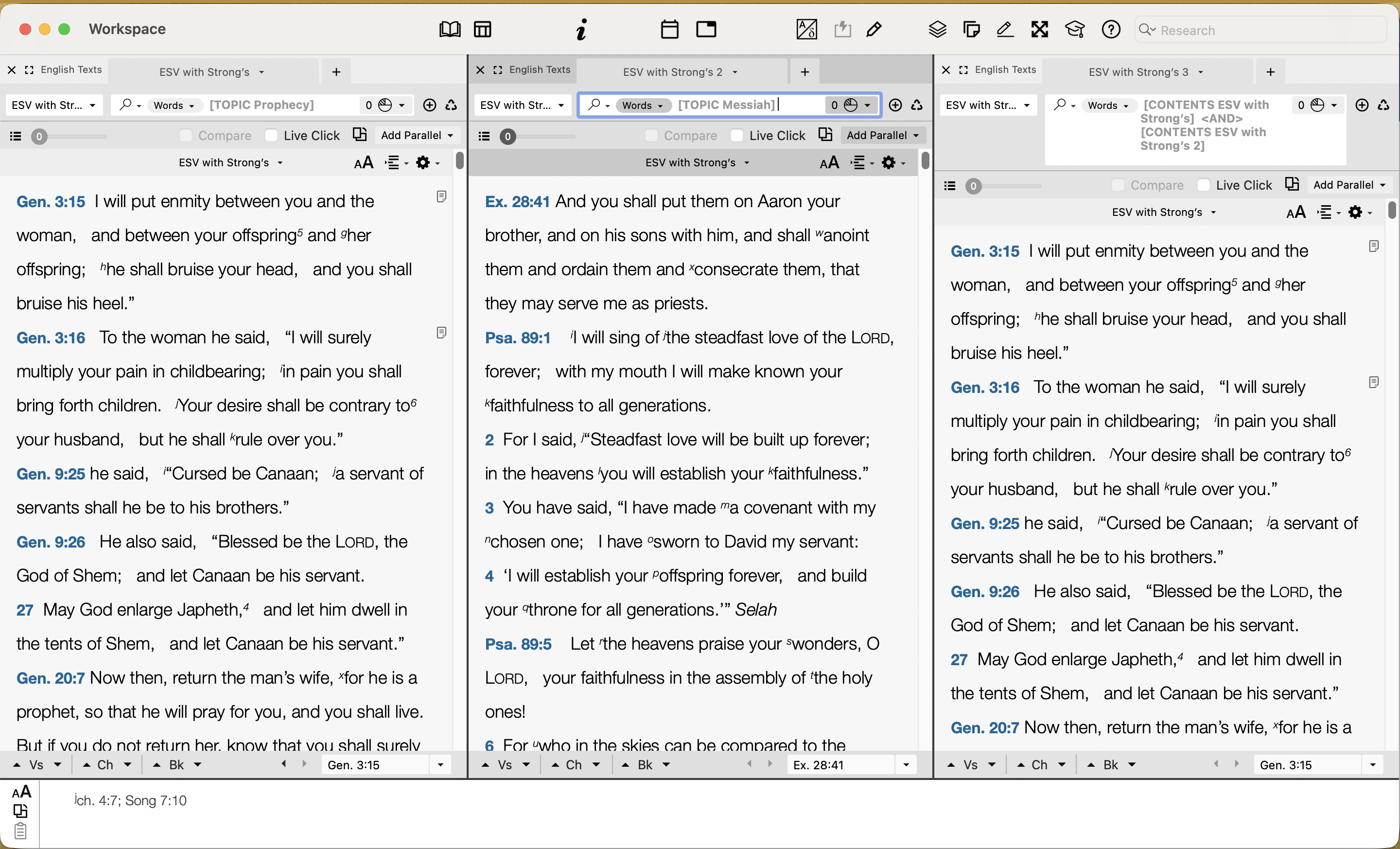
Start with 3 separate zones in whichever your preferred translation is. In zone 1 perform a topic search for Prophecy. In zone 2 perform a topic search for Messiah. In zone 3 use the [Contents] Command and combine both zones together with the <AND> command. So in my case,
[CONTENTS ESV] <AND> [CONTENTS ESV 2]
Make sure all your context sliders are set to 0 so you'll get individual verses.
0 -
 0
0 -
Steve If I type in the exact search criteria for a contents search I get nothing. I am sorry if I'm being ignorant I have never done this. Should I add a search term within the brackets like [Messiah NASB with Strongs] <and> [Lord NASB with Strongs 2] The others worked for me. I want to thank you for taking your time to answer my question.
0 -
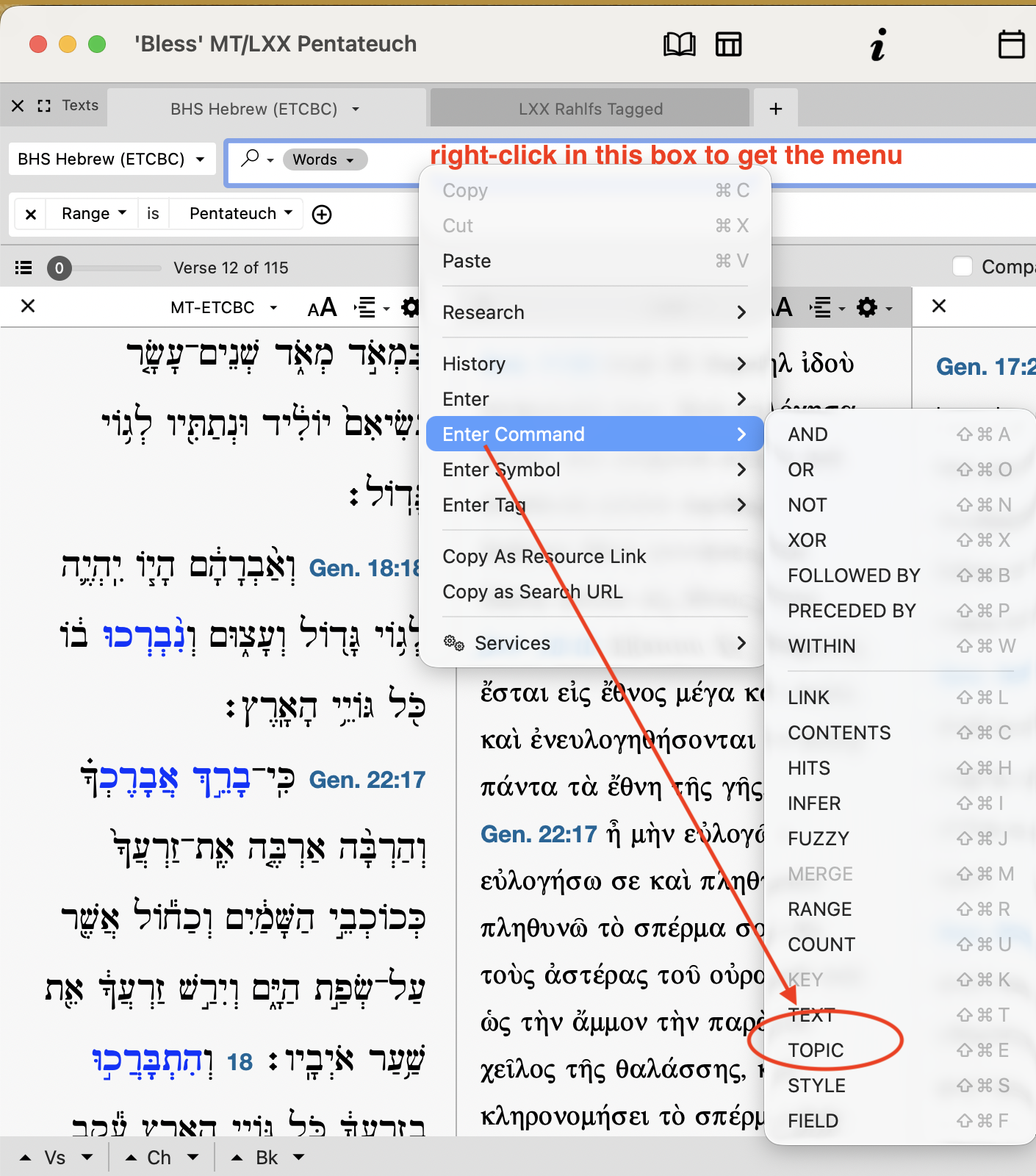
If you right-click in the search box it should give you a menu where you can then choose the topic command: once you click the topic it will appear with a question mark. Hit enter and another menu should pop up and prompt you to search for your topic.
 0
0 -
Steve & Fabian, thank you for that. Amazing right under my nose. This will save me a lot of time. You fellows are appreciated for your quick and helpful response.
0

Please sign in to leave a comment.
Comments
6 comments