14.2.0 Beta Toolbar Size Glitch

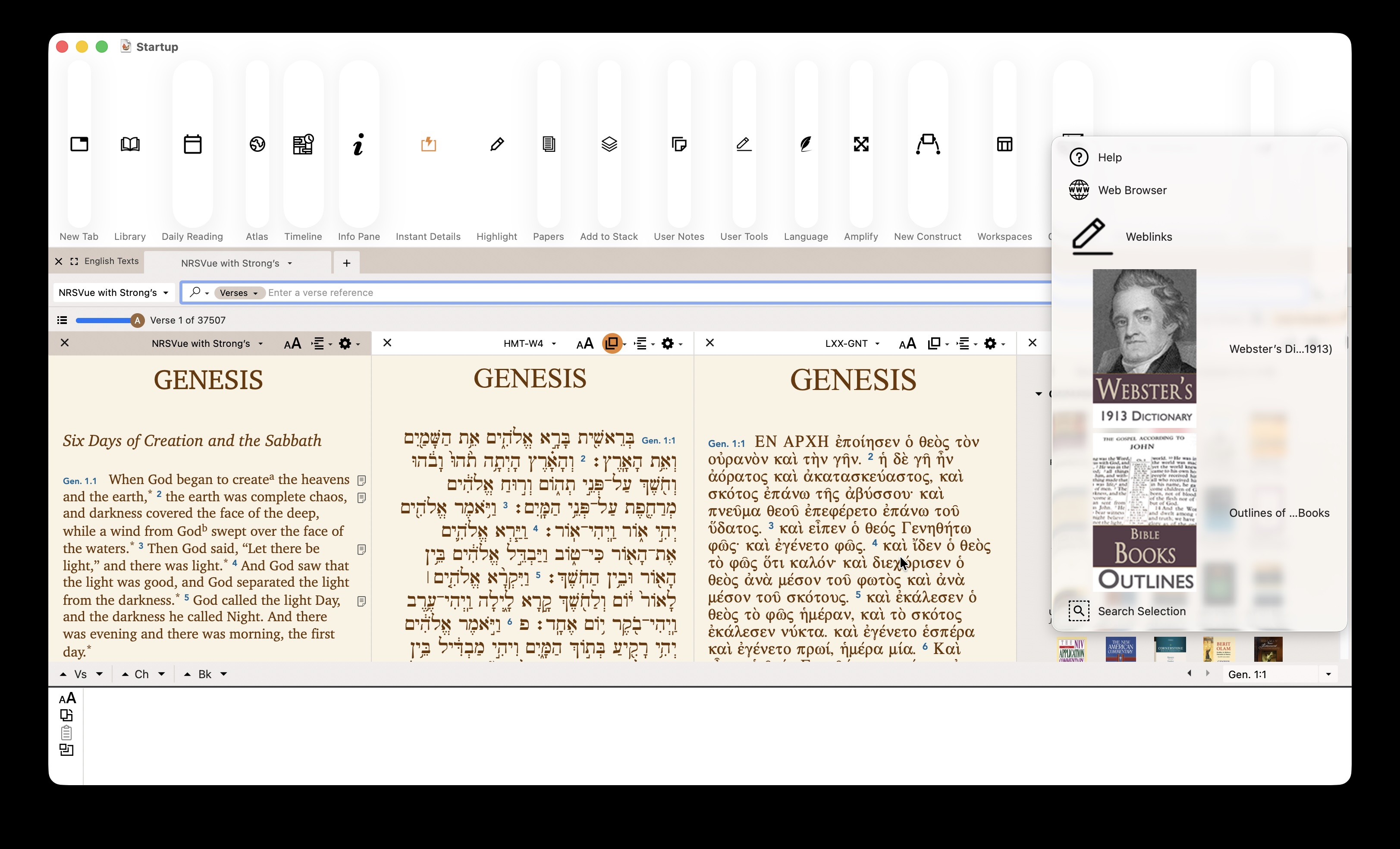
When a tool is pinned to the Toolbar, the tool graphic causes size distortions in the regular icon framing of the toolbar. See attached screenshot.
macOS Tahoe 26.3.1
MacBook Pro with M1 Pro chip 14 inch 2021
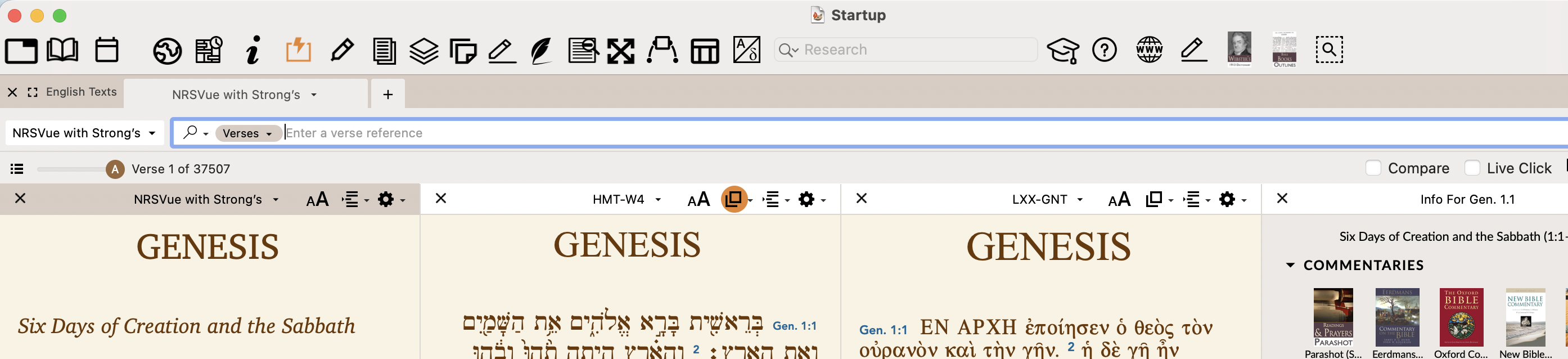
Edit: A view of the same Toolbar in Ver 14.1.2 is added for comparison.
-

While I can't see the screenshots, I can tell from the description, that I am experiencing the same thing.
1 -
I reattached the screenshots. I hope they stick this time. ;)
--Joe
1 -

Interesting, I did not see this until I turned ON the “Settings > Appearance > Use legacy window toolbar appearance” option.
Can you confirm that you have this option ON?
If so, then unfortunately this might make it difficult to support the legacy toolbar because we need to build Accordance with the latest tools from Apple.
Here are the notes from 14.0.7 when we added the option:
The ability to set the size of the window toolbar has been deprecated for some time and is now mostly removed from macOS 13.0+. On macOS 11.0 and above, we added an Appearance preference to choose the window toolbar appearance.
Settings > Appearance > Use legacy window toolbar appearance:
  TRUE --- The window title is above the toolbar and the icons are regular size.
  FALSE -- The system chooses the style automatically and the window title is inline with the toolbar.
0 -
Yes, the legacy toolbar option is on for me. I didn't even realize it was a thing … when I turned it off if fixed it, though it also moved everything to the extreme right.
0 -
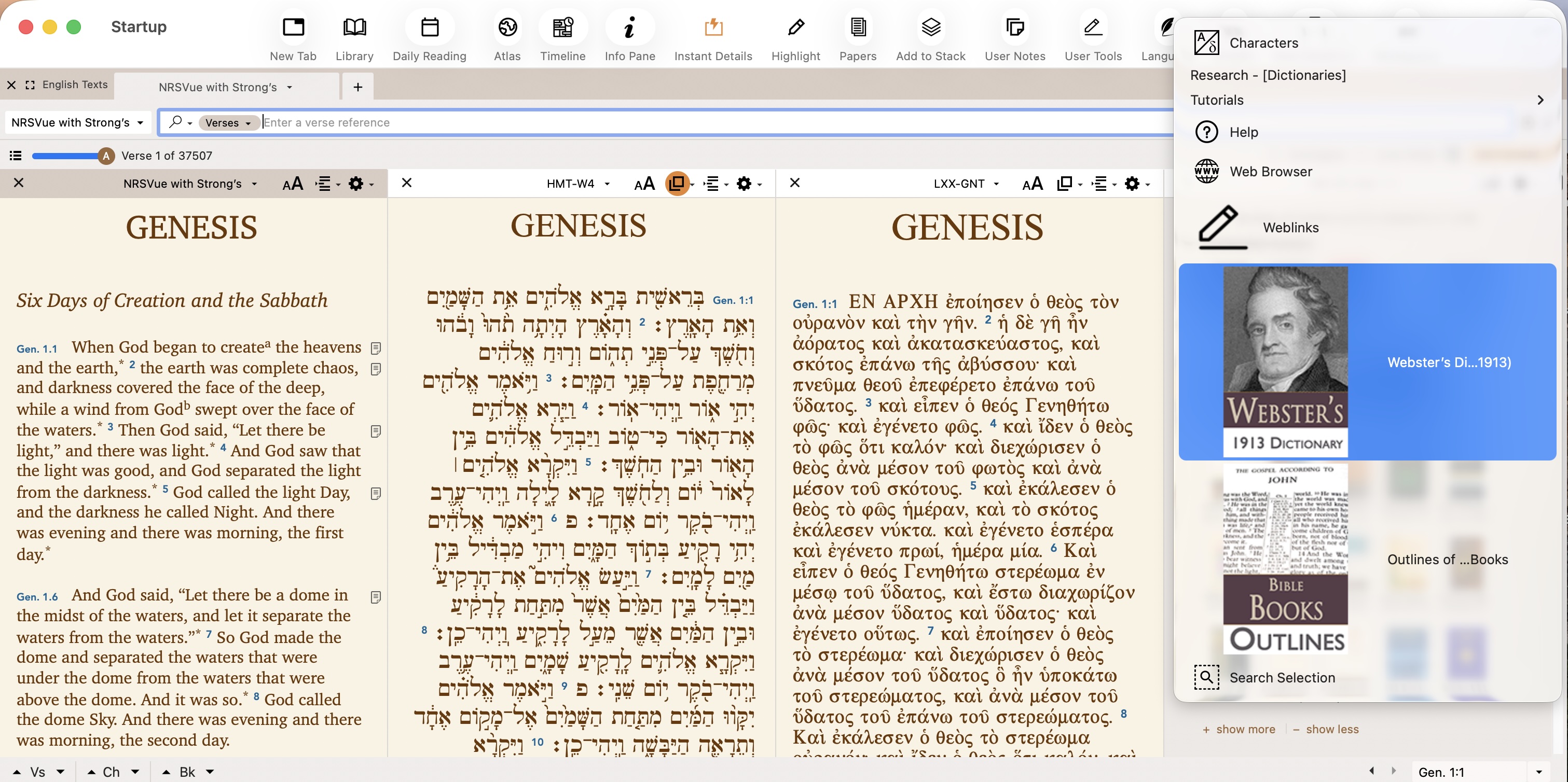
Mike Garrity , I also had the “Use Legacy Toolbar Appearance” turned on. All went back to regular behavior except for the three items that were not part of the normal toolbar icons. These were essentially the three bookmarks I placed in the toolbar. See attached screenshot. If I could reduce the size of the image of the books and weblink icon, I think it could be back to what I had before.
--Joseph
 0
0 -

Thanks, Mike. That fixed my problem.
0 -
Tim, that is what happened to me as well.
0 -
Is there a way to move the icons in the toolbar back to the left?
0 -
Sometimes newer is not better. I think that is the case with the new toolbar. I hope you will return to the older one.
0 -
14.2.0b2 shows the same behavior. Is there a way to reduce the size of the Icon graphic for texts and tools saved to the toolbar? The icon size appears to be creating the real issue.
Just a thought. ;)
--Joseph
0
Please sign in to leave a comment.
Comments
10 comments