14.2.0 Testing
Pinned
Version 14.2.0b1 - This version should be available through an InApp update.
User Note RTF Export
- User Notes can now be exported to RTF files by right-clicking the User Note in the Library and choosing "Export Selected Data..."
- Each Export will:
- create an export folder in the Accordances Files folder
- add a log file that reports the notes reference string and bookName found in the Settings > User Files > Notes order Text
- add a folder for every unique book name with a RTF file for each note found in that book.
- notes that are not found in the Notes order Text are organized into book name folders prepended with "other" (e.g. "Other- 8_Baruch").
- add a folder for each Tool with a RTF file for each note found in that Tool.
- upon completion, a completion/error alert is presented and optionally show the log file in the file system.
- Each Text note RTF use the book name and reference as a filename.
- Each Tool note RTF uses the article, paragraph, and char as a filename and lists a Tool note "pathName" in the log file.
- For each note:
- a RTF file will be saved with basic styling and hyperlinks.
- scripture and resource links will be converted to accord/accordancebible.com links (based on URL style pref).
- note pictures are exported as JPG files and the RTF includes "JPEG filename link text" in place of the actual picture.
- A White Square character will be substituted for missing or unsupported UTF16 values.
User Note Validate/Repair
- User Notes can now be validated/repaired by holding (opt/alt)-shift while right-clicking the User Note in the Library and choosing "Validate/Repair User Note."
- Each Validate/Repair will:
- create a backup in the Old User Notes folder.
- create a repair log file in the Accordances Logs folder.
- fill the log file with information on every note's meta data (hyperlinks, styles, URLs, and pictures).
- validate all note meta data.
- attempt to repair/remove corrupt/unused meta data and log all repairs.
- if repaired then add log information for the newly repaired User Note.
- upon completion, a completion/error alert is presented and optionally show the log file in the file system.
Miscellaneous Fixes
- Accordance will apply consistent line breaks around pericope headings for all verse displays and paragraph breaks.
- During new installs, Accordance no longer displays errant "Bookmarks.apref" file errors.
- When WiFi syncing to a new device, Accordance was not properly presenting the new device warning on new versions of macOS.
- The default Text Browser Group was not being saved properly.
- Septuagint modules were errantly presented as NT source texts.
- The Location URL in a Bibliography citation could have garbled text for certain modules.
- Updated support email address and removed old sales email address.
- Certain older modules would cause a crash when scrolling.
Windows Specific Fix
- Accordance was not properly saving/recalling various display font size settings.
-

Thanks for adding in this export option. It is a step forward. If the export file would have .rtf appended to the file name it would make it so that they could be previewed in the file browswer and would also open automatically to the assigned software when clicked (Windows 11).
0 -
Thank you for the feedback, this is a bug on Windows and we will get it fixed for the next beta.
Were you able to export your notes without Validate/Repair?
0 -
Yes, just tried two sets, though. An option to put all the notes in one file (instead of each not separate) would be a plus.
0 -

Toolbar looks ridiculous now.
 0
0 -
Sorry about that, it looks like it is a conflict with a “legacy” option I mentioned here:
0 -

Glad to see the progress!
0 -

Dear Mike,
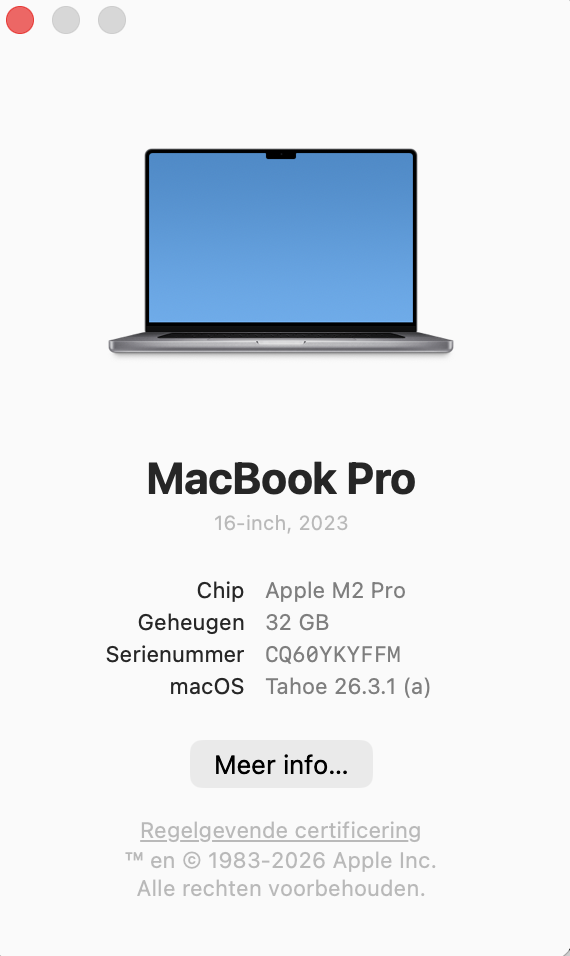
For about three years now (since I got my Apple with the M2 chip), I have been experiencing problems with Accordance.
After using it for about three or four days, I get an info error. (See attachment.)
Despite all the updates, the problem still persists.
Through Billy, I received the Beta Test version of Accordance. Unfortunately, the problem continues to occur there as well.
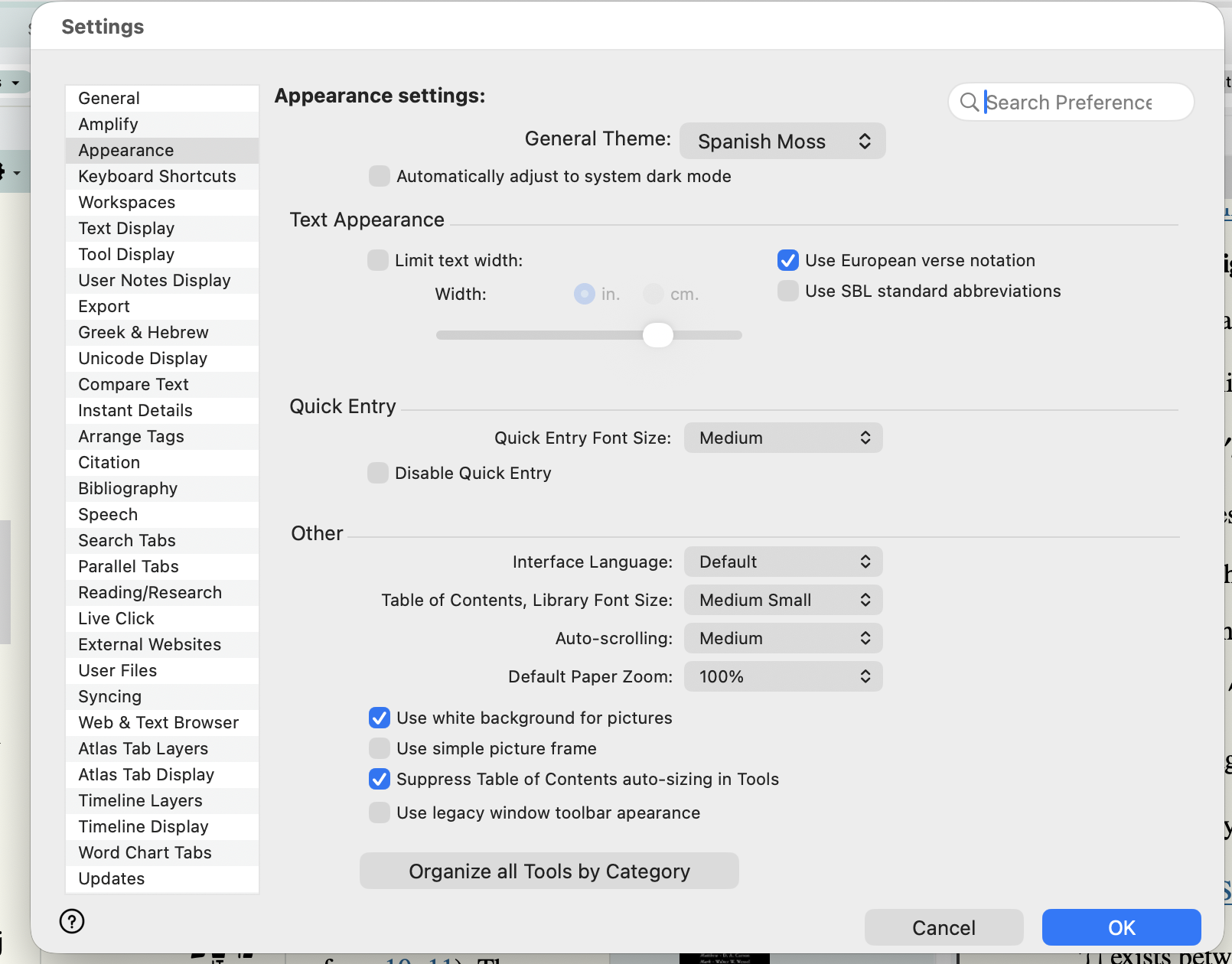
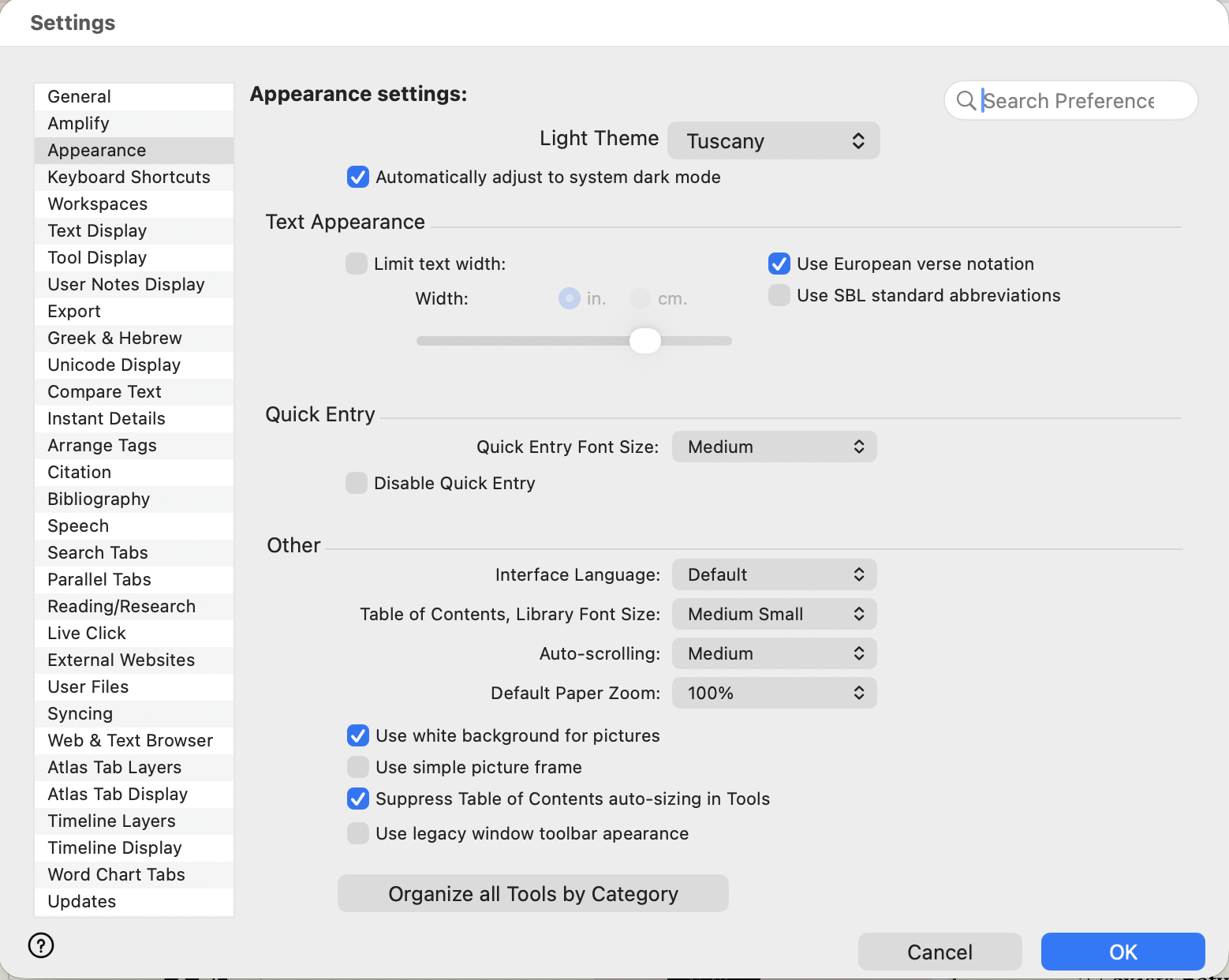
It is also noticeable that when I change the general appearance in Preferences (unchecking the box and choosing Mosaic)
and then close Accordance, the program resets itself back to the checked box and Tuscany.
Billy asked me to share this information with you (especially with Mike).
So here it is.I would be happy to cooperate in finding a good solution, because this issue is very time-consuming and frustrating.
Kind regards,
Jan Klein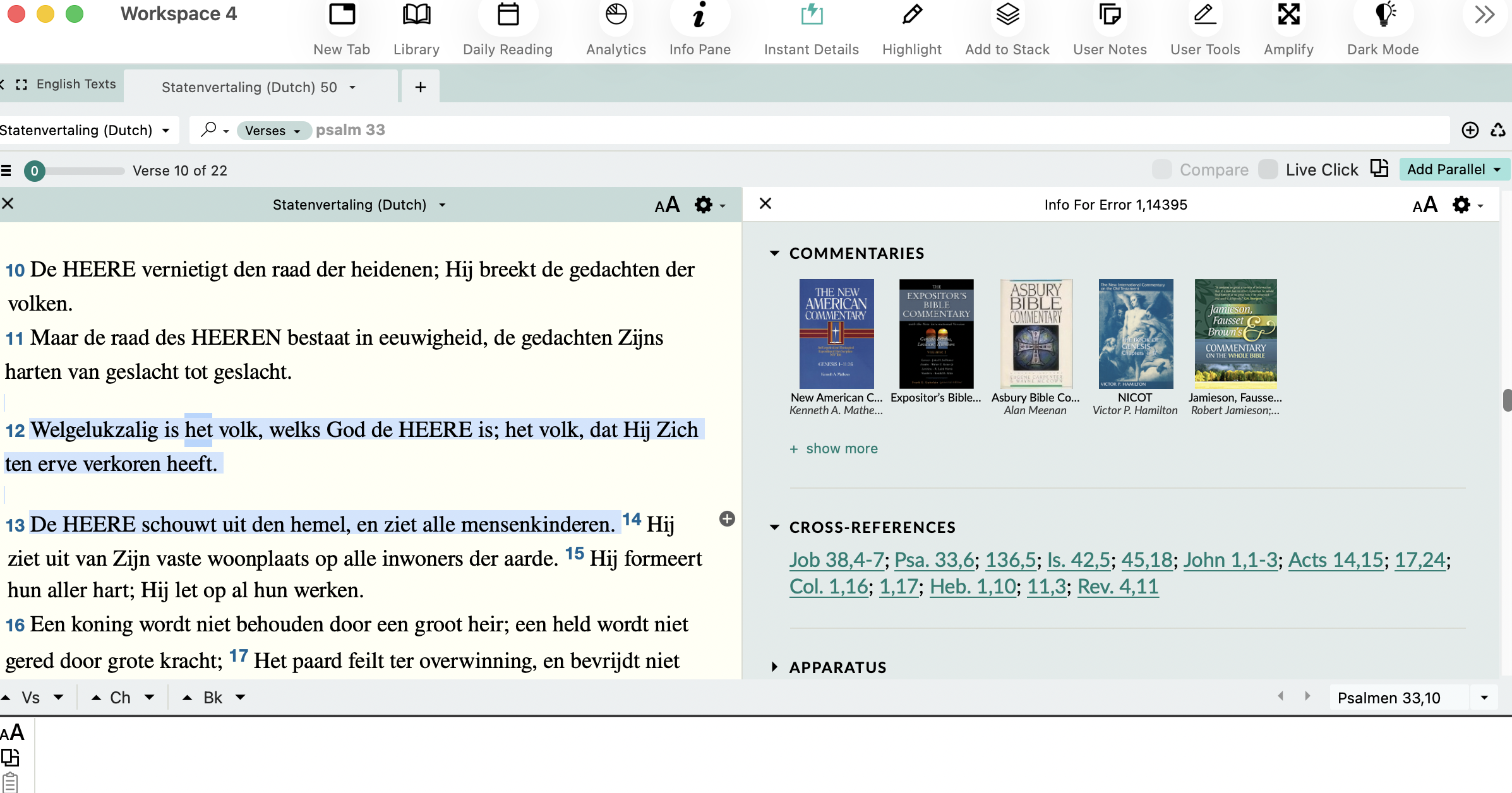
 0
0 -

Hebrew root searches still not available in 14.2 beta, as was the case with 14.1 - please see https://support.accordancebible.com/hc/en-us/community/posts/44954101788187-Hebrew-root-word-search-empty?page=1#community_comment_50366918465563
0 -

Hi, I just installed the beta version, and when I tried to bring up my last saved session, the program crashed 3 times. I also tried to open one saved to my hard drive, and that didn't work either. I don't have the crash reports handy…is there a way to retrieve them? Thanks!
0 -

To whom it may concern:
I have issues with the Dark mode. I have set “Automatically adjust to system dark mode” in settings and I also have my computer set to automatically switch to light/dark mode. If say, at night I'm working in Accordance & come back to it in the morning. Upon opening Accordance, since my computer has transitioned to light mode, the toolbar will have also transitioned to light mode, but the tab will still be in dark mode. Or if I'm working in the daytime in Accordance, and then sleep my computer & come back to it in the evening, then the toolbar will have transitioned with my computer to dark mode, but the tab is still in light mode.
Also, in my toolbar I've placed the “Dark Mode” toggle icon. If I toggle this icon to try & correct the oddity of my half Dark/half Light workspace, then things get worse! The icons in my toolbar become horribly contrasted…illegible. Furthermore, the theme that I have set (usually Tuscany) will switch to “Canyon”??
Finally, I might add that I cannot get the setting “add automatic context” under “Search Tabs” to function properly. I do not want automatic context added to my searches. I prefer to use the slider in the upper left corner of my current tab to expand the context of my text. So within that setting I leave it unchecked. Nevertheless, with each search I preform the I get the whole context? Sometimes the slider is moved all the way to the left, & if I click on it with my cursor, then context will disappear leaving only my desired search. And yet sometimes the slider is opened up all the way to the right?? I still haven't figured out why the context slider moves one way at any particular time and then the opposite at another, but I'm certain it's due to some command I'm entering. However that's not my point. My point is that the setting “add automatic context” seems to be broke on my installation.
my setup:
MacBook Pro M5Pro 16"
Memory: 48GB
MacOs 26.5.1
Accordance 14.2.0b2
0 -

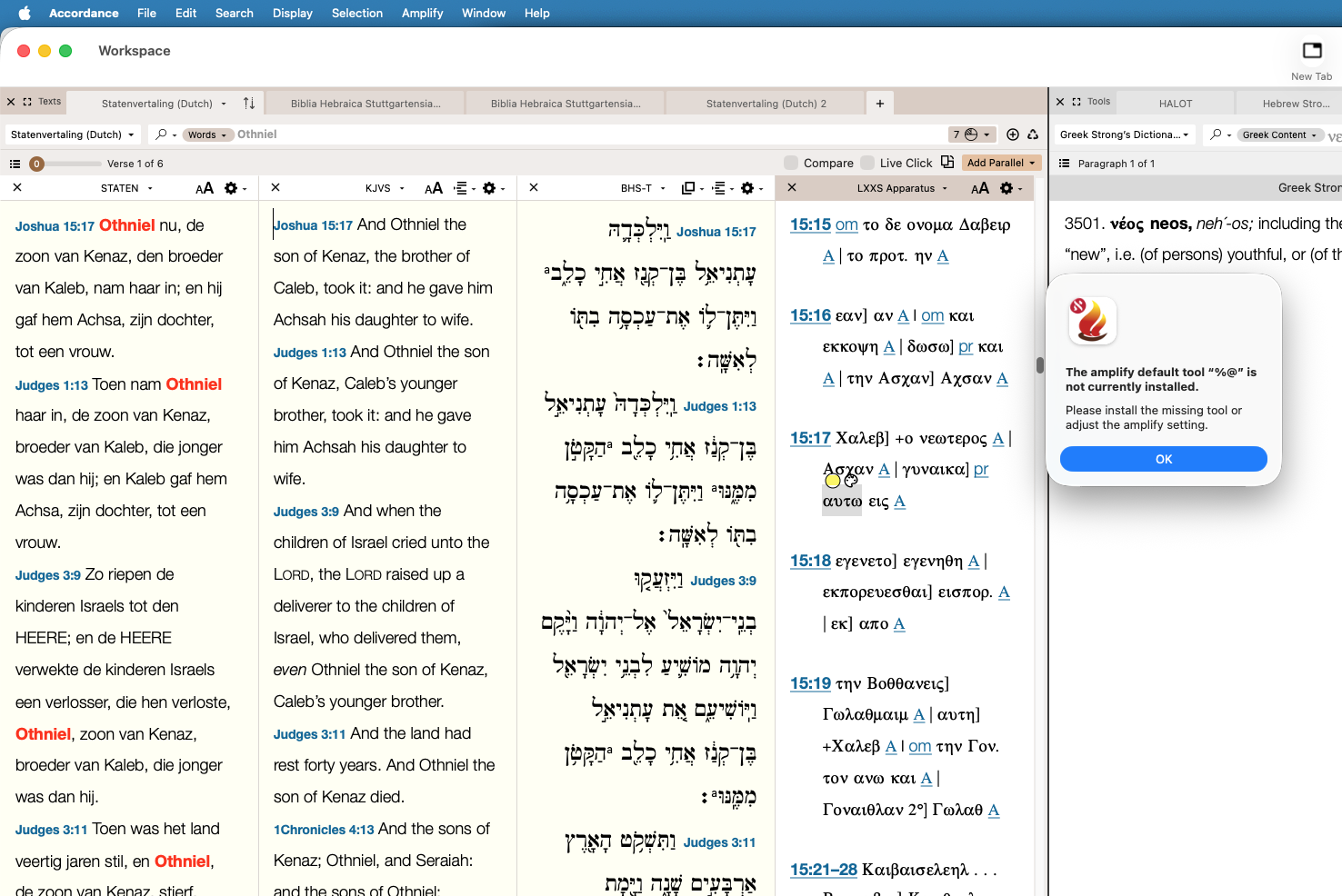
Hi, just wondering if this is normal behavior, when triple clicking on greek words in the LXX Apparatus? "The amplify default tool “%@” is not currently installed.
Please install the missing tool or adjust the amplify setting." Accordance Aleph for Mac aarch64
App version: 14.2.0b2
App build: 14.1.99.06
MacOS 26.5.1 "Tahoe aarch64"
Compiled for aarch64
0 -

Just installed Accordance 14.2.b03. Still unable to sync.
MacOS 26.6.2 - Mac Mini M4, 16GB
iOS 26.6.1 - Model iPhone 16 Pro Max, Accordance Version 3.5.1, Build 3.5.0.01
0
Please sign in to leave a comment.
Comments
12 comments