Error with Accorance while syncing

Accordance version 14.1.2
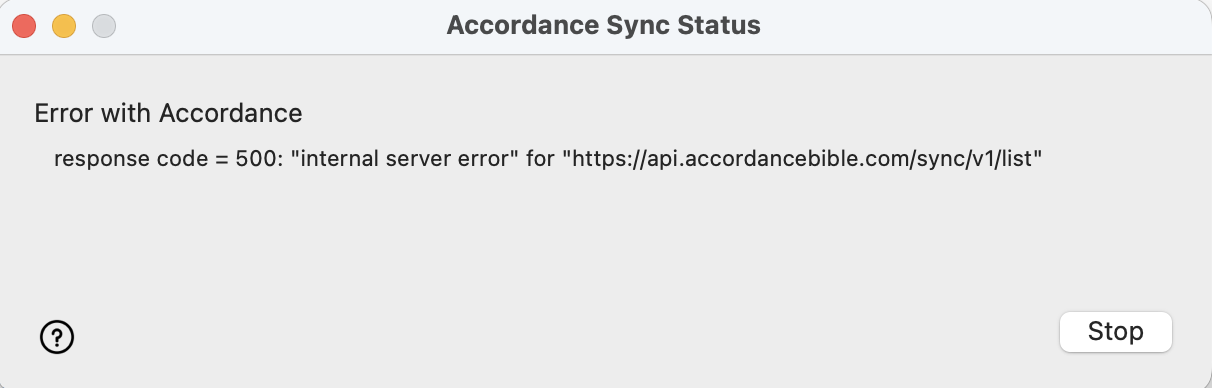
I am receiving an error message while syncing with Accordance. The error message is as follows:
Error with Accordance
response code = 500: “internal server error” for “https://api.accordancebible.com/sync/v1/list"
This message is on my desktop and on my phone app version 3.5.1 Build 3.5.0.01.
-
On my phone it says Error initializing Accordance Sync: ProcessFileLists.
0 -

Same error (EVERY TIME I sync with Accordance) for me on my iMac running Accordance 14.1.2 on os Sequoia 15.7.5.
The other computer I sync with (MB running Accordance 14.1.2 on os Catalina 10.15) does NOT give me the error.
1 -

I have the same issue. Not sure why. I don't always get it. I've restarted Accordance and it still won't sync. Looks like no one has provided an answer??? (I'm running Accordance 14.1.2 on a MBPro)
 0
0 -

I just saw the response code = 500 message today for the first time. I regularly sync between MPB running Accordance 14.1.2, and an iPhone and iPad running the most updated versions of the app. iOS and iPadOS versions sync fine, but the Mac version will not sync now. Nothing else changed on my systems, as far as I can remember.
0 -
It seems that error code is something temporary. The day after I had that issue, the error code was gone. Has that also worked for you Grant?
0 -
No, the code persisted until I contacted support, and they suggested the following (since I was using Accordance Sync, not Dropbox or Wifi sync…apparently the fix is different for those):
Log out of and back into Accordance account on all devices
Easy fix! If that hadn't fixed it, they also suggested un-checking each type of content that is synced, and re-adding them back one at a time to see if there's a particular kind of content that is causing trouble.
0 -
Thanks Grant, that's really helpful and simple. Thought I had done that, but ALL devices is the key maybe. I also sync using Accordance Sync.
Thanks
0
Please sign in to leave a comment.
Comments
7 comments