Alphabetical Order for Search Texts?

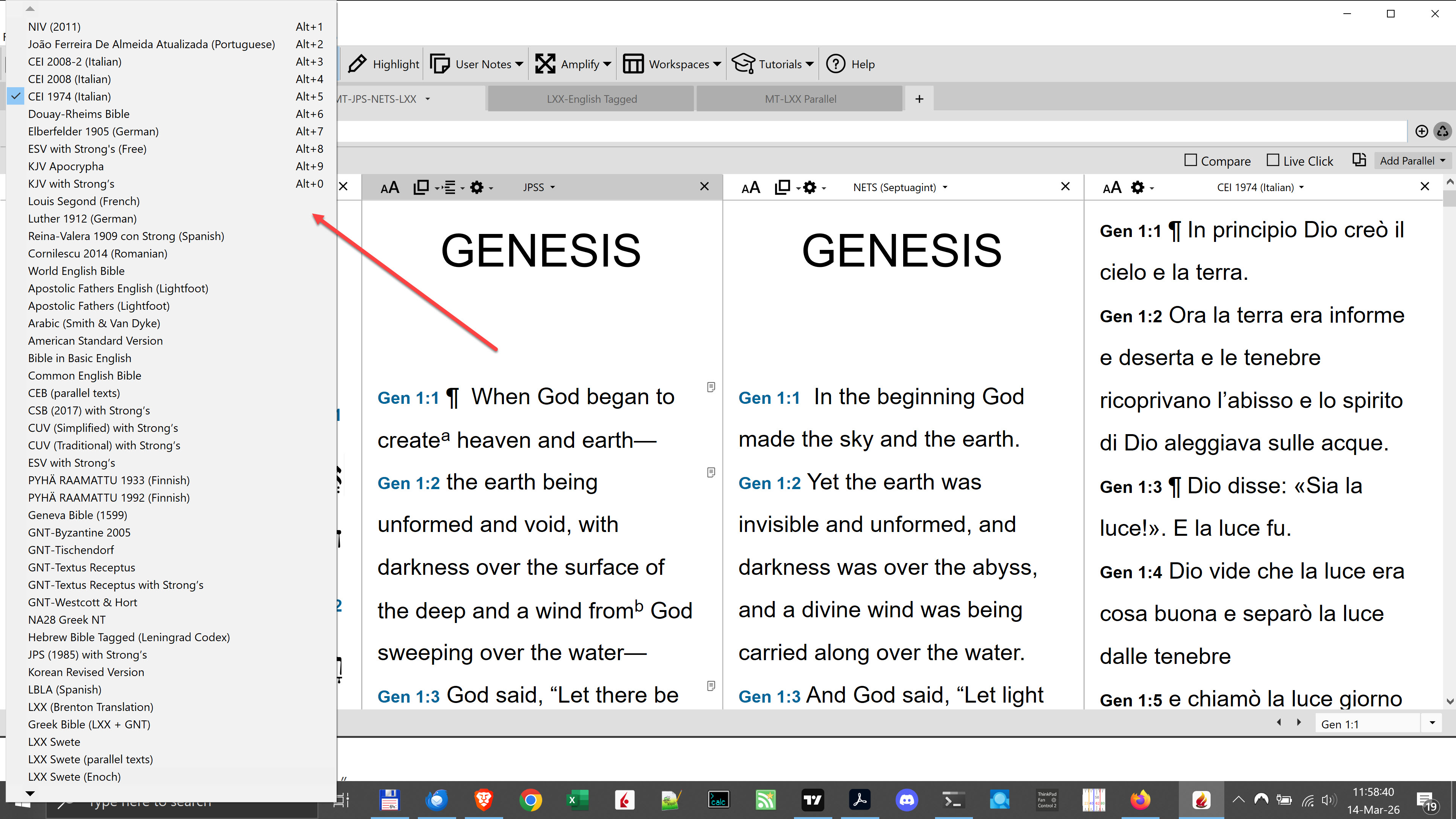
I have not been able to figure out: 1) how to alphabetize the list of texts that can be searched; and 2) how to assign the Alt keys to my preferred search texts.
-

if you right click on a folder there is a menu item to alphabetize. The settings (preferences) menu for Accordance has a section for keyboard shortcuts
0 -
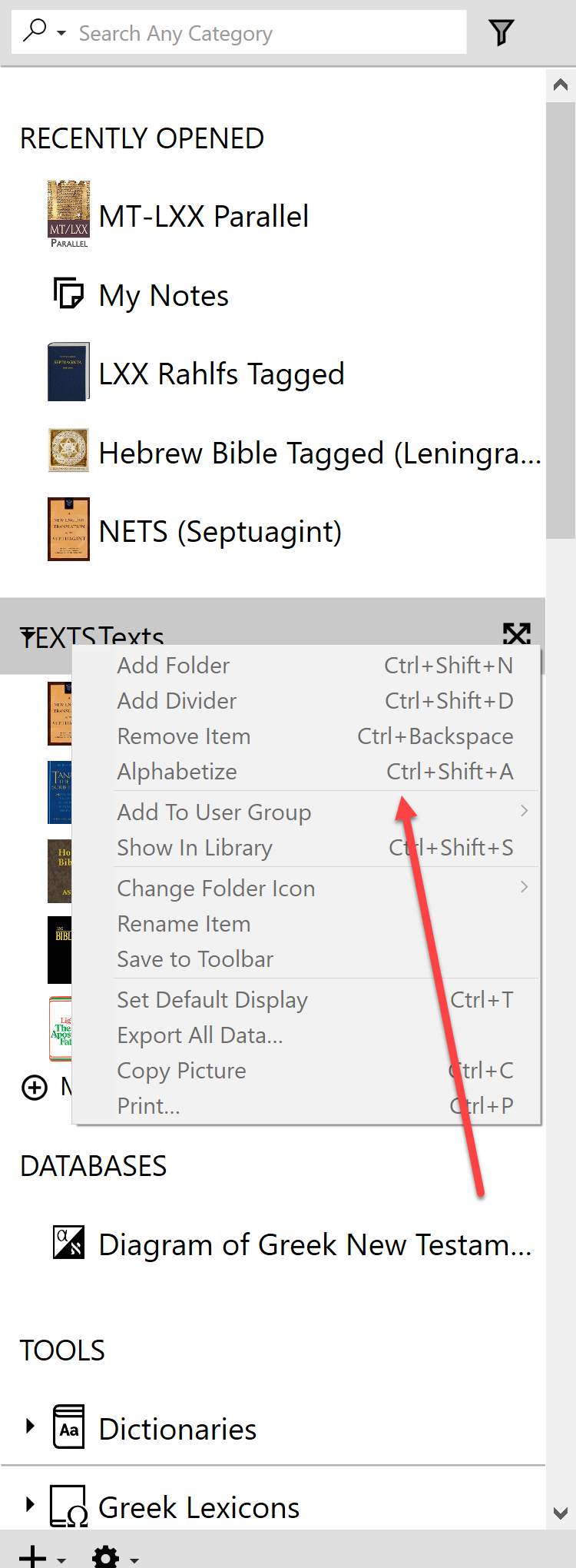
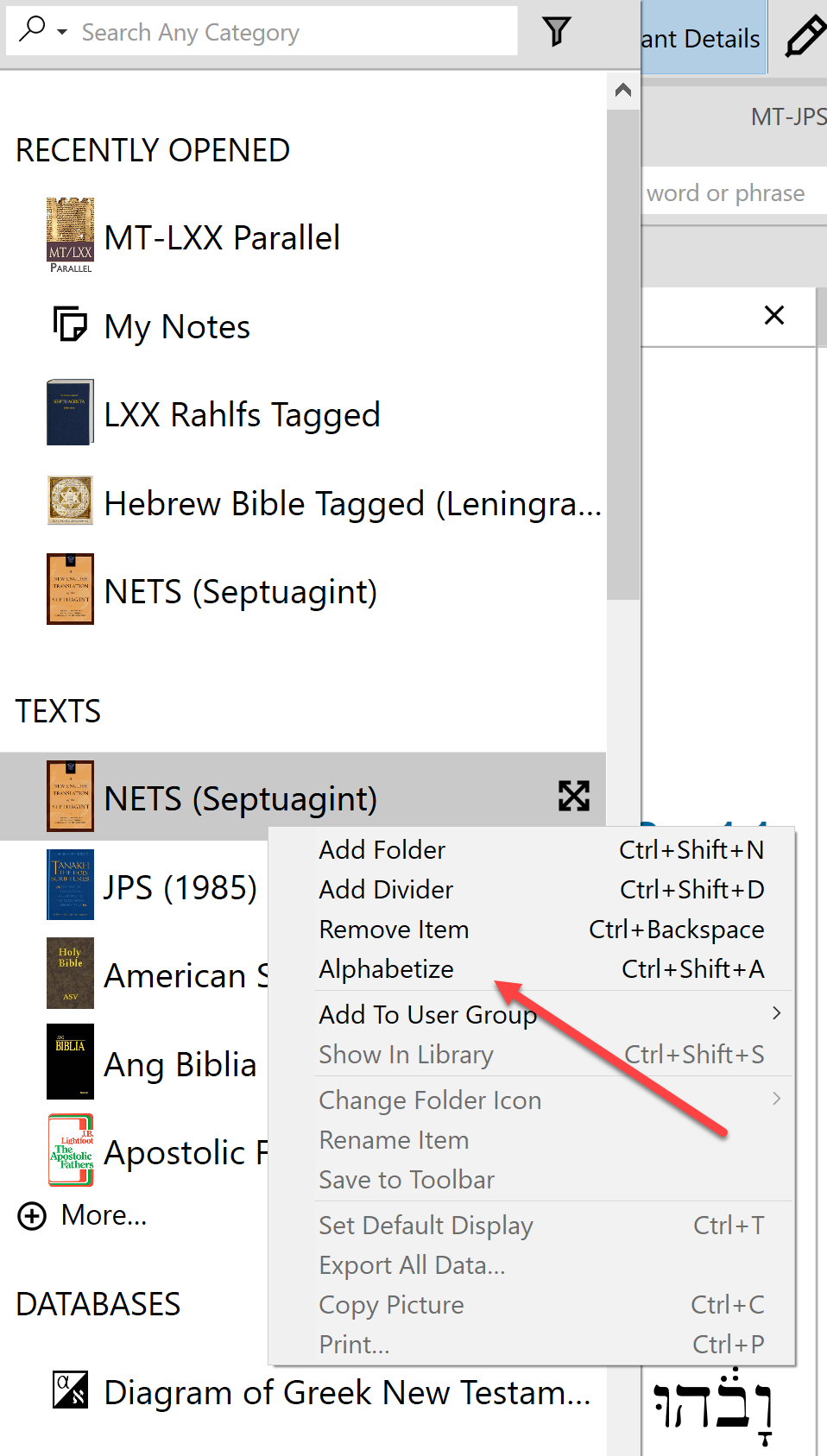
Thank you, Dick. You got me pointed in the right direction. If you click on “TEXTS” in the Library, the Alphabetize is greyed out. But if you click on any text itself, the Alphabetize can be used.
GREYED OUT:
CAN BE USED:
 0
0 -
Also, the Alt keys for the TEXTS are not found in the Preferences. They are simply the first 10 TEXTS listed in the Library. So you take the 10 you want and move them to the top of the TEXTS category after you have alphabetized the TEXTS category.
0 -
Thx Joseph. i didn't know about the text shortcuts
0
Please sign in to leave a comment.
Comments
4 comments