Word Count Question in Job

Hi,
I have a question about the word count and range features. I wanted to generate a list of all the words in Job that appear 1-2 times, so I did the following: [COUNT 1-2] <AND> [RANGE Job] This gives me 304 hits. The analysis section is what has me confused. What does it mean that that there are “304 total words” but “Number of different forms = 278”? When I only do [COUNT 1] I get 184 hits, and that amounts to 184 words, which is pretty self-explanatory; but I don't understand how [COUNT 1] and 184 words jumps to 304 total words by searching for [COUNT 1-2] if only 26 words have 2 hits in Job. Can someone clarify this for me? Thank you in advance.
-

Which Bible Text are you performing the search in?
In the MT-ETCBC, I get 170 for count 1, 118 for count 2 and 288 for count 1-2. So there it seems to add up.
Blessings,
Michael0 -
Thanks Michael - I'm using BHS-T (Biblia Hebraica Stugarttensia Tagged)
0 -
I am getting this:
COUNT 1 - 184
Count 2 - 120
Count 1-2 - 304
Where do you get the number 26 for 2 hits from?
Blessings!
0 -
When I look at the analysis, there are 26 words that show up in Job that have a count of 2.
0 -
I think out of the 120 words which appear 2 times, they are in 94 different forms, so only 26 have the same form twice.
In the other 94 cases the word occurs twice but in different forms, so in analytics you get both forms with a 1 at the end.
Does that answer your question?
0 -
So is Accordance taking into account words that appear outside of Job as well?
0 -
Oh, now that you say that, I think it might be. This search might highlight words that appear 1-2 times total in the OT, and then just select the ones within the range Job. I don't think it highlights words that only appear once in Job, but other times in other places.
Maybe someone can confirm, or share more details.
0 -

There are two ways to set a range for searching
using [RANGE x] in the search box
clicking the ⊕ button and setting the range in the dropdown that appears
For many searches, those two methods provide the same results, but the COUNT is one (maybe the only?) command where the two methods (intentionally) provide different results. The below is taken from entry on the [RANGE] command section of the table in the “Stand Alone Commands” section of the help files:
Note: The results with this command are identical to those obtained when the range is set in the Range pop-up menu, except for the following COUNT command. Those Analytics tabs which display the results across a range always display the range from the menu although the results are limited to the RANGE command.
0 -
Where can I find the “help files”?
0 -
There should be a “help” button on the toolbar (a ? surrounded by a circle); or, you can go to the Help menu at choose “Accordance Help”. Once that tab opens in Accordance, if you don't see a search icon (magnifying glass), you may have to click “Click here to see this page in full context”. Then search for RANGE, and you should find the section I mentioned. (You can also search for COUNT)
0 -
So I tried using Range in the dropdown (using Job 1-42), and the results I got were vastly different from using [All-text] in the dropdown and using the commands [RANGE Job] <AND> [COUNT 1-2]. You can see in the screenshots below - 1449 hits versus 304 hits.
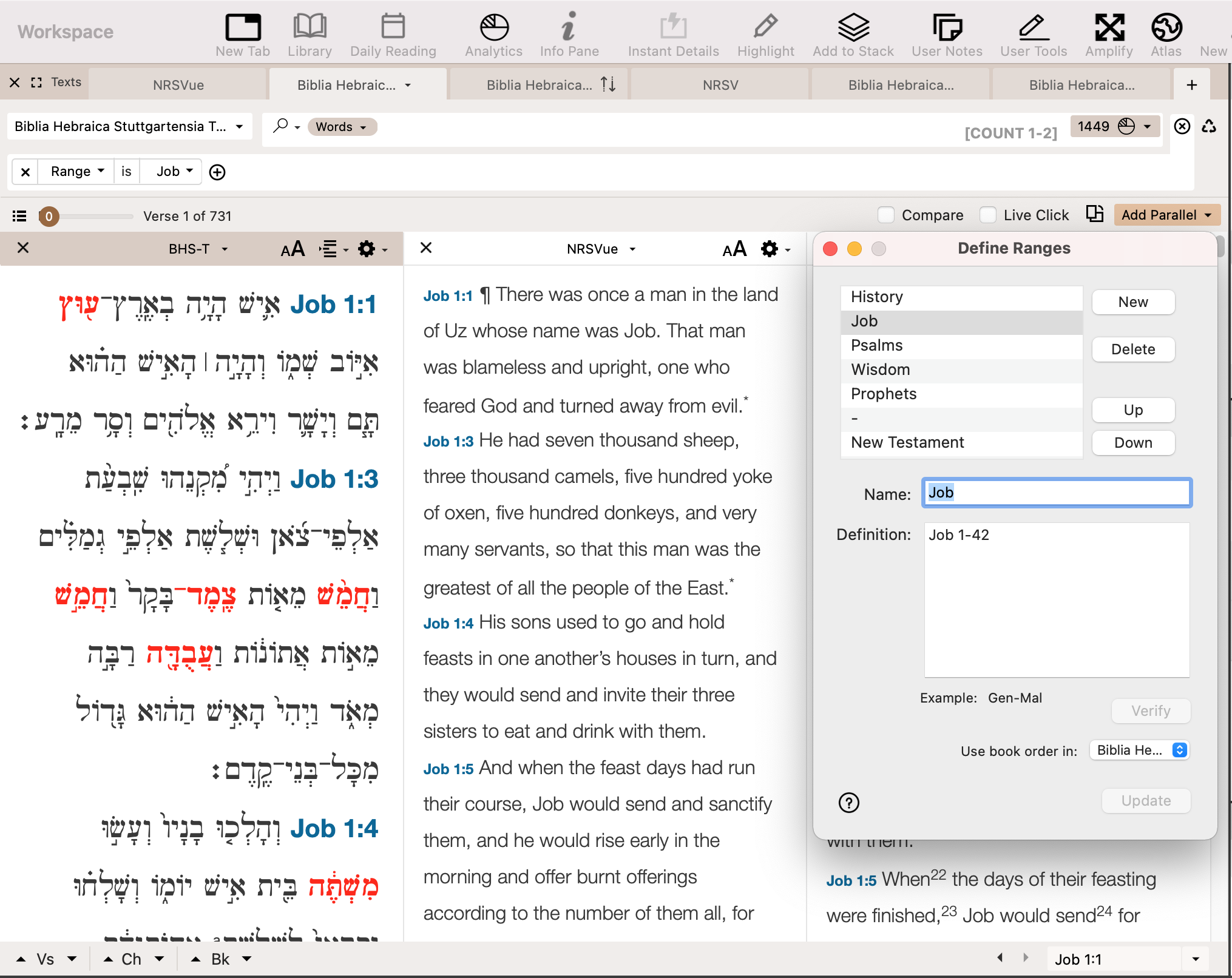
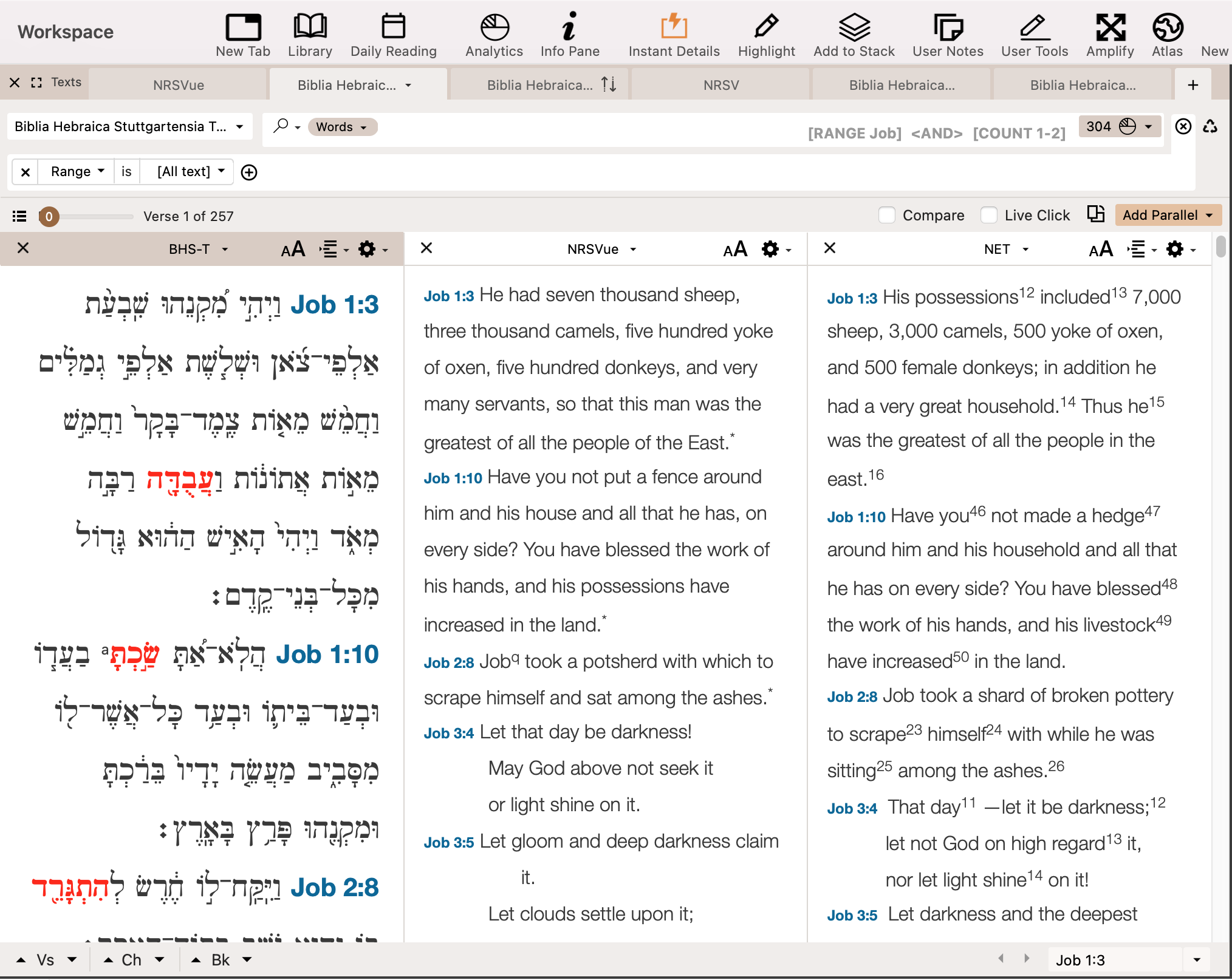 0
0
Please sign in to leave a comment.
Comments
11 comments