Translation Notes not installed

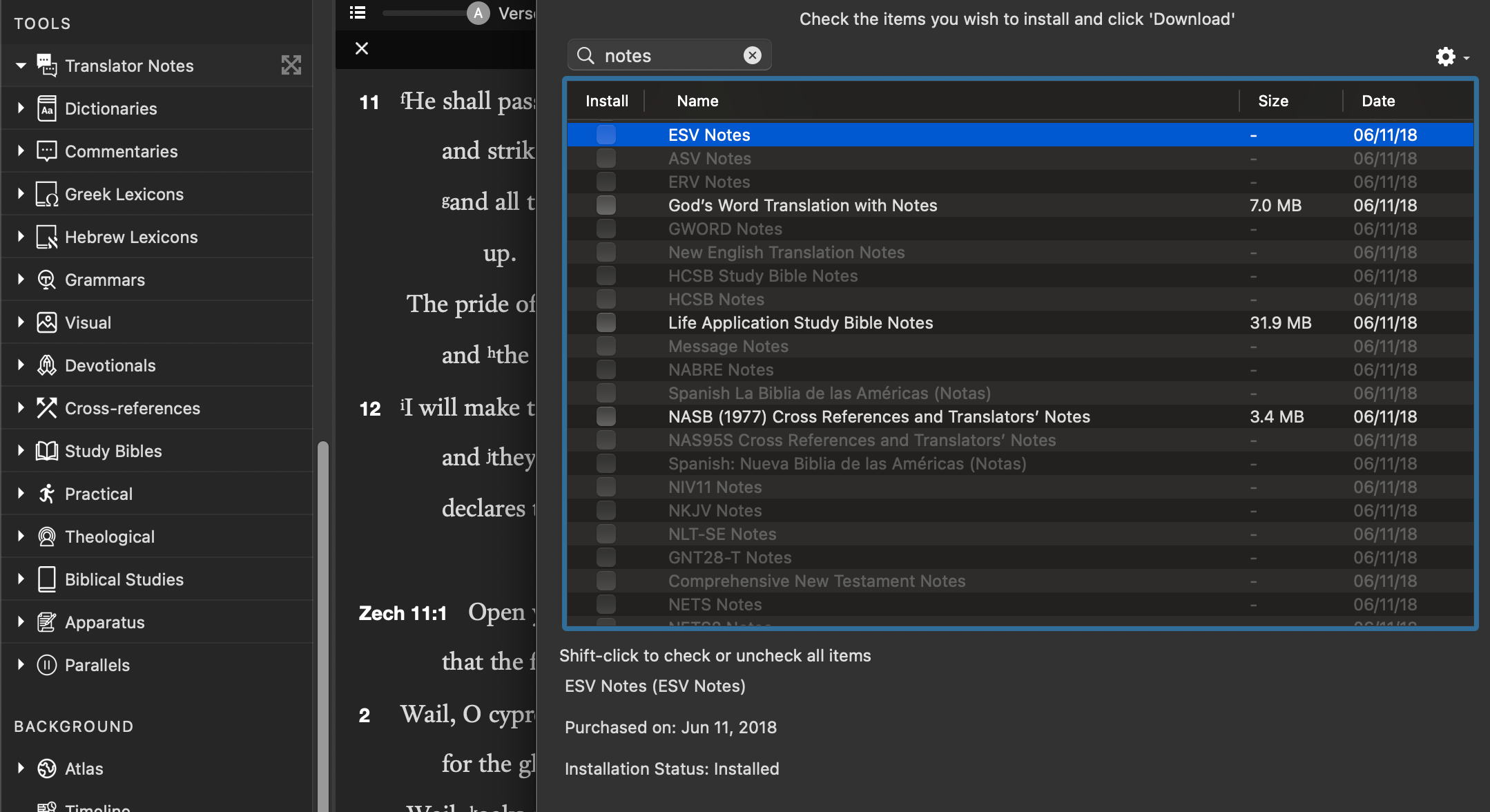
Hi, I cannot see the translation notes for multiple bible modules. I checked “easy install” and it says that they are installed. But I still don't see translation notes, even in the Library panel.
-

You will need to delete the Biblical texts the notes are related to (so, the ESV, God’s Word, and NASB (1977).
The Life Application Study Bible Notes are not translator’s notes, but a Study Bible tool. If they won’t Easy Install, you will need to remove/delete those from your Library as well.
To remove/delete items from your installation, open the library pane (as it is open in your screen shot above). Select the item you need to remove. Scroll down to the bottom and click on one of the buttons there. (One is a gear, I don’t remember what the other one looks like). One of them will give you the option to remove the module. I would remove it and put it in the trash. You may also be able to select the module in the library, control-click/right click/two finger click and opt to remove it from there, but I don’t remember if that is an option there.
Sorry to be a little vague. I’m away from my computer, so I can’t check the precise steps/descriptions.
0 -
I reinstalled bible modules and it worked! Thank you for your comment!
0 -

I have the same problem. Will I lose my highlights in that bible if I delete it and reinstall it?
0 -
No, you will not lose your highlights. I was pretty sure this was the case because the highlights are saved in the highlights file. But I just did a test to make sure: I added a highlight to a Bible module I don't use much. Then I removed the module from Accordance, telling it to put it in the trash, and then I emptied the trash. Reinstalled the module using Easy Install. Once I did I checked, and the highlighting was still there.
0
Please sign in to leave a comment.
Comments
4 comments