Accordance 14.1.1b1 has been posted for testing

Accordance Aleph Version 14.1.1b1 - This version should be available through an InApp update using either the Open beta (14.1.0rc1) or Accordance Aleph 14.0.11.
Changes
- The total syncable file size limit has been increased to 100MB.
- Now, when first running 14.1.1, the installation of each module name setting will be validated. These settings were potentially corrupted in 14.1.0 and will be set to the default if a module name was corrupted.
- Added support for Unicode Hilite filenames and LiveClick custom group names.
Miscellaneous Fixes
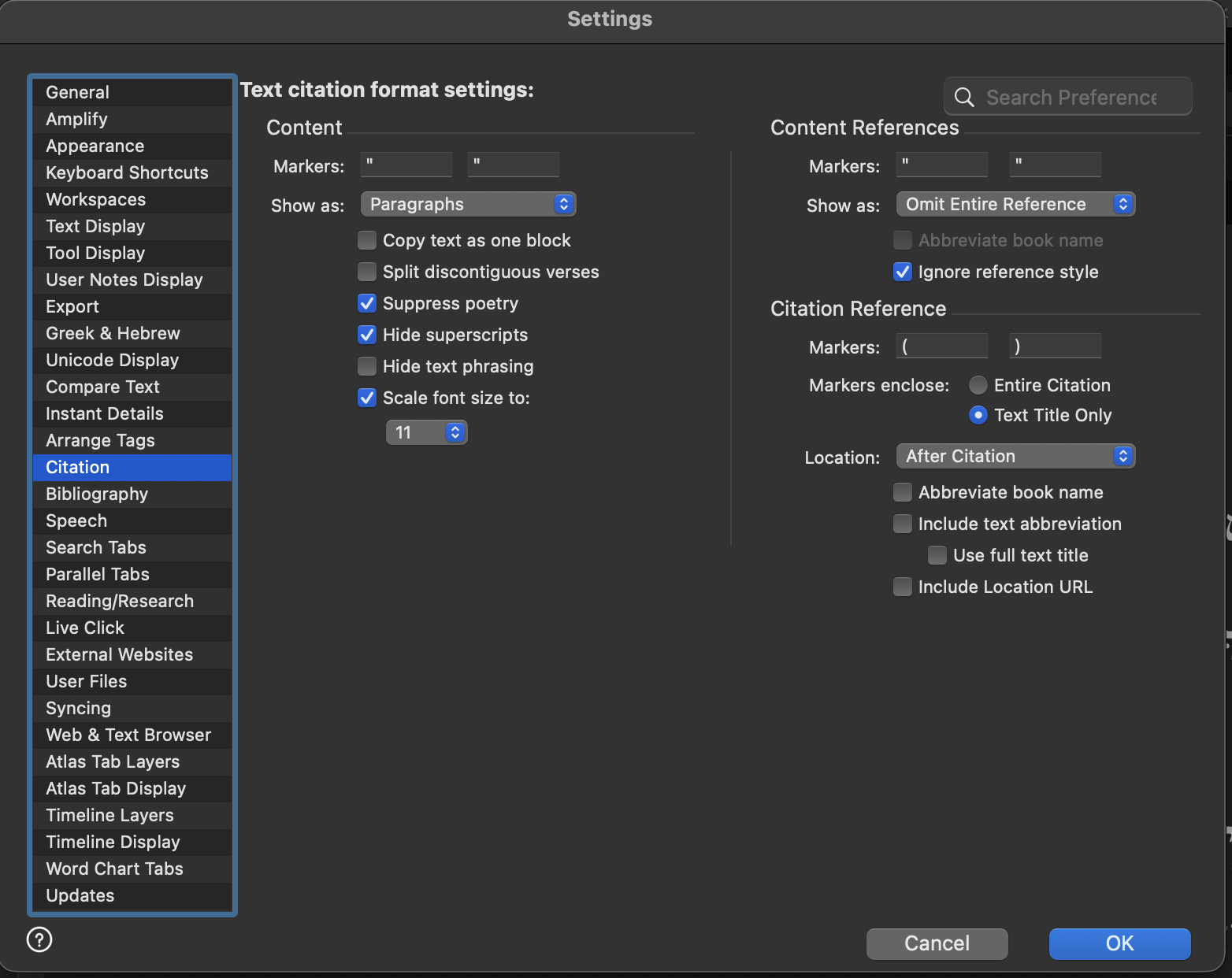
- The Citation and Biblio Marker string settings were not properly stored and corrupted the copied Citation.
- Inconsistent saving/loading of the custom Accordance Files Path setting.
- Israeli and Greek Polytonic keyboard layout mapping was not working properly.
- Improved Text searching by reference for certain foreign characters in a book name, such as Æ, Ø, etc.
Issues when editing Map routes, regions, site groups, and layer sets in the Atlas feature
- When using a filter that is not [all] for "Show routes/regions in", fixed the correct item to select. Previously this filter was ignored.
- Allow duplicate names for an item name that begins with a hyphen (-), so that multiple list separators can be used.
- Several issues when trying to delete the last selected item in the list.
- When adding a new list item, the new item will now be inserted after the selected list item, rather than at the very end of the list.
- Several other issues when inserting a new item in the list, including showing the default name as the name of the new item in the list immediately after it is added.
-

I've downloaded the new Beta, but the problem of “copy as citation” is still there, without any change:
big quotation marks between the verses, no first bracket at the verse reference. As in the pictures.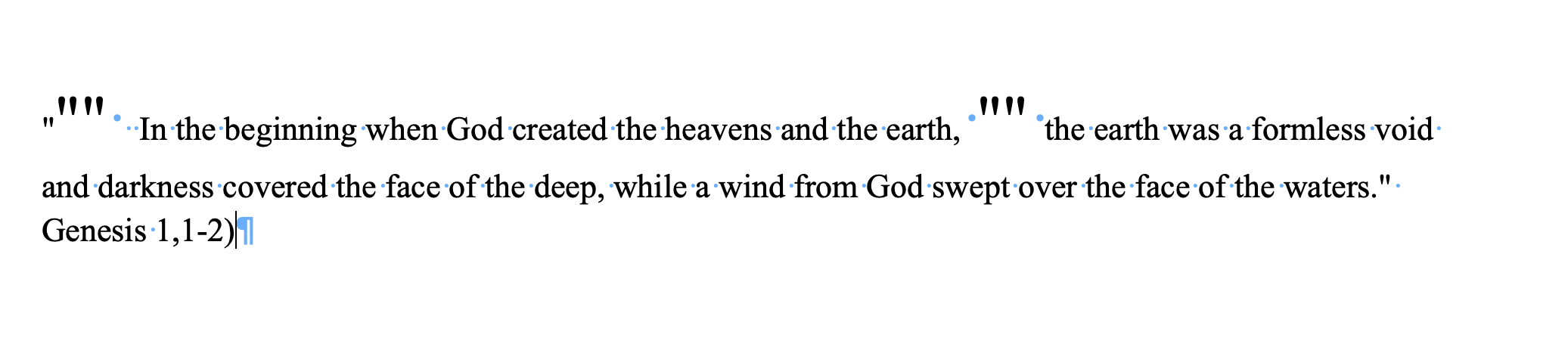
 0
0 -
Interesting, the issues that you are pointing out :
big quotation marks between the verses, no first bracket at the verse reference
were present in 14.0.11 (We will look into these)
14.1.1 fixed a Marker corruption issue that was introduced in 14.1.0. (e.g. if you used smart quotes for one of the Markers then 14.1.0 garbled the text)
0 -

I'm assuming 14.1.1 should fixed issues related to https://support.accordancebible.com/hc/en-us/community/posts/40868795317403-Can-t-use-Nordic-characters-for-book-names-%C3%A6-%C3%B8-and-%C3%A5 ?
I have upgraded to the latest, but if the above is the case, then I'll try to find one of my co-students to test it on a previous version.
0 -
Yes, 14.1.1 should address the search issues with Nordic characters in book names. Please let us know if you find any issues with this fix.
0 -

I found another issue.
å and ø doesn't come up in the quick entry.
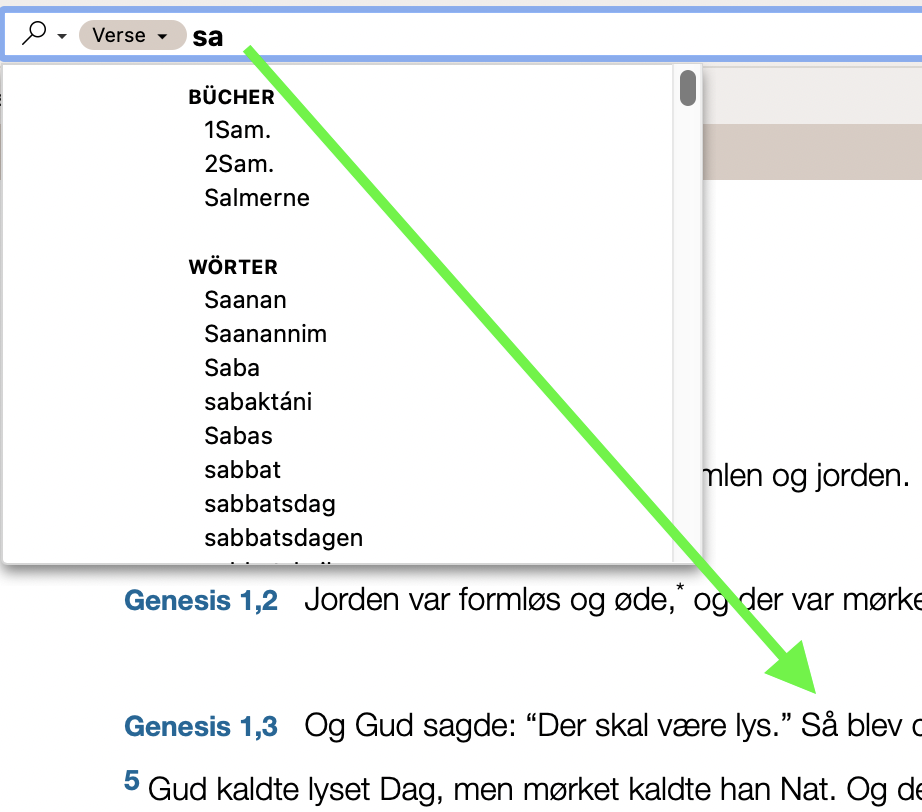
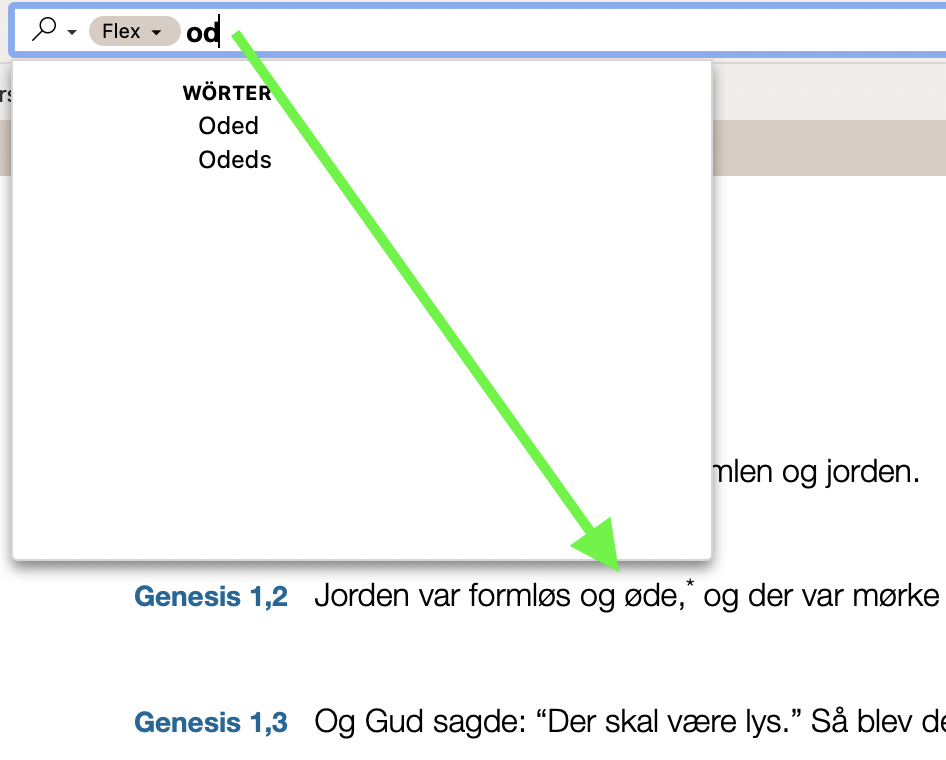
And maybe more. This was just a short test.
For the German Umlaut all works great so far, but not for the nordic characters. It would be great if there is the same algorithm.
A good example of the German algo.
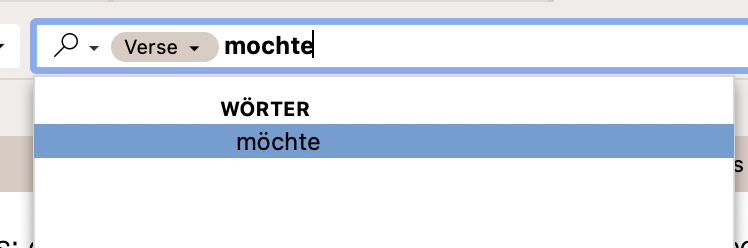
There is no other word in the text, so it choose automatically the one with Umlaut.
Please adapt this algorithm to the nordic characters too. Also for the book names etc.
Thanks.
If you need the Users Bibles I can send it to you.
0 -
Update:
Or in other words it gives always also the ones with Umlaut too. So it would be great if this works with the nordic too.
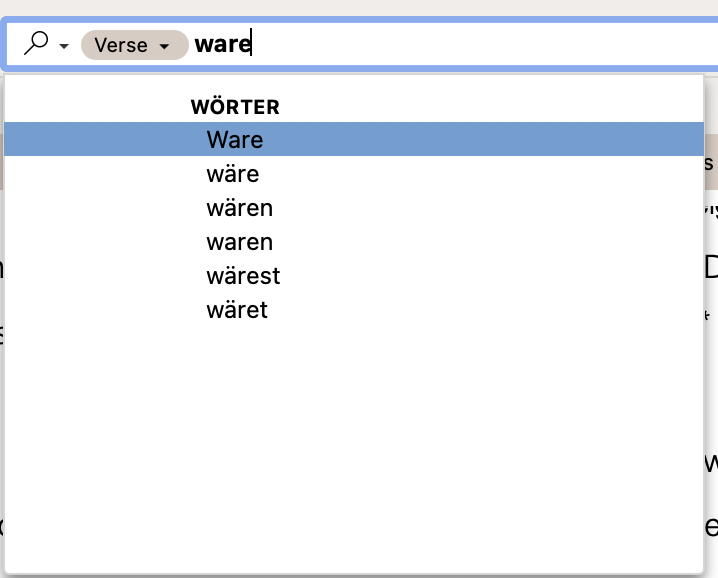
Thanks
0 -
Follow-up to Fabian:
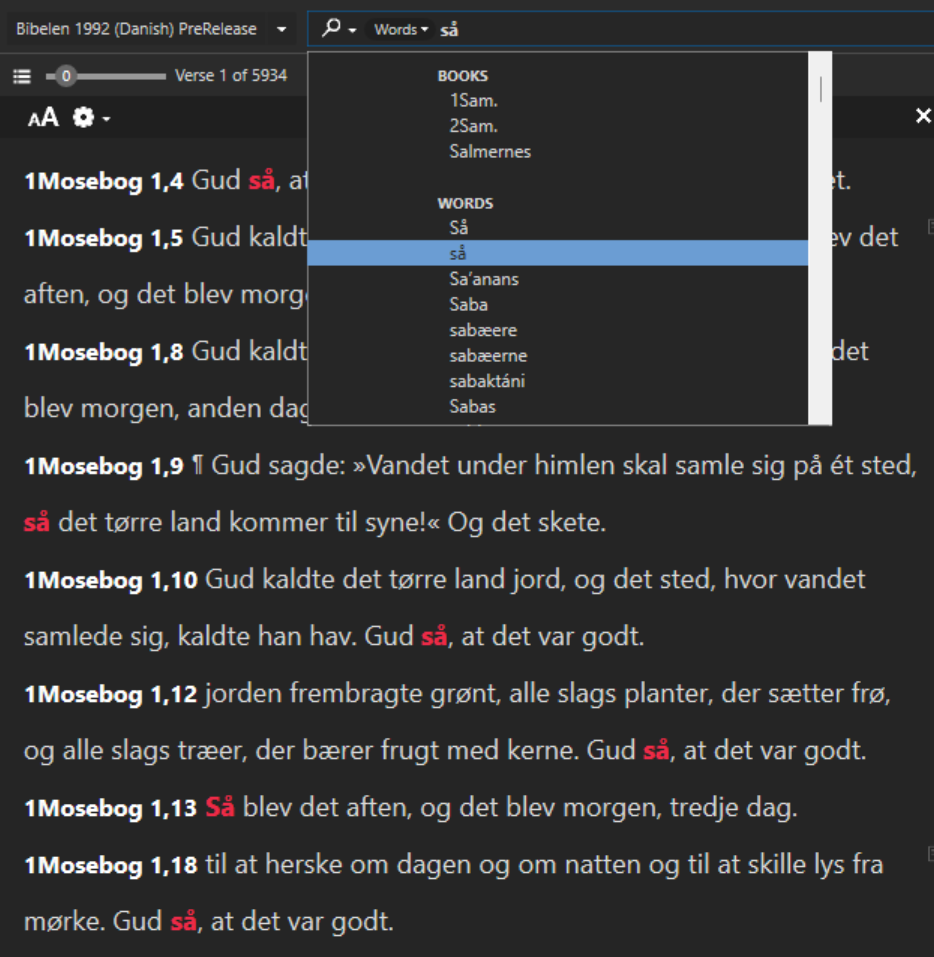
I have the Nordic characters in sometimes in be selected automatically in quick entry. Even if they are not selected automatically, they are still proberly searchable.
I havn't found an issue so far.
 0
0 -
But it looks like you have typed “så” and not “sa”. See in contrary to mine with “ware” it chooses also “wäre”.
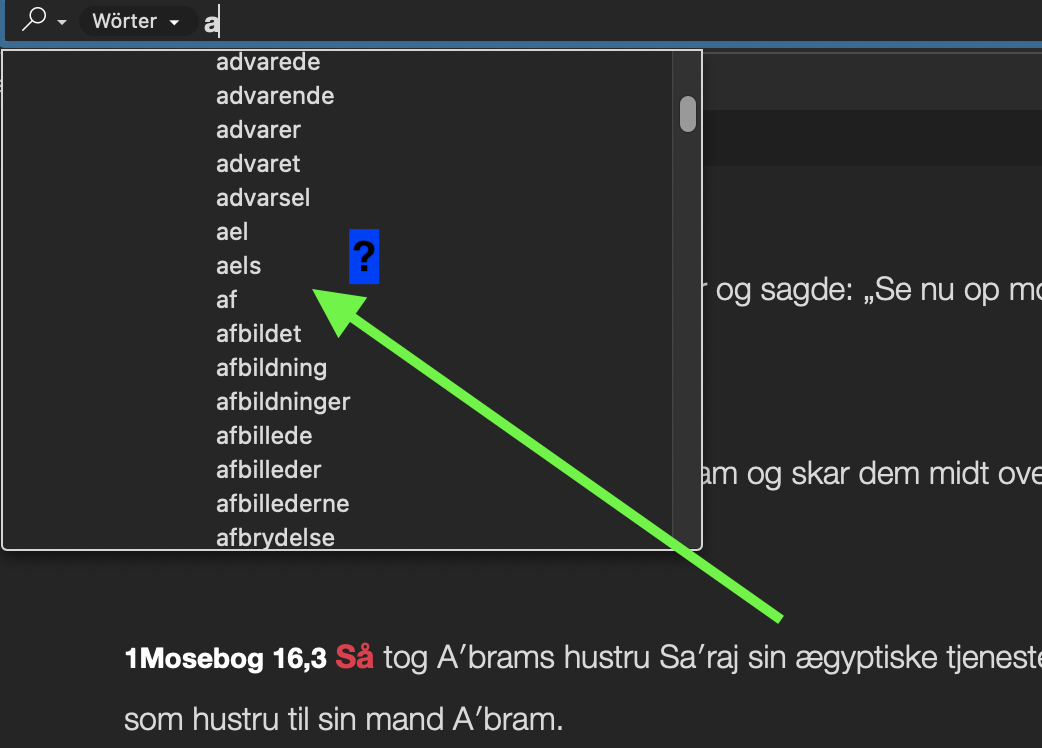
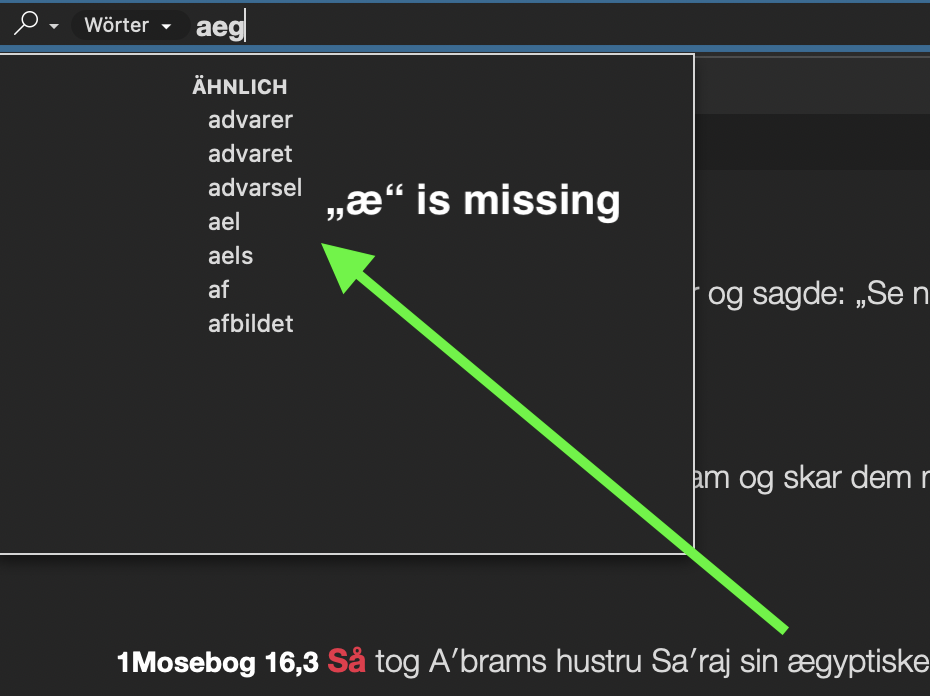
Means it should come “så” even if you type “sa” in quick entry.
It works also in French. Typing without the accent, but the one with comes also up.
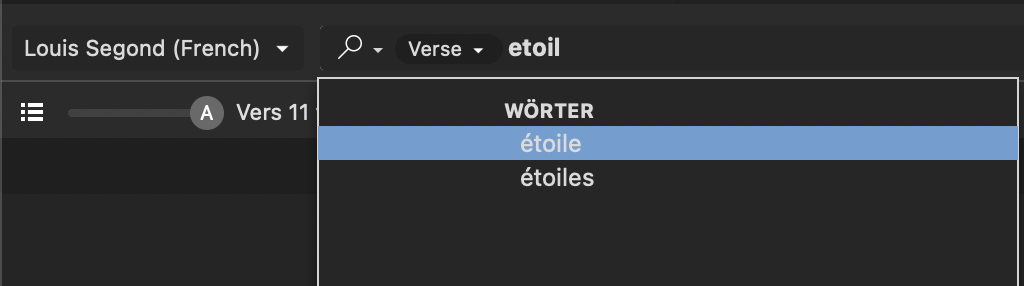
But not in nordic. I see this clearly. Your “så” is not greyed out, so this is not searched but typed in this way. It's a different case of what I speak.
Please check also “æ”. Does it come up by typing “a” or “ae”? It looks it doesn't.
 -1
-1 -
Hm, I see what you mean now. I can confirm now, Fabian.
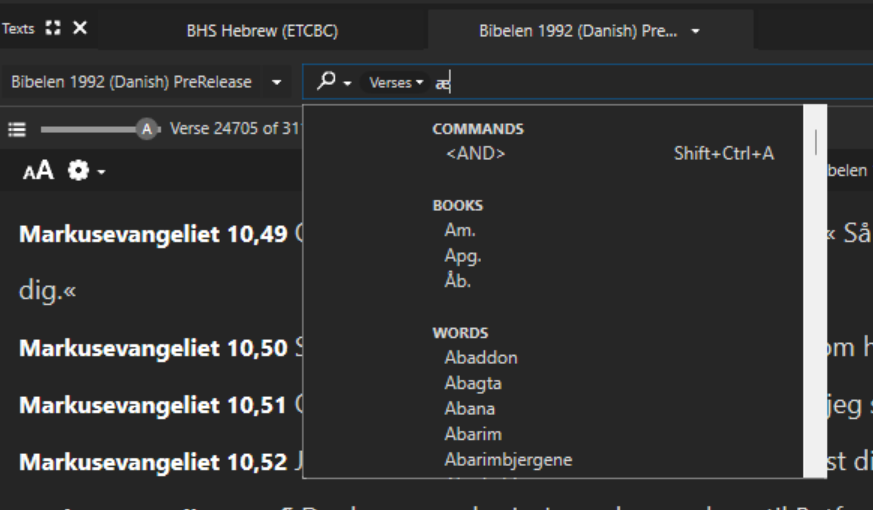
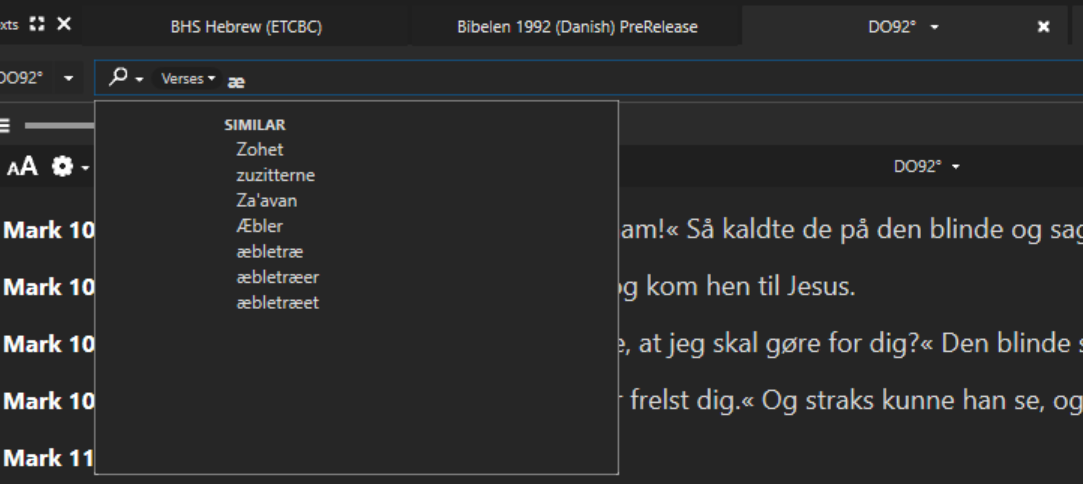
On modules from Accordance, it automatically shows a quick entry list. However the list is very short compared to a User Bible.
Below are screenshots from the same text, difference is only if it's a module or User Bible.
Module:
User Bible:
 0
0 -
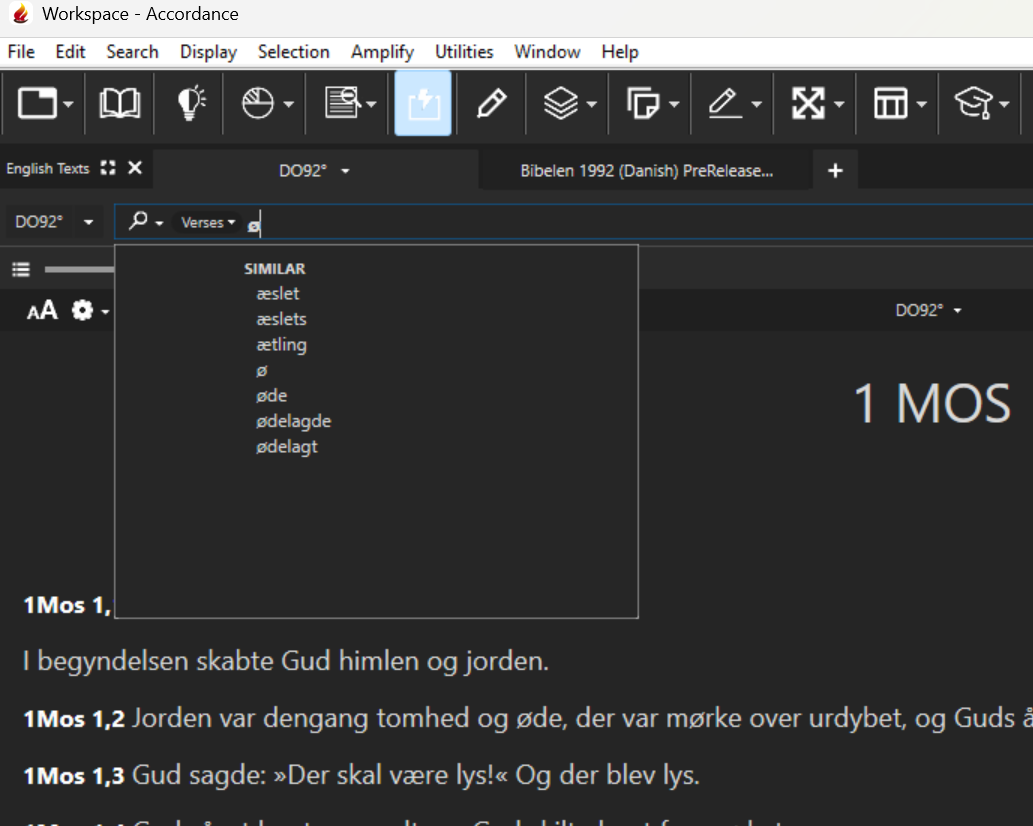
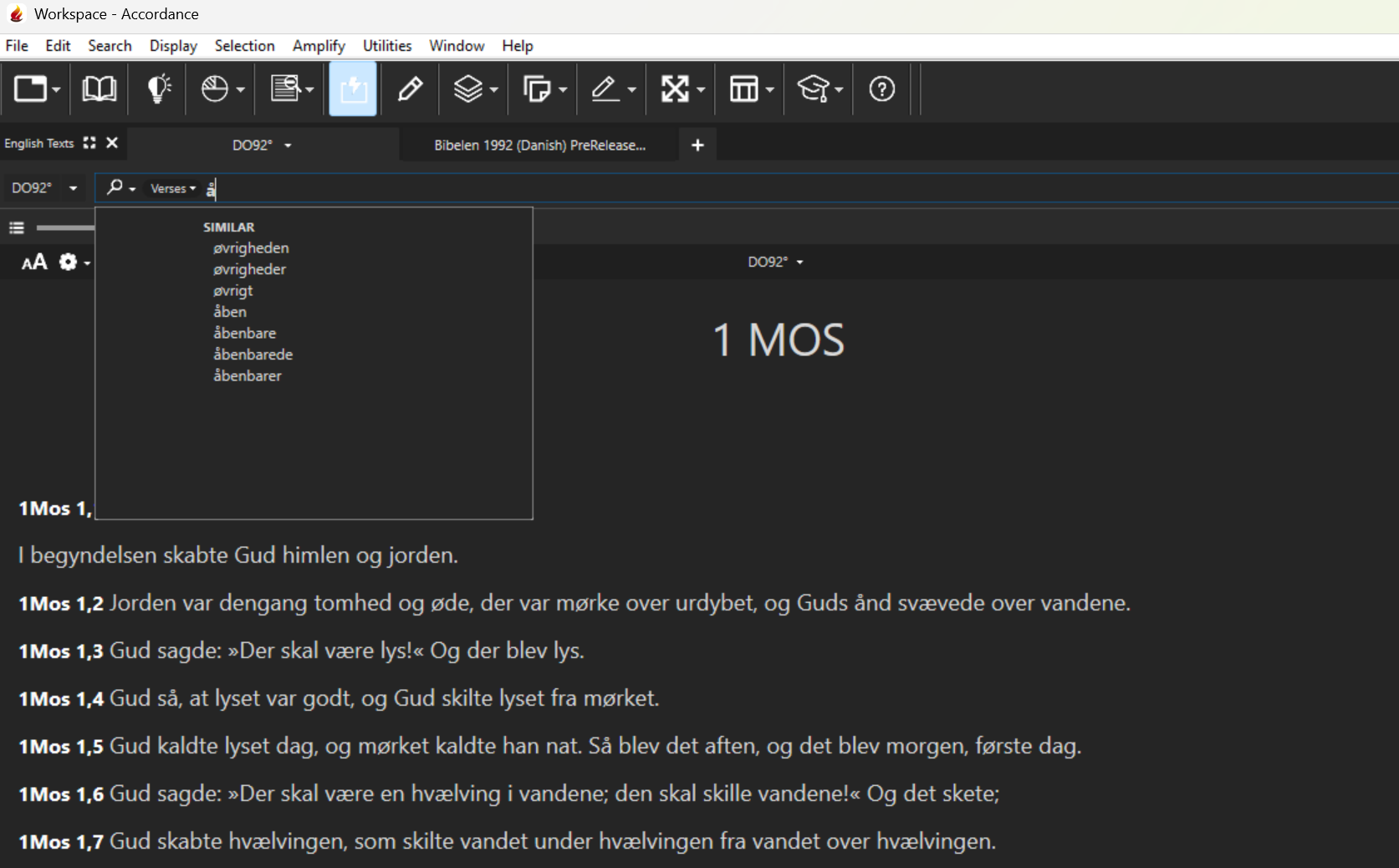
How it is with the other characters å, ø etc.?
0 -
The User Bible for å is completely wrong.
Module for ø:
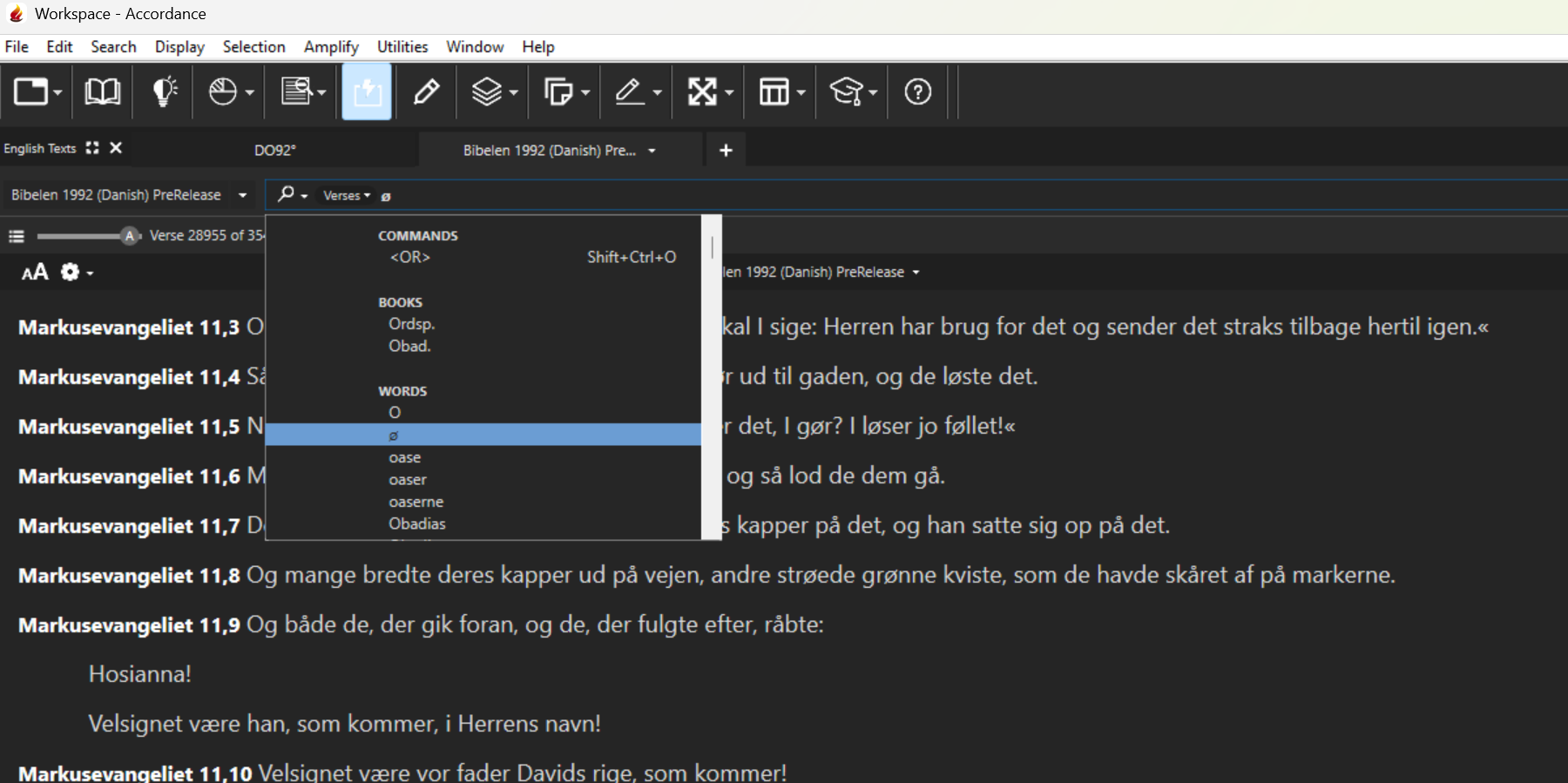
User Bible for ø:
Module for å:
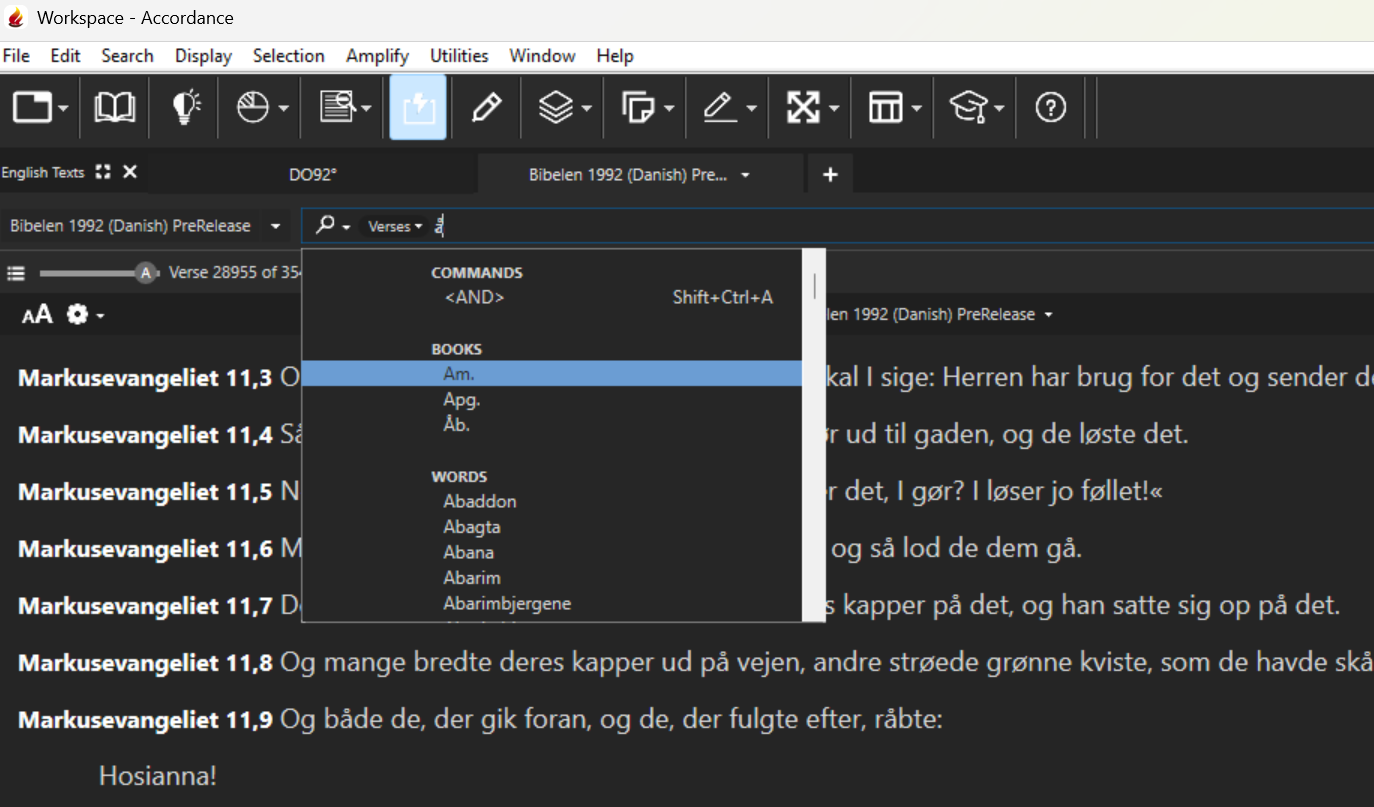
User Bible for å:
 0
0 -
Thanks, but I mean more the opposite. If you type “a” does “å” come up too.
0 -
For Module:
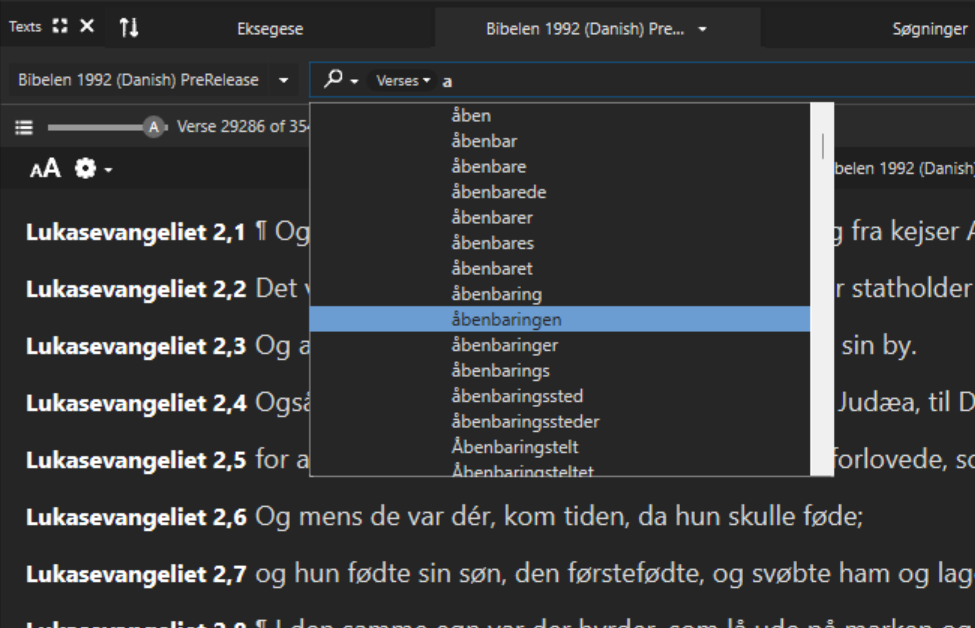
For User Bible, it does not.
0
Please sign in to leave a comment.
Comments
13 comments