copy and paste

I have asked on the forum and other Accord users about copying Bible text from Accord to a word processor. I've tried changing all the “text display” and citation menus but I cannot get a usable paste. And I spend have my study prep editing pastes. I understood that "Copy As" with “No Superscripts” was what I need to do. But it ain't working for me. Please help
I want something like this with “No SuperScript” in Copy As:
Proverbs 3:1-10 NIV
1 My son, do not forget my teaching, but keep my commands in your heart, 2 for they will prolong your life many years and bring you prosperity. Let love and faithfulness never leave you; bind them around your neck, write them on the tablet of your heart. 4 Then you will win favor and a good name in the sight of God and man.
But I get this:
Proverbs 3:1
My son, do not forget my teaching,
but keep my commands in your heart,
2 for they will prolong your life many years
and bring you prosperity.
Proverbs 3:3
Let love and faithfulness never leave you;
bind them around your neck,
write them on the tablet of your heart.
4 Then you will win favor and a good name
in the sight of God and man.
-

You may need to choose a text version that does not use a poetic format. Even using the suppress poetry option simply copies as one verse per line rather than paragraph form, which is not what you were seeking.
--Joseph
0 -

You can get something akin to the desired look by using the text pane display options to suppress poetry and superscripts and choosing “copy as citation.” But as Solly pointed out this will still display each verse on its own line, even if paragraphing is turned on. This is likely due to the way the original text was formatted. You can use a translation that was not formatted in this manner if you have access to them.
Running a quick check, these include: The Bible in Basic English, the Easy to Read Version, the Geneva Bible, the KJV, the Literal Standard Version, the New American Bible, the NIV 1984 with GK Numbers, the New Jerusalem Bible, the REB, the Revised Standard Version, the TEV, and Young's Literal Translation.
0 -

I'm not sure of what the correct term is, but if you use the direct copy and paste, i.e., “get verses” from Accordance (in Mac, comm. + option + a), that should paste into you word processor without the separation into paragraphs. It comes out looking pretty much exactly as what you are looking for.
I hope this helps!
0 -
Donald COBB, thank you! I learned something new this morning!
0 -

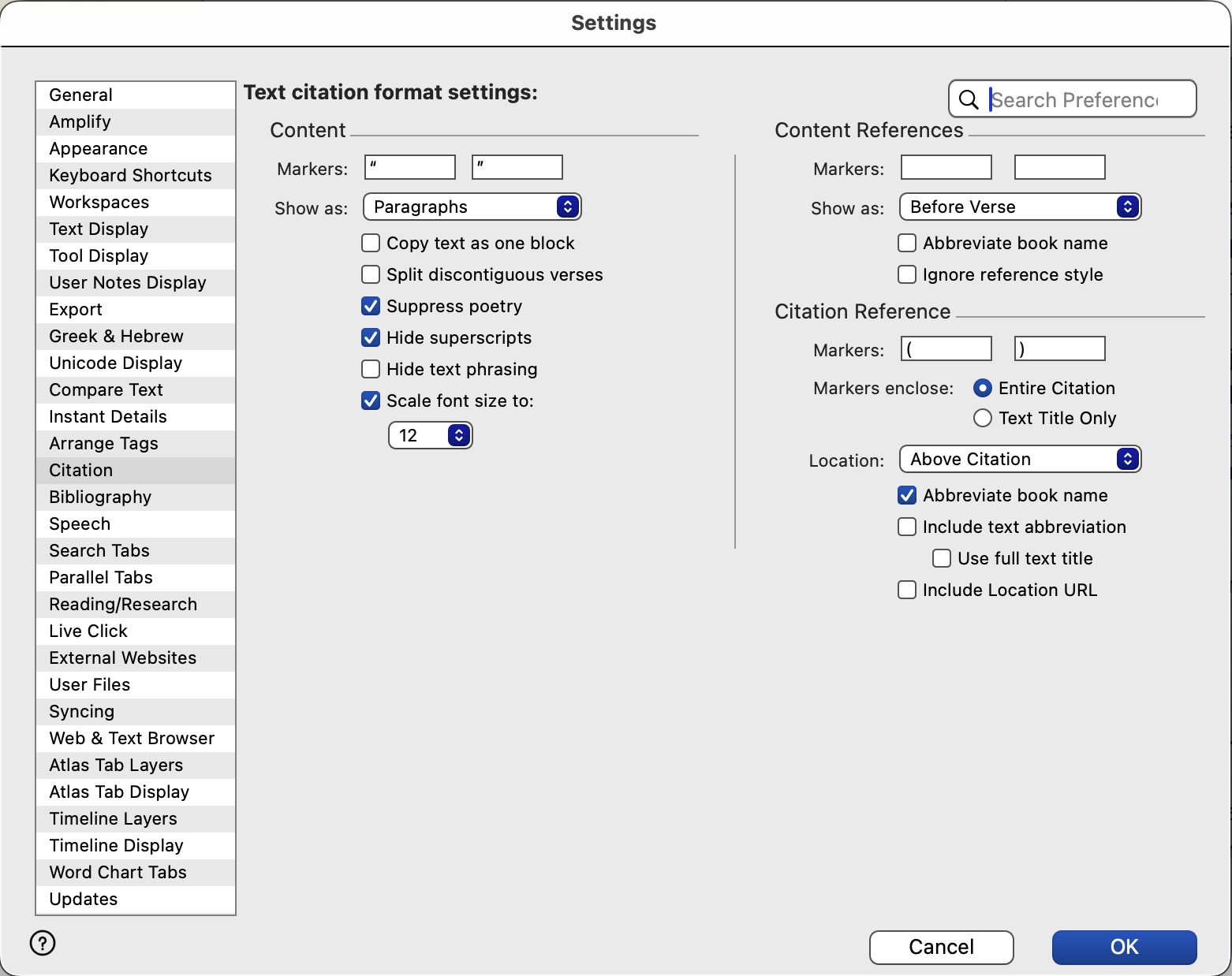
(1) Configure the Settings > Citation Panel as Illustrated: Figure 01
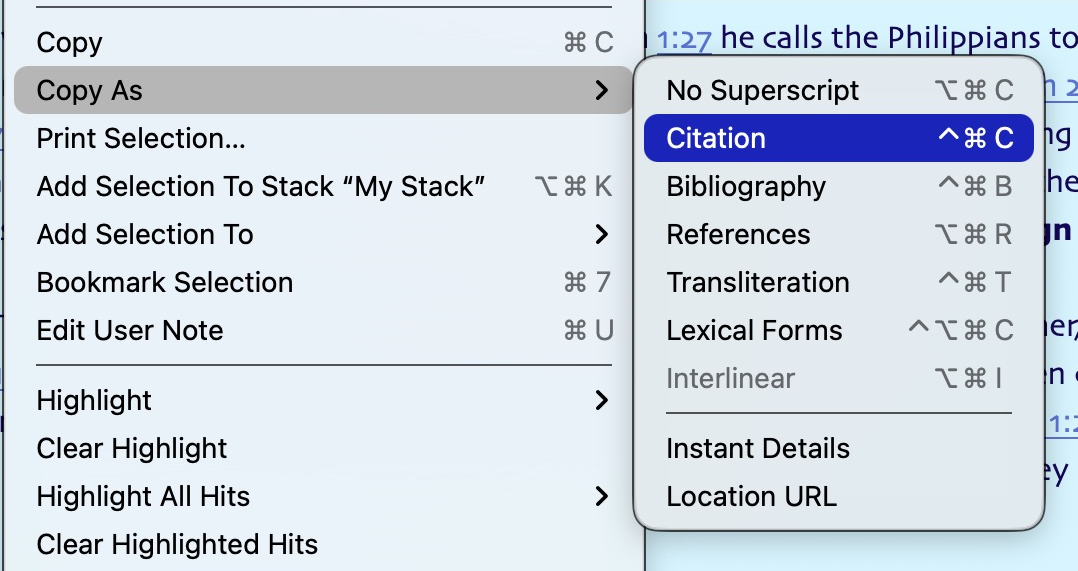
(2) Use the Copy as Citation choice in the Edit menu or the Contextual menu: Figure 02
 0
0 -
Michael Newson, if you also check “Copy text as one block” shown in Figure 01 above, you will find the verses will fill one aftrer the other as you wanted. In my setup, unless that box is checked, each verse starts on a new line. This was tested with the NIV11-GKE text in Accordance 14.0.11.
--Joseph
0 -
Thanks everyone. Ronald Webbers suggestions got me closer. I will probably use the Get a Verse feature from now on (first verse in sceenshot of text). Still can't get it to show the verses without superscripting when I use the copy as without and with citation (2nd and third references below). Here are my settings.
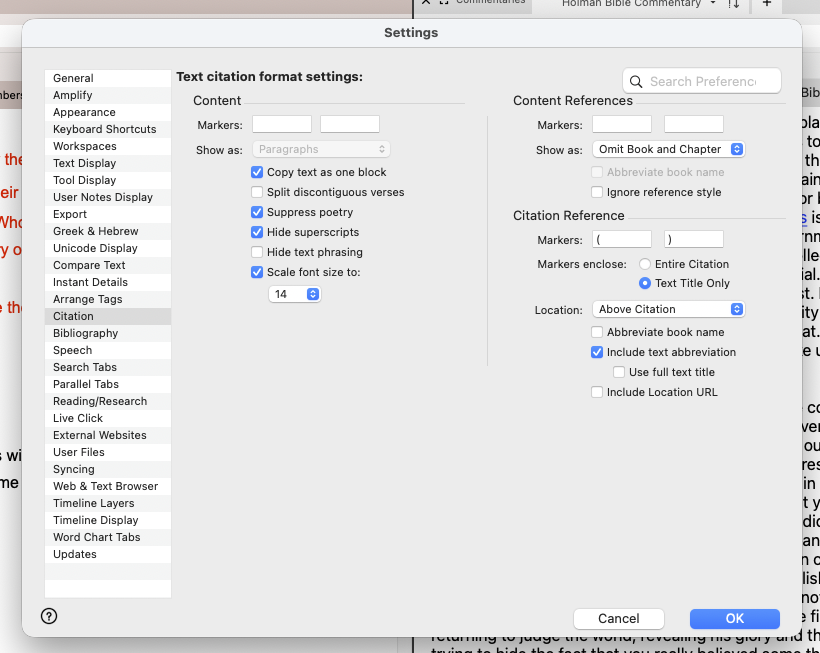
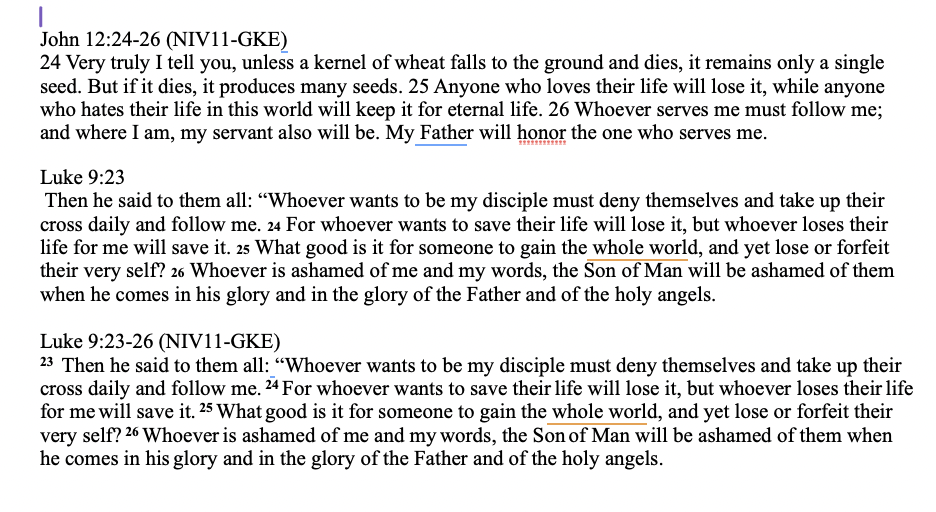 0
0
Please sign in to leave a comment.
Comments
7 comments