Corrupted Links in User Tool

Accordance Aleph 14.1.0rc1 on an Intel Macbook running Ventura
I first ran into this in my Commentary User Tool for New Testament passages, but ended up correcting the issues before it occurred to me I should report it. Fortunately(?) I have found the same kind of errors in my Old Testament Commentary User Tool. Some of the title links have become corrupted.
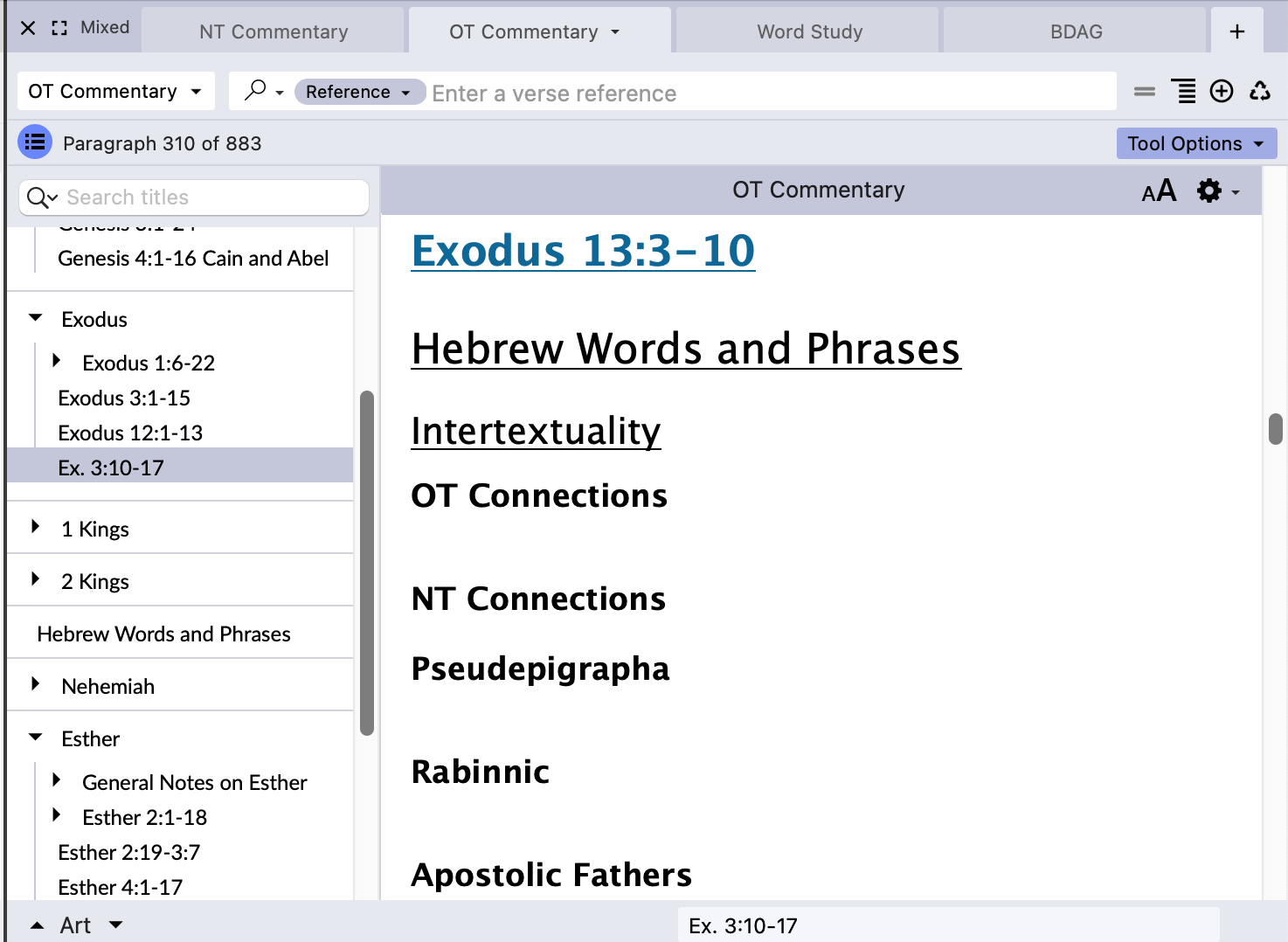
In the screenshot below, you can see that the last entry for Exodus in the TOC reads “Ex. 3:10-17” but that when selecting that section from the TOC, the title/label reads “Exodus 13:3-10”
If I open an edit window (command-U) for that section of the User Tool, select the title, and press Command-L to bring up the link window, I can see that the “Link” box reads “Ex. 3:10-17” while the Display shows Exodus 13:3-10:
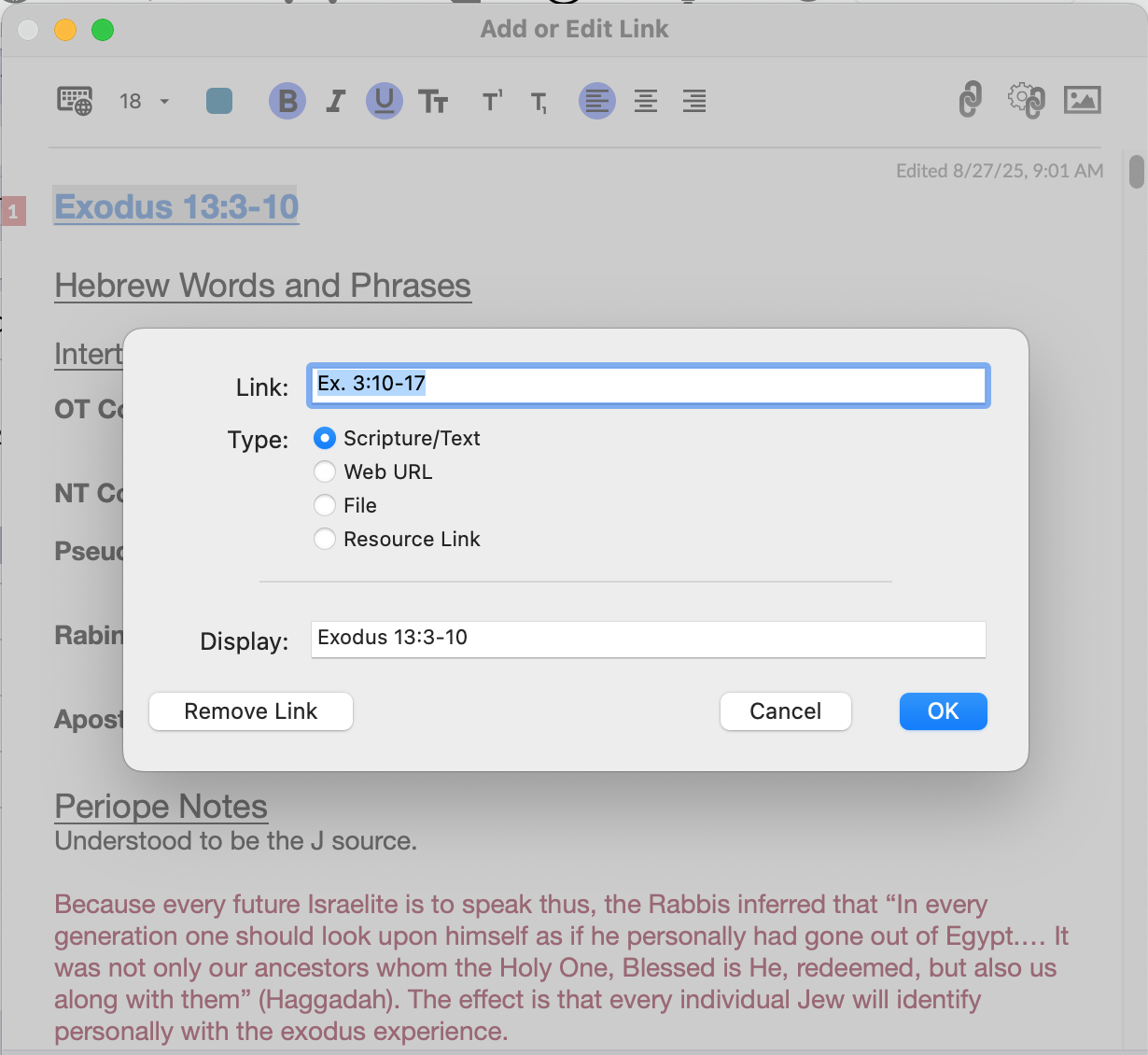
Given how I set up these sections in the User Tool, I am quite certain that I never set the link up this way.
Similarly, nearly all of the Nehemiah sections show up as passages from Exodus, even though the title references are for Nehemiah:
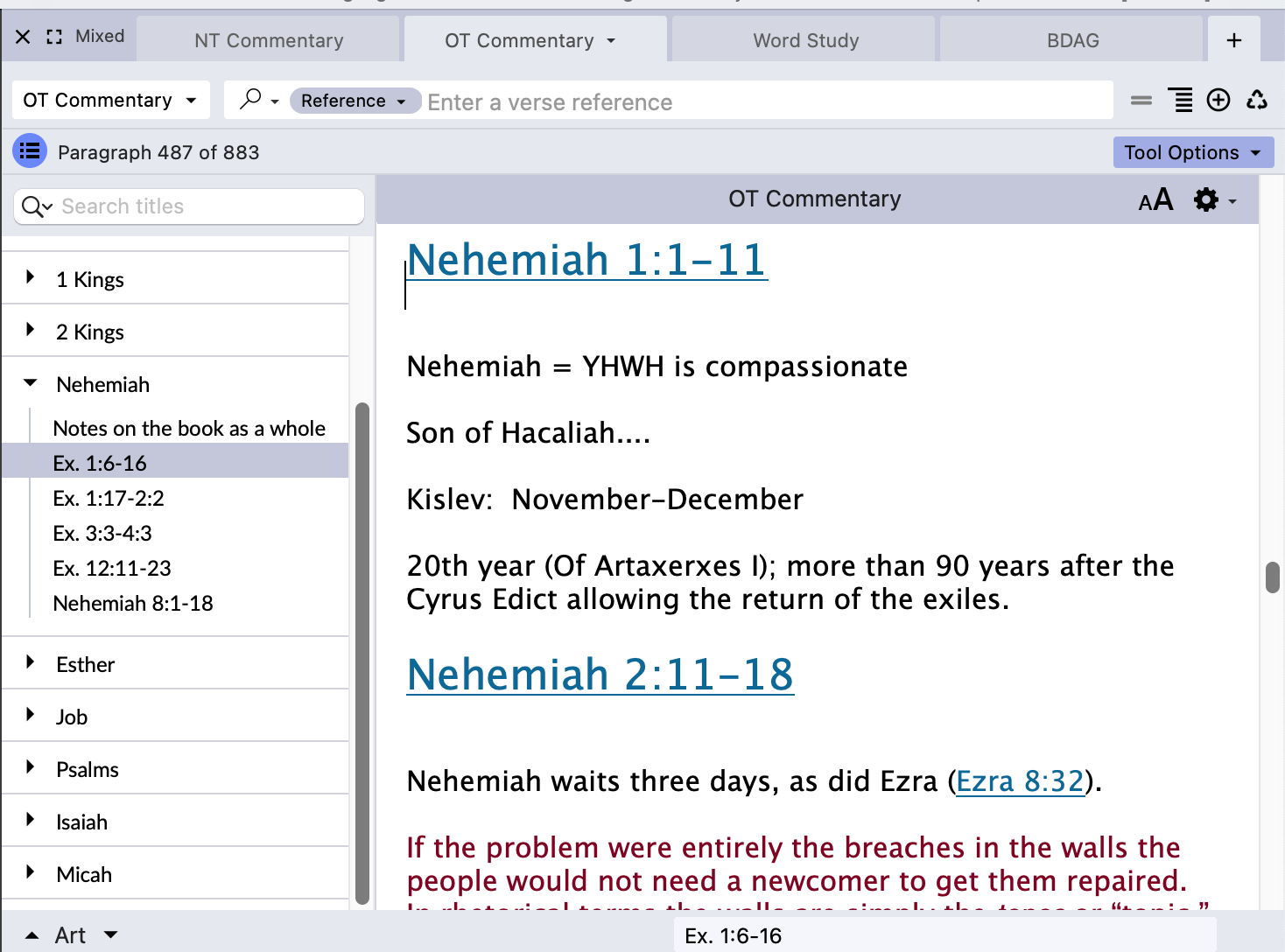
Again, I am quite certain that this is not due to my setting up the links wrong when creating these sections. This is a corruption that has made its way into the tool. (And into the NT Commentary Tool)
I have corrected the issue with the TOC in the Exodus section, but I'll leave the corruption in the Nehemiah section alone for now, in case there is a bug fix you want to try, or you need more details about the error.
I have seen link corruptions before with “hidden” links, where the settings in the “create link” box set the Display text as different than the actual link, but these links were not created that way. They were auto-linked, and the Display and Link text should be identical.
-
14.1.1b1. Seeing the same issues, for example:
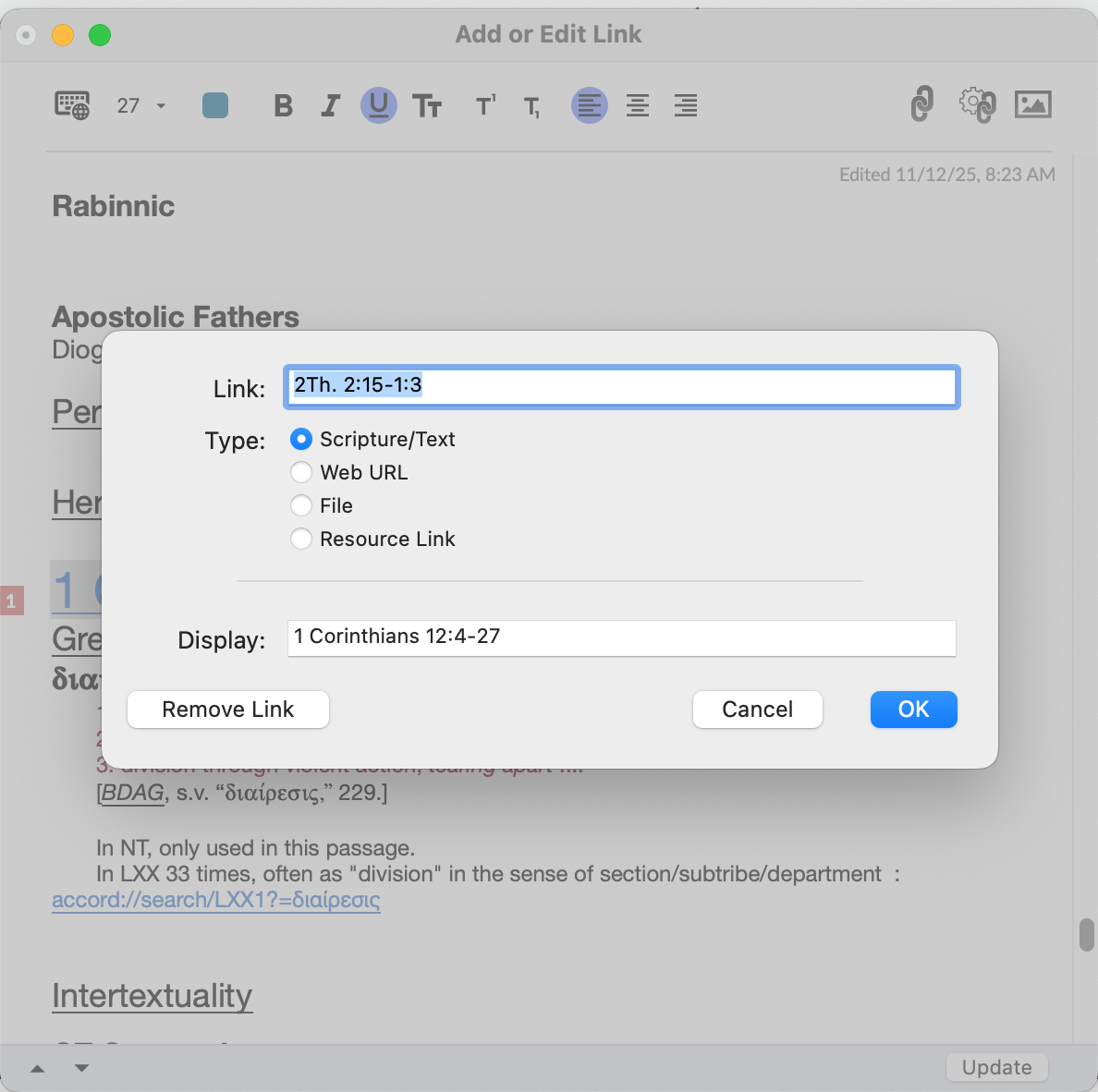
Again this was originally an Auto-created link; there is no way that the difference between the Link entry and the Display Entry is User error. This is a corruption that Accordance has introduced.
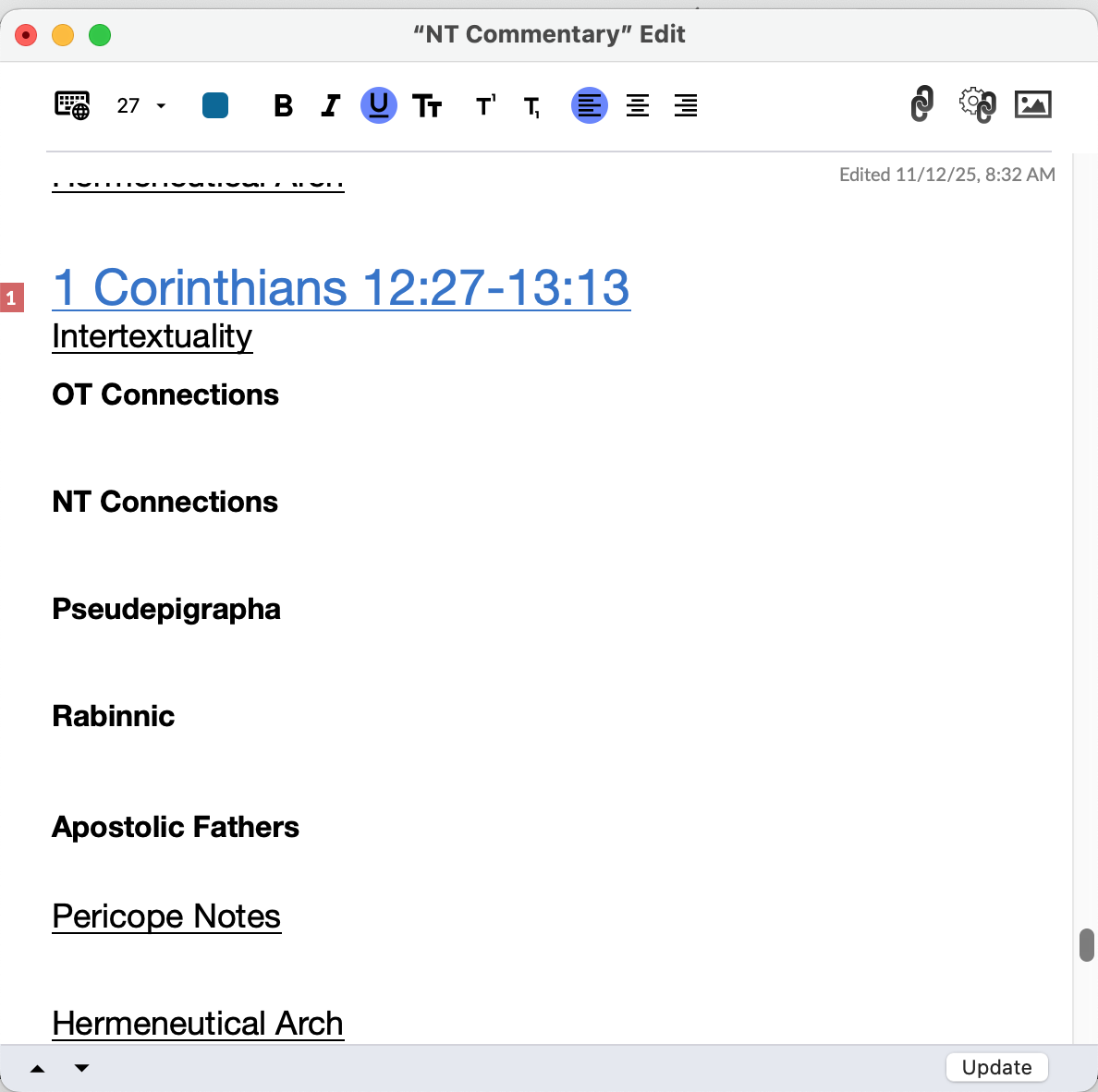
The other thing I was seeing--which I didn't think to get a screen shot of before correcting it--is that after auto-linking, often the link formatting at the heading level would incorporate the following line. For example, in the photo below, the link formatting for the 1 Corinthians 12:27-13:13 link would also incorporate the Intertextuality line. (In other words, the Intertextuality line would also be blue and underlined). When I went to change these errors, the “link” box reference was often wrong and had to be corrected. If I run into it again I'll try to remember to get screenshots for you.
 0
0 -
The link formatting problem I mentioned above just happened:
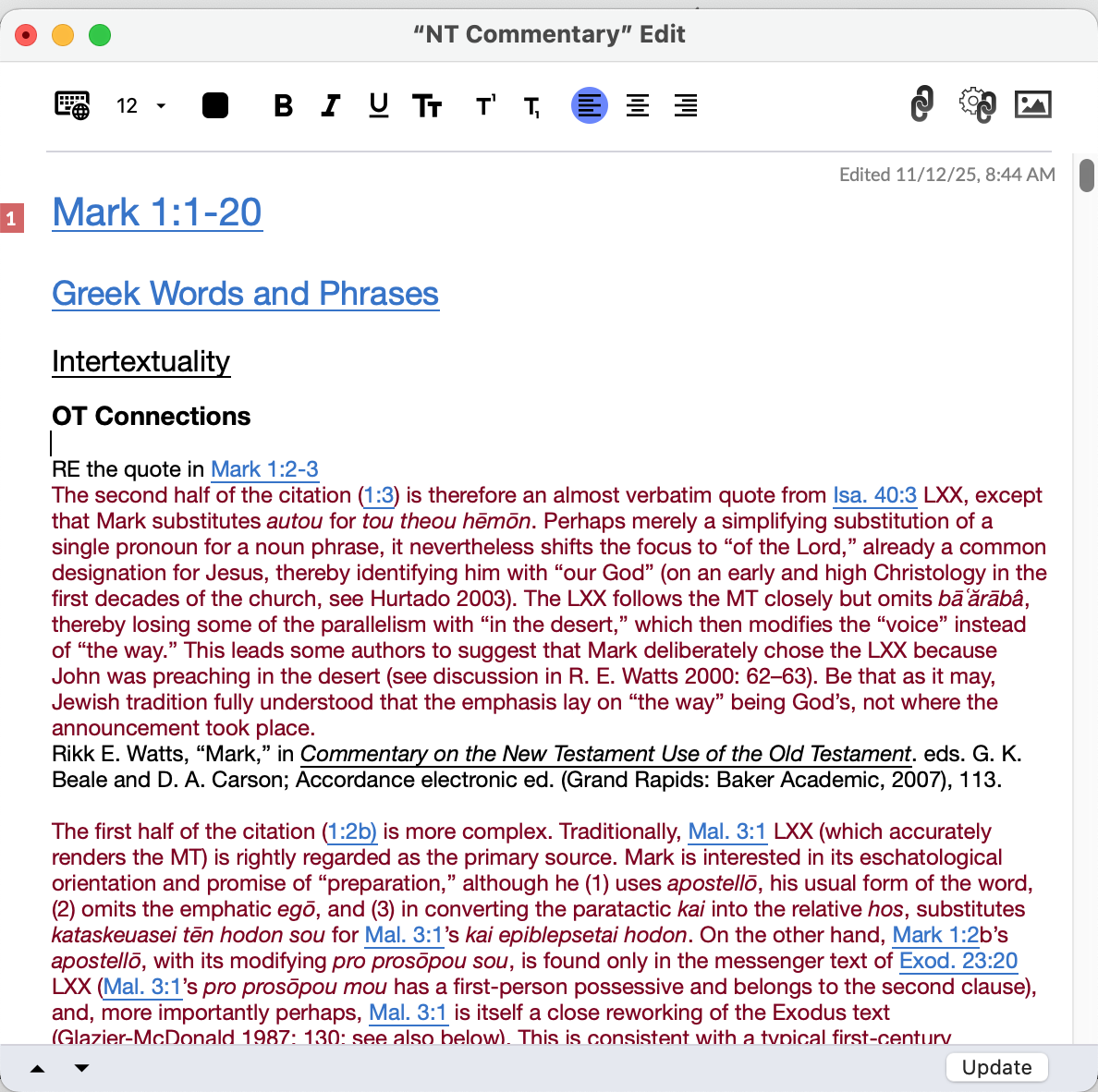
In this case, I was trying to fix a problematic link (Mark 1:1-20, which was showing as a passage from Matthew in the TOC and Isaiah in the make link box.). I was using the Command-L process to fix the link.
When I removed the link and used autolink, it worked fine.
0 -
Also, it is evident that Accordance is continuing to introduce corruptions in this tool--these aren't just manifestations of an older problem. I was pretty sure that many of the issues I ran into this morning were not there a while ago, and then I fond clear proof:
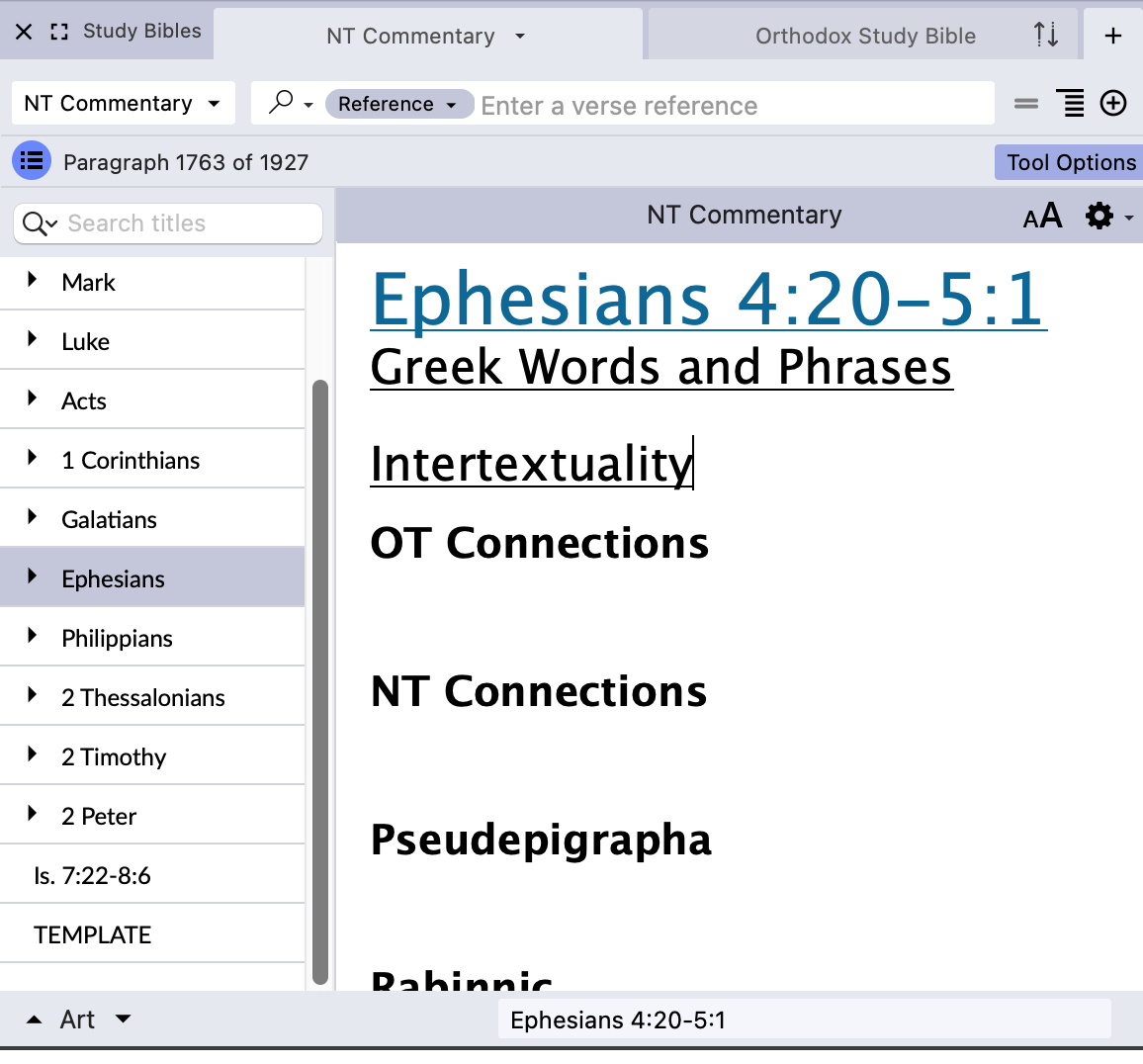
That Is. 7:22-8:6 entry at the bottom of the TOC (Just Above TEMPLATE) read Matthew 6:25-34 when I started working this morning. I did not change it!
0 -
Some more data if it is helpful. This was the TOC for the Mark section of this User Tool when I was working with it this morning. Note how the entries appear to be out of order, and how what sows as Mark 1:43-3:3 in the TOC is actually Mark 4:1-34.
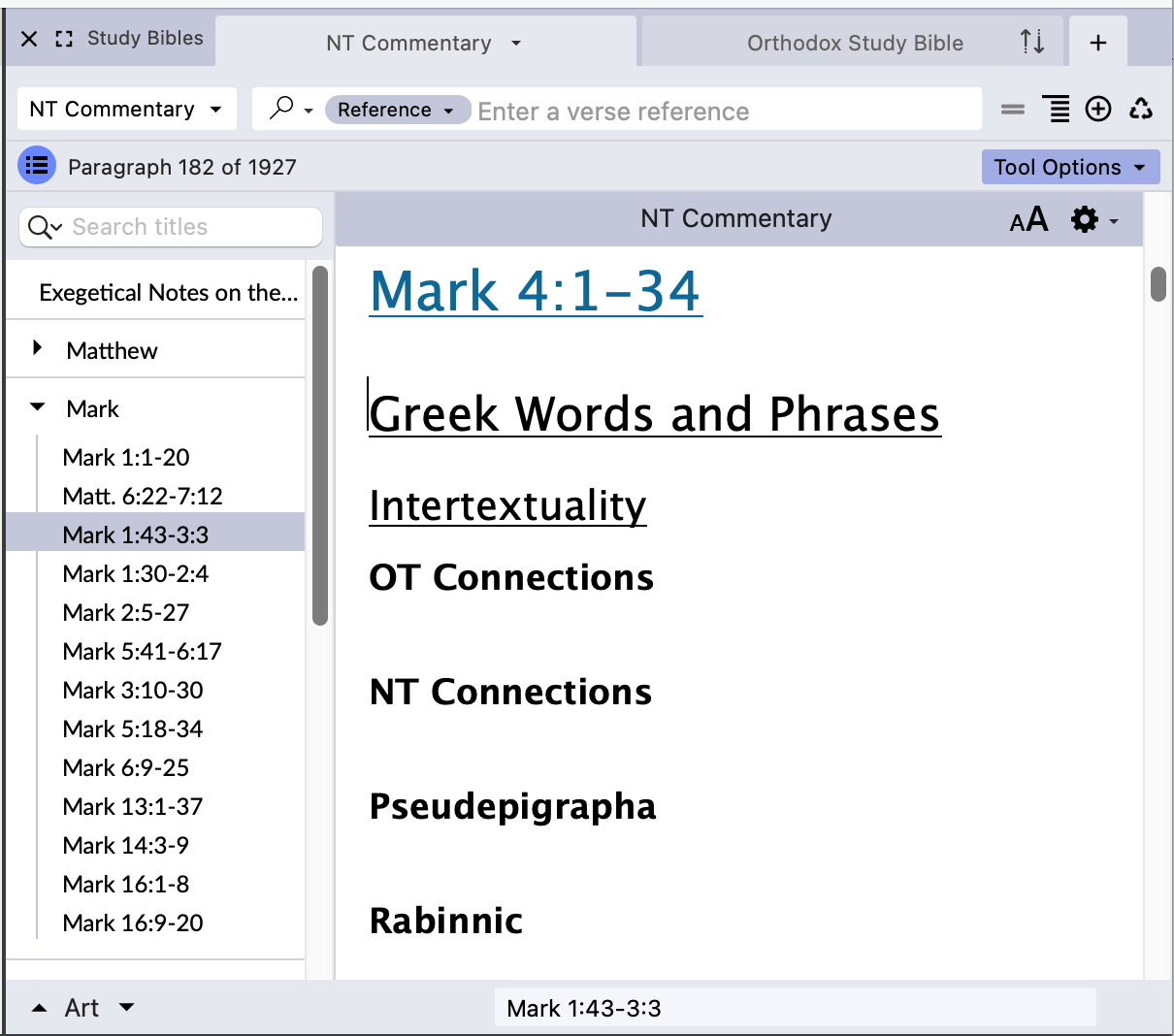
This is what it should look like (and does now that I went through and removed all the links in the headers and ran the autolink function)
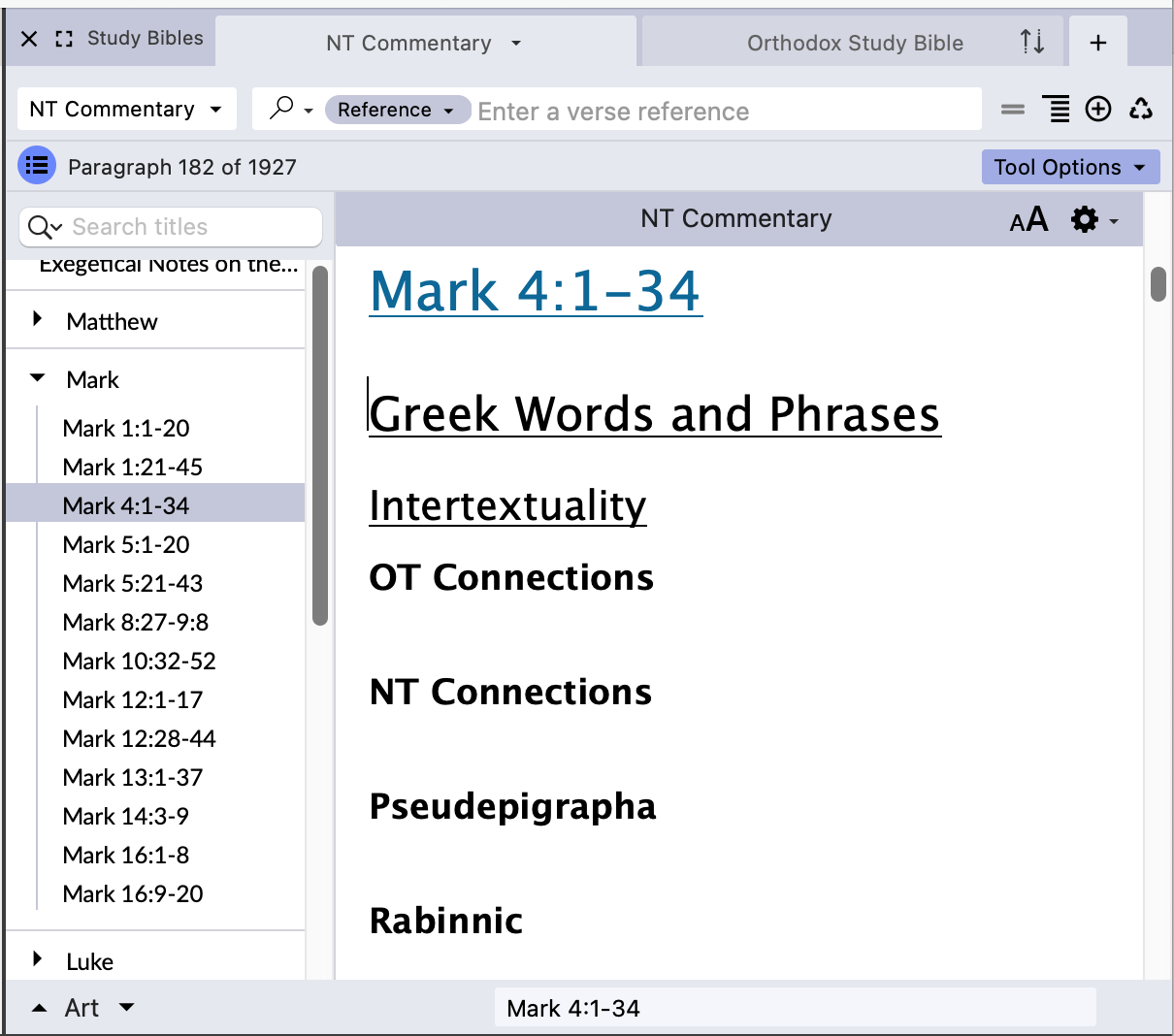
I can see no rhyme or reason to the particular corrupted TOC entries that appear…as near as I can tell they are not links or Scripture references from elsewhere in the text of the User Tool.
0 -
This is still happening in 14.1.2.b2.
0 -

Greetings Lorinda,
I have found a similar issue in my user tools where the hyper links will sometimes display a completely different scripture than what is shown. I have some very long user tools and it is not uncommon for the links to get corrupted. Although not as often since the update (thank you Jesus). I will share a work around that works for me.
When the links are not working correctly in a user note I open up the user note ready to edit and I "select all” from the “edit” menu and change the text color to black. This removes all the links throughout the complete user note if opened it up and entered the edit function at the begining of your user tool. Then at the upper right of the edit window click the wheel thing with the two chain links and that will restore all your links. That works for me every time. The only issue you may have is when you have a link that you set up that does not have the book reference with it. So you may still need to go back to the the specific link and recreate those links. But where ever the book is sighted with the link, those will all be faithfully restored. That has been a life saver for me. I hope that helps you. This will change all of your red text to black. So that will be a problem for you as I can see you have a lot of red text. What I did, in some of my user tools where I have red text I also underline it so when I have to do this fix solution I can at least go back and change the text that is underlined back to red. That is a hassle indeed. But at least there is a temporary solution until they fix the problem.
One other thing to keep in mind. Doing this trick will also break any URL links in your user tool as well. That can be a problem because it litterally removes the URL web page from the pop up link window where you can not reestablish it. So what I have done to deal with that, is when ever I put a URL link in a user tool I make a sort of Index at the end of the document with a quote to help familiarize me to the subject matter of the link and then type out the link without the "www.//" thing in it so it does not create a link when I click the links button. So if the user tool ever gets the links corrupted you at least have a fix and don’t lose the links entirely. Blessings.
-1
Please sign in to leave a comment.
Comments
6 comments