iOS sync

Got the new iOS update today (Sept 23, 2025), it does not work. I get a “ProcessFileLists” error.
-

Same here
0 -

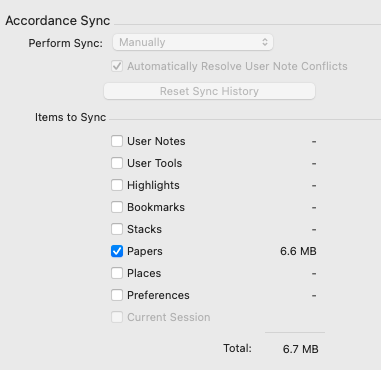
Are you able to click Reset Sync History on the desktop?
1 -
Oh I'm sorry, that IS on the desktop. It is greyed out.
 0
0 -
I did reset sync history and still got same message.
0 -
I was seeing this in an early beta but working for me now. Mike Garrity can you take a look?
0 -

I am unable to sync as well. The sync hangs up at “Tools Items 2 of 4” every time. I have reset sync history in settings.
iPhone 14 running iOS 26; Accordance 3.5
MacBook Pro 2001 M1 Pro; 16 GB Ram; Accordance: 14.1.0
0 -
Hopefully they're working on it. I'm probably going to go back to using Dropbox.
0 -
Is anything going on with this? Are others using sync successfully?
0 -
Mine is now. I'd recommend emailing techsupport@accordancebible.com since we do have a way to track down this error.
-1 -

Gary Pauley @Gary Pauley, I am not using Sync successfully. Frustrated here. The Dropbox feature is dropped, and they said they won't bring it back.
0 -
Yeah, I saw that man. I guess hosed again.
0 -
Chun Kit Chris Wong I think I will just go back to Logos for a while. Good luck Chris!
2 -
I'd recommend emailing techsupport@accordancebible.com since we do have a way to track down this error.
-1 -
I did.
0
Please sign in to leave a comment.
Comments
14 comments