Accordance sync does not work

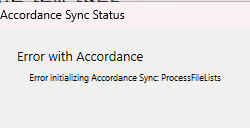
Windows 11 Pro latest update
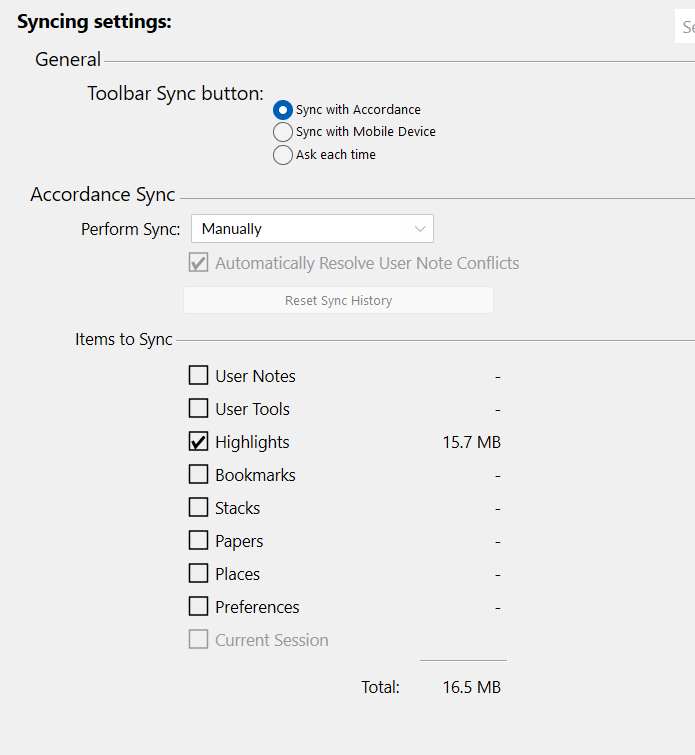
Total Items to Sync 17.4mb
-

I get the same problem on Macbook Pro 2017 desktop. Ventura 13.7.8
Accordance 14.1
0 -

Are you able to click Reset Sync History on the desktop?
0 -
No it is greyed out.
 0
0 -
Further observation:
Resolved on my laptop by completely uninstalling (including all of the data) and then installing 14.1 accordance.
The data had to go because just uninstalling are reinstalling did not work.
So, it had to be at the expense of trashing my library then copying notes, highlights, preferences etc from my desktop.
I await a response before doing the same to my desktop install……0 -
Mine worked this morning although I did not change anything from yesterday.
0 -
Mike Garrity this is related to the other one.
0
Please sign in to leave a comment.
Comments
6 comments