Does the newly-released Accordance 14.1 sync with mobile devices?

Very excited to see the release of 14.1 today with the new syncing feature. However, when I select “sync with mobile device,” it's grayed-out. Is there a way to sync with my iPhone and iPad with 14.1?
-

Also requesting this
0 -

Me too
0 -

If IOS syncing is not yet available, how is it that 14.1 states that “Dropbox syncing was removed in version 14.1”. It sounds like we should not upgrade to 14.1 on Windows if we expect to continue syncing with IOS.
0 -

Accordance for iOS v3.5.0 (3.4.9.7) was just posted which supports Accordance Sync.
"Sync with mobile device" is over WiFi, allows you to sync over your modules & user content, and should work alongside Accordance Sync. Not sure why the menu item is greyed out…
0 -

Certainly not upgrading to 14.1 if I am unable to sync with mobile devices. Dropbox works well for me with 14.0.
0 -
I am not able to make the remote sync work between Windows 11 and iPadOS 18.6.2. It finds my iPad and I hit Connect but it just sits there. Also, looking at the help screen on desktop 14.1 it seems to imply that all updates need to be initiated on the desktop and moved to the remote device. Is that the case?
0 -

I have ios26 on my phone and it synced with user content in Accordance. It shows my highlights.
It opens modules but it won't open Bibles other than ESVi, WEB and HMT demo
I'm assuming the Accordance mobile app isn't ready for ios26?
0 -

As Mike Garrity said, we have released the app update which supports Accordance Sync, and it should also be syncing with local Wi-Fi syncing. If you're experiencing issues with this, let us or tech support know.
Dan Langston Not sure why you're having that issue. We can't reproduce that. Would be good to email tech support.
0 -
It finally corrected and is working well on ios26 with Accordance and syncing, HOWEVER
The desktop MAC Tahoe macbook air M4 is giving an error message of
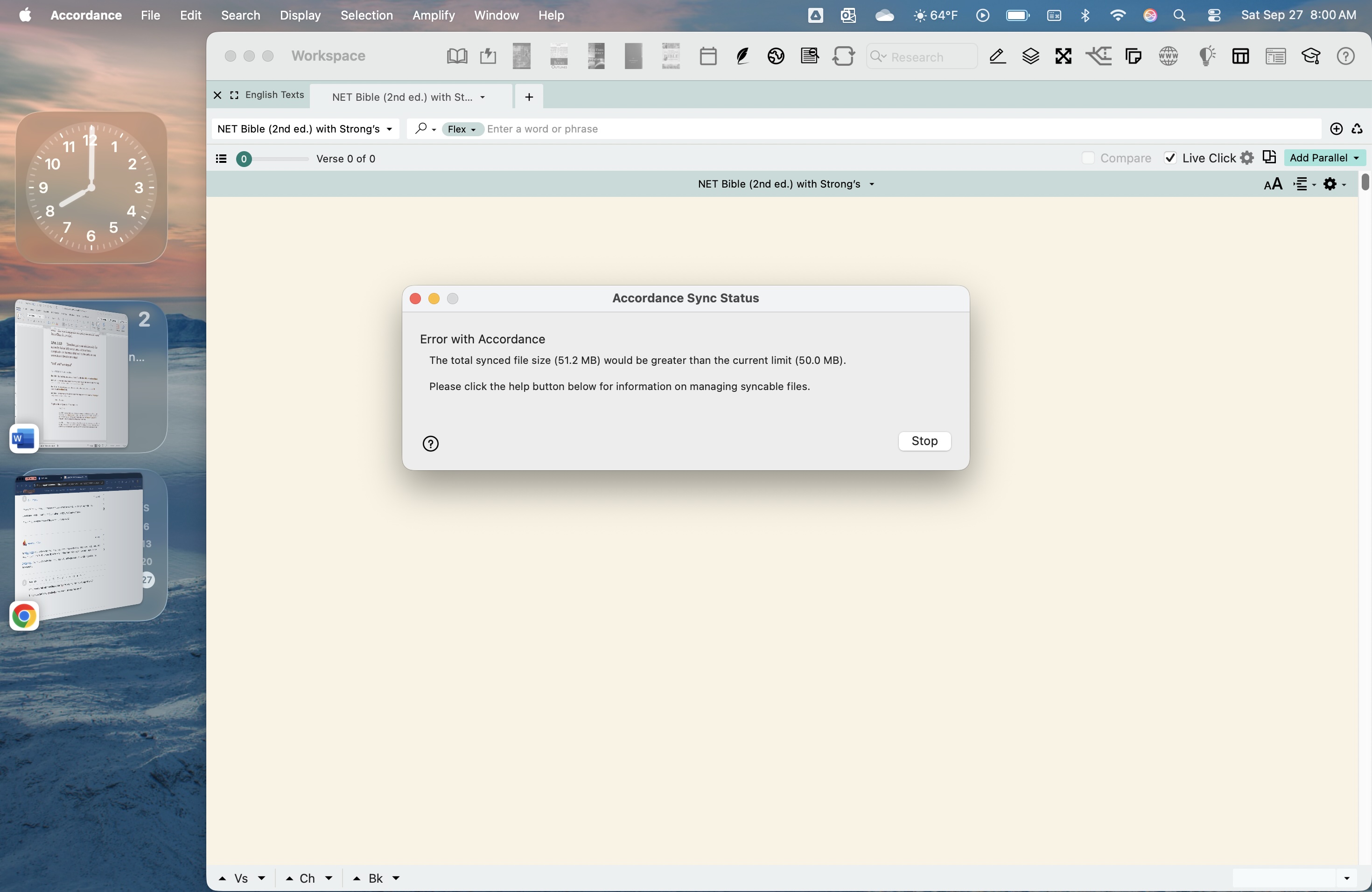
AND is acting buggy with dramatic unprovoked resizing of windows, curser duplication and multiplying trailing as you move curser, flashing black, etc. then when you force quit it opens up again, and works fine but then randomly goes to full screen and freaks out as before.
0 -

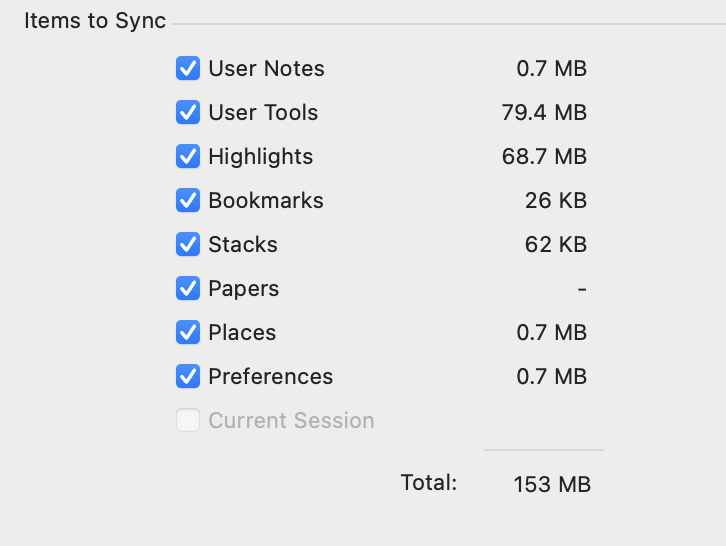
After upgrading to Accordance 14.1, I noticed that Dropbox syncing is no longer supported and that file syncing now has a 50 MB size limit.
My User Tools file is about 80 MB, and before the upgrade, I was able to sync it with Dropbox without issues. Now I’m unable to sync it at all.
Could you please advise how I can sync or transfer my User Tools that are larger than 50 MB? Is there a recommended workaround, or can the size limit be increased in a future update? Could you restore the Dropbox sync functionality?
0 -
We do have a 50MB workaround at the moment.
Local Wi-Fi syncing is still there. Let us know if you need the instructions for it.
1 -
the files I would like to sync are more than 50MB
0 -
I’d like to sync files that are over 50MB. Using Dropbox is much easier than syncing locally over Wi-Fi. I’m not sure why Accordance removed Dropbox support when there’s only a 50MB limit for syncing. While this is version 14.1, it feels like a downgrade to me. Could you please restore the Dropbox sync so I can sync all my devices remotely? Thanks a lot!
 0
0 -
Yes - please add DropBox back immediately. My iPad doesn't have automatic updates turned on, but somehow the Accordance app got updated (my fault). But now…I cannot sync it with Dropbox. I have not updated my Mac to 14.1. Frustrating when you yank features away that we have been using for a long time. You continue to botch the sync issues…
Thanks for your time.
1 -
John Lande You can try emailing techsupport@accordancebible.com and see if we can somehow downgrade your iOS app, but not sure how we'd do it. We don't have plans to re-add Dropbox support.
-2 -
Again how could we sync the files then if the limit is only 50mb?
0 -
I reduced some files and brought the total size under 50MB, but my iPhone app still won’t sync. For some reason, it still indicates that the file size is over 50MB, which is quite frustrating. If the new version is going to include a size limit and the Dropbox feature will be dropped, I was wondering if this was announced upfront.
1 -
I also tried deleting one of the largest highlighted files in the iOS app in order to perform a sync, but the file wouldn’t delete. Then I attempted to remove each individual highlight within that file, but once I hit Done and returned to the home screen, the app crashed. May someone help?
1 -
Thanks for the reply. Just some feedback for Accordance as a whole. I am growing more and more frustrated with Accordance and more and more likely to jump ship to another Bible software company.
2 -
Confirmed the inability to delete highlight files in the iOS app (seems to be a longstanding bug). This should be fixed in the next version of Accordance for iOS.
For now, you will have to turn off “Settings > General > Items to Accordance Sync > Sync Highlights” to get around syncing the unwanted highlight file.
0 -
We still offer the ability to sync locally over Wi-Fi: https://accordancefiles2.com/helpfiles/14-macOS/index.htm#t=mac_14%2Fcontent%2Ftopics%2F02_install_etc%2Fsync_to_mobile_devices_mac.htm&rhsearch=wi-fi%20sync&rhhlterm=wi%20fi%20sync%20syncing%20synced%20syncs
We did announce the 50MB limit when we announced the public beta of syncing.
-2 -

> We did announce the 50MB limit when we announced the public beta of syncing.
Yes, you did, and you got feedback from multiple users that it was not sufficient.
2 -

If Accordance would give some idea about an increase amount and timeline it would be helpful. We have been burned by Accordance before (ex. 3 year delay in syncing and still non-existent web app). Unless I missed something Accordance has largely ignored the posts about an increase. This lack of clear communication has become a pattern. Will Accordance increase the sync quota? If so, what can we expect the new amount to be? When can we expect an increase if there is one?
0 -

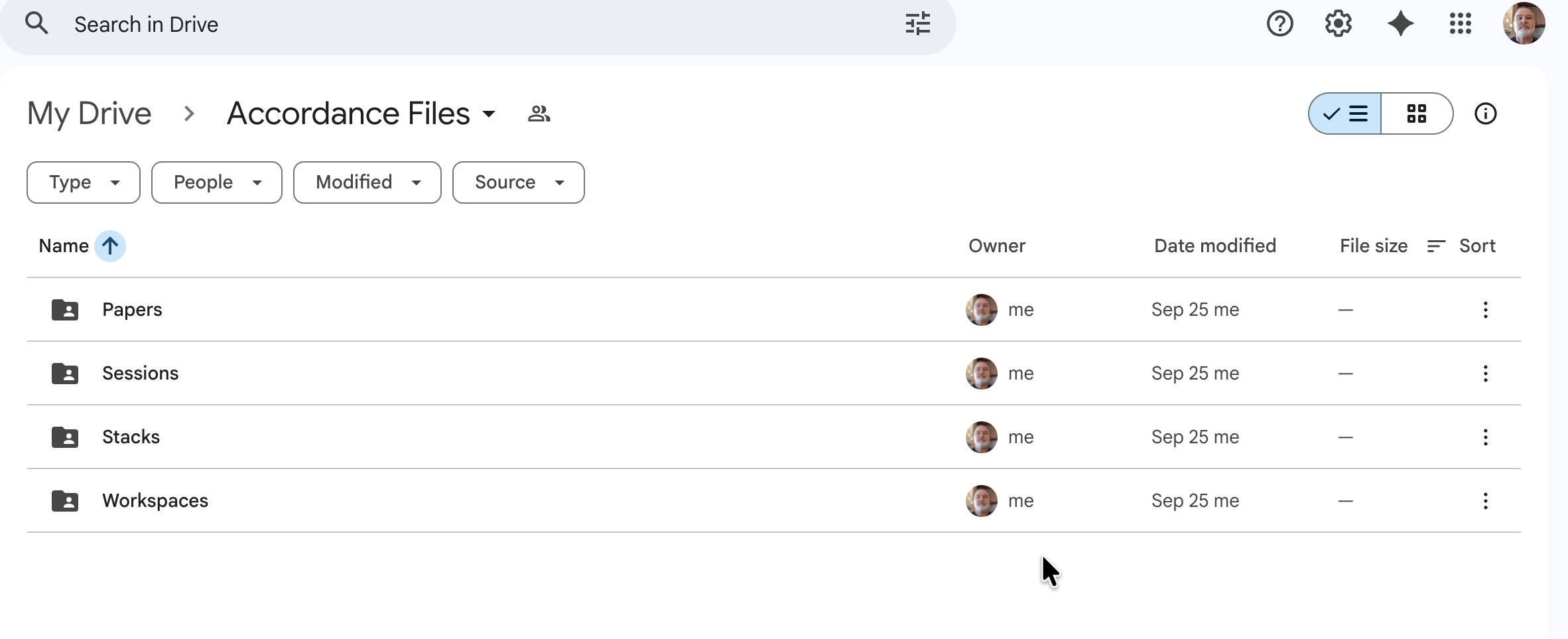
I've simply kept my stuff in Google Drive and downloaded my latest workspaces, notes, etc., from there to my other Mac. It just seems a little easier to do it that way than to “sync” at this point.
 1
1 -
Thanks so much, Nathan.
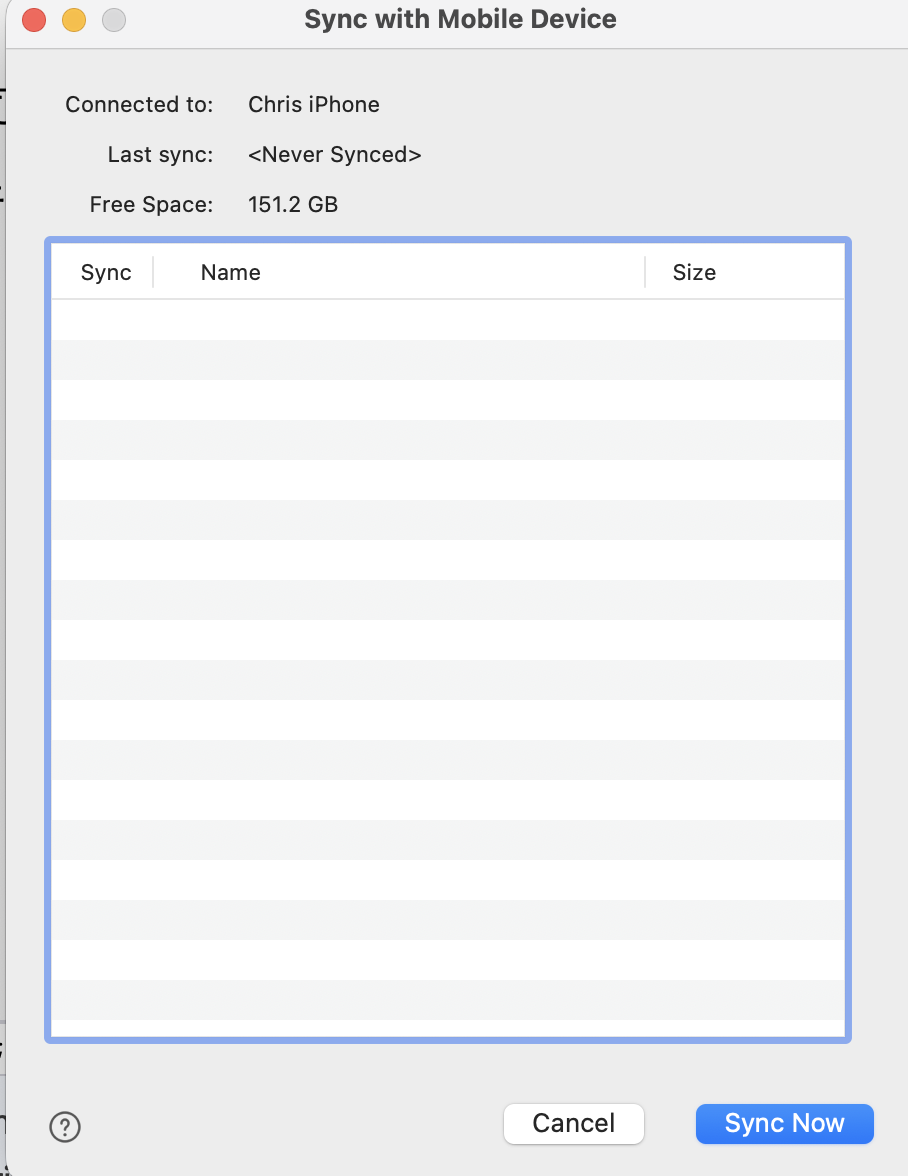
Since the maximum file size is only 50 MB, I’ve been trying to use Wi-Fi Sync to transfer all my tools to my new iPhone. Unfortunately, the screen stays empty—it’s so frustrating. It seems that neither sync method is working. What should I do to get my Tools onto my new phone?
 1
1 -
While the modal box shows the items when I try to sync via Wi-Fi with my old phone, clicking “Sync Now” does nothing. I also created a new note file for testing, but it doesn’t appear, nor does the status bar show any progress. I’m really frustrated! I wish I had not upgraded to 14.1!
- It doesn’t work with Wi-Fi Sync.
- It doesn’t work with the new Accordance Sync because the maximum file size is only 50 MB.
- Dropbox Sync has been completely dropped.
Please let me know what I should do. I just want to transfer all my Tools to my new phone.
0 -

I’m sure they will add the feature by the end of 2026. Just be patient. 😒
0 -
Chun Kit Chris Wong Email techsupport@accordancebible.com and they can take a look at this.
-1 -
I have the same problem. There is the 50 MB limit to sync so we are extremely limited. Yesterday, my IOS just quit syncing and I get the ""error initializing Accordance sync: processfileslist". This is on two different IOS devices that were working. Techsupport's answer was log out and log back in. That did not work. I tried uninstalling and reinstalling and that did not work. I am under the 50 MB limit. No matter what I select or do I get the same error. They didn't even comment in the email about the ‘sync with mobile" being empty and not working. I was unable to get my class material to my ipad for services. After such a long wait, I am disappointed in these errors and in techsupport’s response. Nothing has helped and now we are without any reliable way to get things on to our IOS devices.
0 -
David Webb If Tech Support can't figure this out, I am not sure how to best help you. Maybe one of our programmers can chime in and assist.
-2
Post is closed for comments.
Comments
31 comments