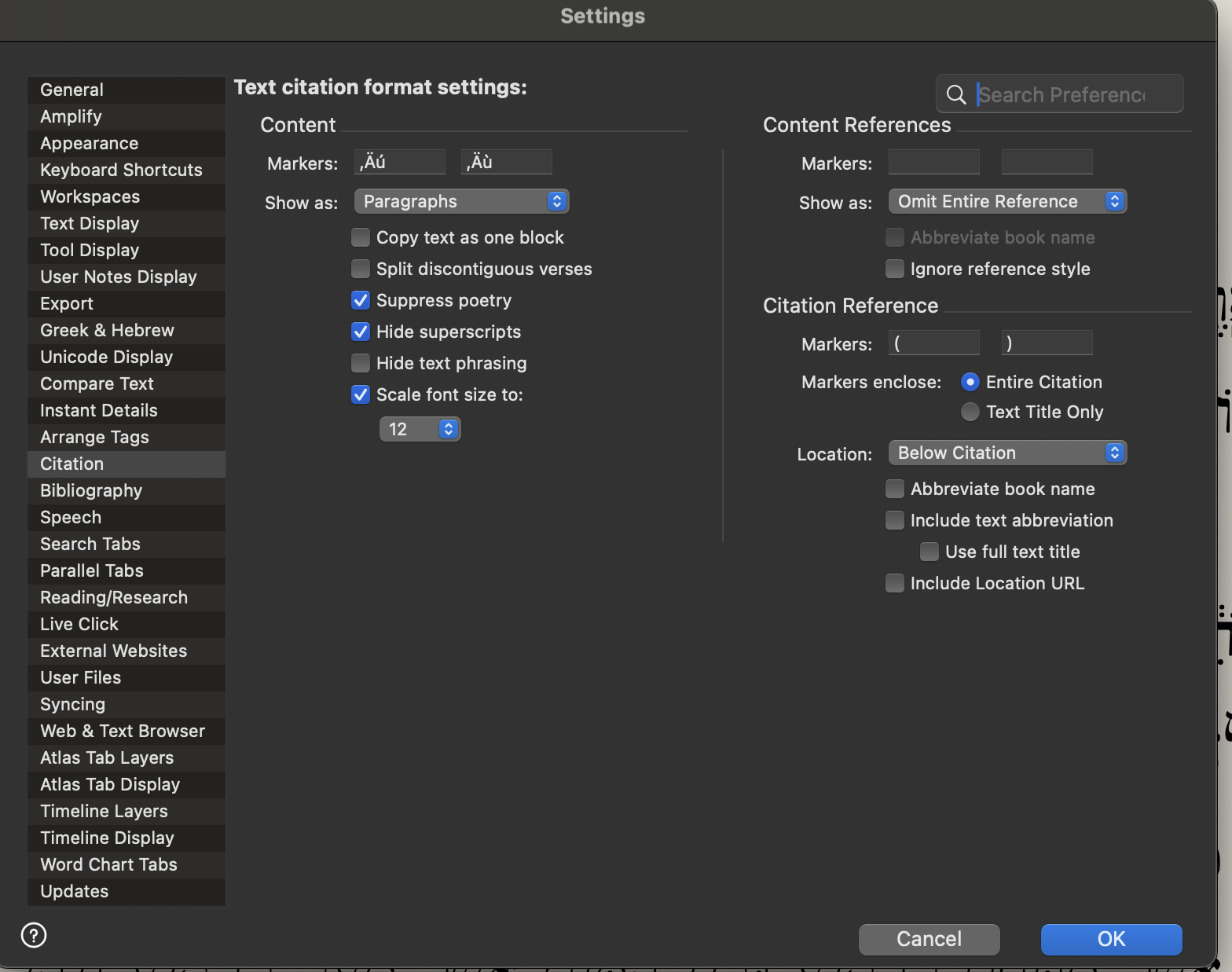
I cannot change the settings in "Citation settings"

I've tried several times to get rid of “ ‚Äú ” in the Settings/Citation. I cancel it, put the right quotation marks, or nothing, but in any case when I restart Accordance they are back, as in the picture.
-

I'm not seeing this in my setup (14.1.b3, on an Intel Macbook running Ventura). What version of Accordance? What operating system? If a Mac, Intel or M chip?
0 -
I am MacOs M4 - 15.6.1 - Accordance 14.1.0b3
0 -

I’ve got the same problem. Macbook Pro M1 and Tahoe, Accordance 14.1.x.
Quite annoying bug IMHO. Hope it will be resolved soon.0 -

Mike Garrity This is likely related to the other issue you've encountered.
0 -

Just tried this and the new setting has stuck so far on the desktop, but in iOS it changes the quotation marks to Ò as shown below:
ÒBut as for you, teach what accords with sound doctrine.Ò
(Titus 2:1 ESV)
0
Please sign in to leave a comment.
Comments
5 comments