How do I organize my modules

It is a long time since I organized my Accordance Modules, a very huge number. So I can't remember what was given by Accordance & what I set up myself. And I don't know if this is the same thing as “library.” But when I bring down modules from “Add Parallel” I get categories, some categories within categories, and modules at the lowest level. One major category is REFERENCE TOOLS and under that GREEK STUDIES. Within Greek Studies is found Linguistic and Exegetical Key to GNT (Rogers & Rogers). I would like to move that module into the commentaries and have it appear with the other commentaries when I activate the Info Pane. Is there anyway I can do that? I have tried dragging the module to no avail.
Thanks for your help. Theodore Vance
-

The organization you see in “Add Parallel” and a lot of other places throughout Accordance is based on the organization of the Library.
While Accordance will organize your library automatically, its choices about where things goes don't always work for everyone. I've made a lot of changes myself.
To organize the library, it must be opened as a pane and not as a “popup”. Depending on how you have your preferences set, the size of your screen, and how many zones you have open in your workspace, clicking on the library (open book) button on the toolbar may open it one way or the other. If it opens as a popup (floating over the workspace), try Shift-clicking on the library button. If it still opens as a pop up, the workspace is too crowded: either close some zones or open a new single zone workspace. and open the library from there.
Once the library is open, you can drag modules to different places. You can add dividers (lines) or folders by clicking on the gear icon at the bottom of the library pane and choose the appropriate option. These dividers and folders can be moved around.
You have a lot of freedom to move things around, but there are some restrictions:
Only Texts (Bibles, ancient texts like the Pseudepigrapha, Mishna, Apostolic Fathers, etc.) can go in the Texts section.
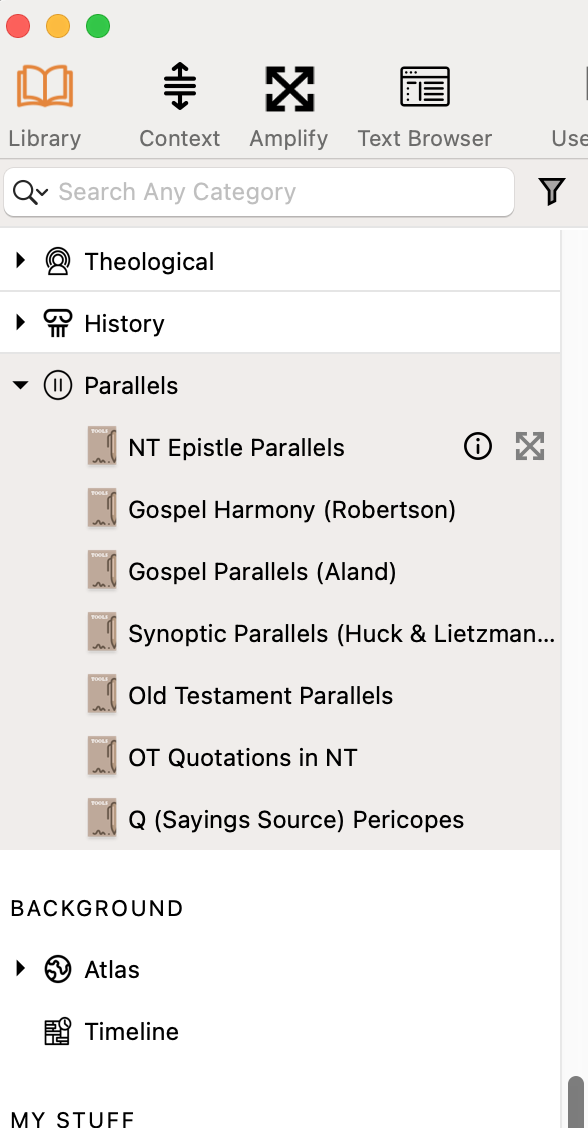
The Parallels folder cannot be moved from the bottom of the list. And only actual parallels should be stored there…There was at one point a bug where Accordance would put other modules there randomly and then if memory serves they didn't work right. Here are all the parallels modules available in Accordance:
User Files (User tools, User Notes, Workspaces etc.) Cannot be moved into folders in the “Tools” section
You should not nest folders…At least in the past this created problems (So for example, don't create a folder called “International Bibles” and then make folders within it for French Bibles, German Bibles, etc.)
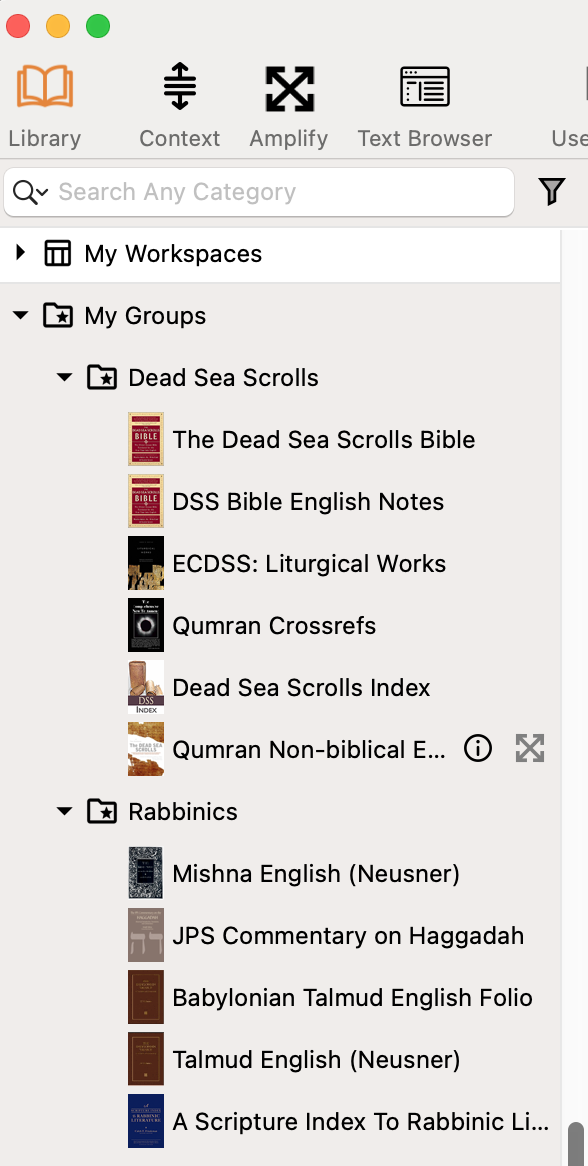
While you can't combine modules of different types (Texts, Tools, User FIles) together in most sections of the library, you can create groups of modules of various types in the “My groups” subsection of the “My Stuff” part of the library. Any tools in those groups folders will also appear in the library in the place you put them. Here you can see how I grouped Dead Sea Scroll and Rabbinic modules together in “My groups” even though they were different module types:
Groups are also useful when using the research feature and the Text Browser (and likely in other places).
There are several videos on organizing the library in Accordance, which you can find here: https://www.youtube.com/@accordance/search?query=organize%20library
The only dedicated video I could find on the “My Groups” feature is quite outdated (14 years old!) with a very different interface and some of the terminology has changed, so I won't include it here.
0
Please sign in to leave a comment.
Comments
1 comment