Does the NET Bible Module show all of the NET Bible, even its notes?

Supposedly the NET Bible module has everything that the printed NET Bible has, so I understand. The printed NET Bible as viewed on the internet is arranged like the B Talmud: The Mishnah is surrounded by the Gemara commentary on the Mishnah. For the net Bible the translation is similarly surrounded by Net Bible commentary or notes. On my Accordance module, the display does not look like that at all, but there is a translation with footnote numbers embedded in it, and when one uses instant details to read the footnotes, mostly I see short notes, like an alternative translation for a word. Does instant details actually show all of the Gemara, that is the Net Bible notes or is there some other way to access the notes?
BTW while we are told to do all things without complaining, there is this entire book of lamentations; so permit me to lament the loss of the Old Forum as an example of fixing something which ain't broke. My query here really doesn't fit the topic of this forum, but it is the closest I could find. I think a topic is needed like this: “INSTRUCTIONS & INFORMATION ON USING ACCORDANCE”.
-

Hi Theodore Vance. You might get closer to the printed experience by opening the NET Notes module in a parallel pane that scrolls with the NET Bible, as follows:
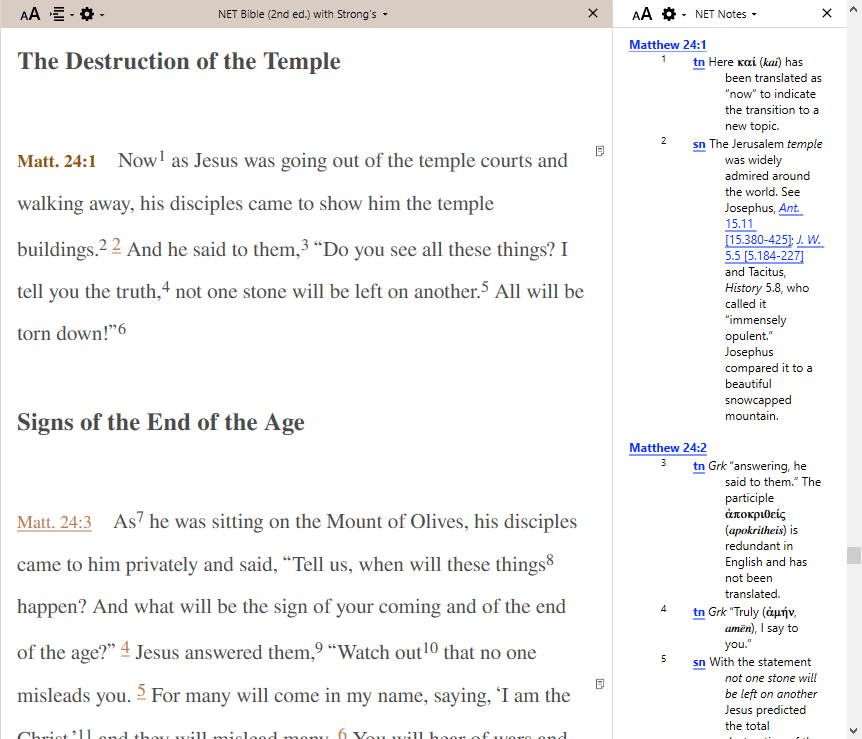 0
0 -

The notes are in a separate module called “NET Bible Notes” or "NET Bible (2nd Edition) Notes" You can display them in a parallel pane in the tab with the NET Bible text, in a separate tab, or open them by themselves. Here is a screen shot of them open in a parallel pane:
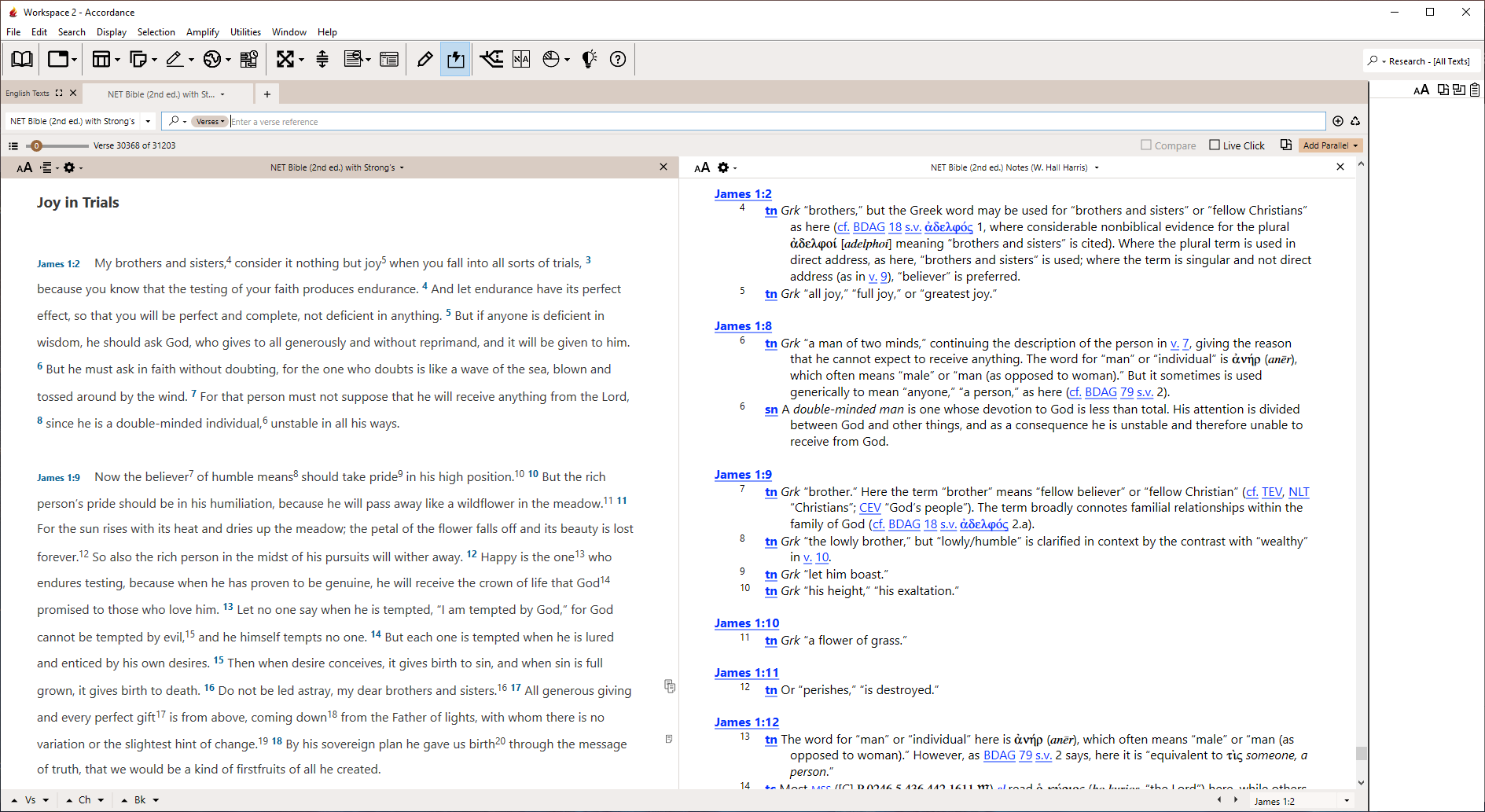 1
1 -
I have a module called NETS Notes, but no NET Bible notes module. I brought up Net Bible on James 1, then added the paralled Nets Notes, & immediates my text changed to Malachi! The “parallels” are not synched & if I scroll way down with NET Notes, I get apocryphal works like Bel and the Dragon from the so-called LXX. I don't find in my library “Net Bible Notes” and searching the Accordance site shows no such module for sale. I am really confused & can't seem to find what you illustrate. I have in my Library 3 modules listed: NETS (parallel texts) Notes; 2) NETS Notes; 3) NET Bible (2nd ed) with Strong's which has footnotes, the referenced footnotes appear with Instant Details. I note that the Accordance Website lists for sale “New English Translation Bible 2nd Edition) with Strong's Numbers Product ID NET Second Edition, includes NET Notes as a separate module." If I put that in my cart & procede as if to buy it, I get no notice that I already own it. Is NET notes different from NETS notes? Is “NET Bible (2nd ed) with Strong's” something different from “New English Translation Bible 2nd Edition) with Strong's Numbers Product ID NET.”
0 -
I have a module called NETS Notes, but no NET Bible notes module.
Theodore Vance, the full name of the module is “NET Bible (2nd ed.) Notes”. Also note that it appears under the “Commentaries" category rather than the more usual “Translator Notes” category.
0 -
NETS is the New English Translation of the Septuagint, which is why the notes aren't scrolling with the NET when you are in James.
If you pull up your library listing (the open book icon on the toolbar), click in the search box at the top of the library and type NET, the NET notes should show up as one of the items on the list.
If it does not, you probably need to remove the NET Bible module from your library and then run Easy Install. That should install both the NET Bible module and the NET notes module. (Unfortunately, when the notes files related to a particular Bible module go missing, Easy Install won't catch it unless the related Bible module is removed from the library). If you need more info about how to do that, let us know.
0
Please sign in to leave a comment.
Comments
5 comments