New User Tool issue

Using Accordance 14.1.0b2
When from the menu/file I try to create a new user tool I get the following error message:
"The file “/User Tools/My Tool.acc7” cannot be modified, because write permission has been denied.
The write permissions for this file may be changed by opening “Get Info” in the Finder."
But in reality the new user tool file is created. If I go to the user tool section, the new file is there.
I am using MacOS 15.6.0 “Sequoia aarch64”
All goes ok with the normal version of Accordance.
Thanks
pbp
-

Yep, I'm seeing this, too. Here's a screenshot of the error message.
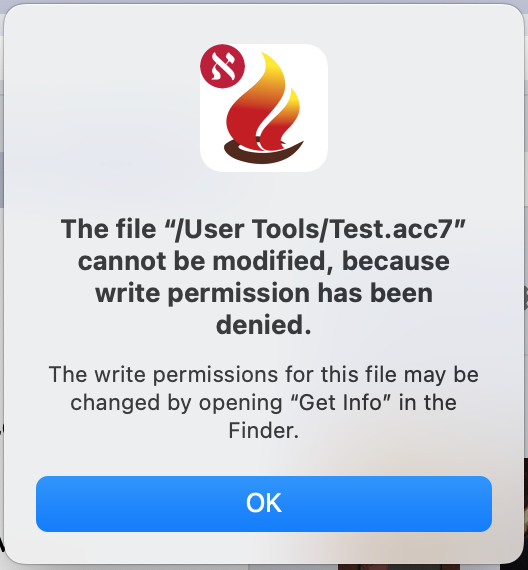
I'm also using 14.1.0b2, in my case on an Intel chip Macbook running Ventura.
I tested several different types of User Tools (General, Dictionary, Commentary) with the same result. The error message recurs several times before disappearing.
Permissions in the “Get info” panel in Finder look to be the same as the permissions for my other (working) User Tools.
0 -

I had similar “non permission” by opening a User Bible. Same Accordance version. MacOS 15.7
 0
0
Please sign in to leave a comment.
Comments
2 comments