Tag Details and Default "Not"

All,
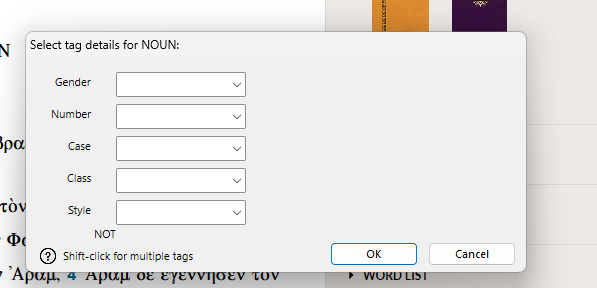
When I use the tag command in the search function, my parameter is set to "not." For example, when I search for noun genitive case in a passage, I list each case except for genitive. This default appeared and I am unable to remove it. Any suggestions?
I have software version 14.0.11. Using Windows 11.
I’ve added a screenshot in case that helps.
-

The dialog box is a bit confusing until you actually set a parameter. With no parameters set, the box appears as your screenshot shows it.
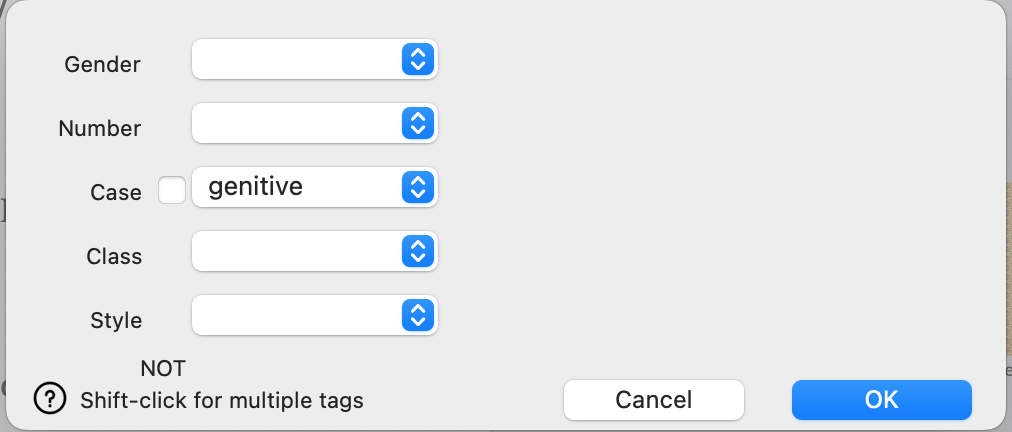
Once you set a parameter though, you should see a check box next to that parameter. Checking the checkbox indicates you want to use the NOT option; leaving it blank searches for the parameter you specific.
So, to search for genitive nouns, the dialog box should be set this way:
Meanwhile, this one, searches for all nouns that are NOT genitive:
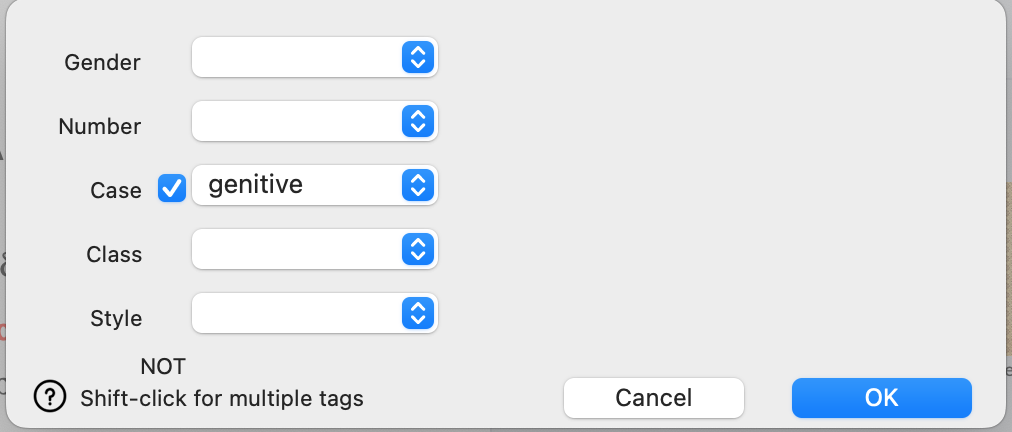
At least that's how it is supposed to work, and it is how it is working on my Mac.
0 -
That helps a lot. Thank you! I was selecting the box thinking it was independent of “not." I didn't even think it under a column heading.
Much appreciated!0
Please sign in to leave a comment.
Comments
2 comments