Tip: Making use of the "My Toolset" section of the Info Pane
Featured Answered
I started using Accordance nearly a decade before the Info Pane was a feature. I was a bit slow to adopt it, but these days it is a key part of my sermon prep each week, especially the “My Toolset” section.
I'm currently working on a sermon series on Esther, and the “My Toolset” section has been so helpful to me I thought I'd share a use case to spark other folks' imagination about how they can make use of it.
When I discovered the “My Toolset” option a few years ago, I moved it to the top of the info pane. (Click, hold, and drag a category to move it)
I then populated it with works from my Accordance library that didn't fit into the other categories in the Info pane. When I make new purchases, I try to remember to add them if they don't fit elsewhere.
When I'm working on a passage, I set up a search (or text) pane with the pericope. I open up the info pane if it's not already open and click the down arrow/disclosure triangle next to “My Toolset” so I can see anything listed there. Then I scroll through the passage, watching what comes up. If something interesting appears, I pause, command-click on it to pull it up in tab in another zone, and skim/read/consult the resource.
Below are some examples from Esther 2:
In this first one, I have clicked on the image for “A Scripture Reference to Rabinnic Literature." From there I can directly click on the Babylonian Talmud reference or manually look up the Esther Rabbah references on Sefaria.org. You may also note that there is at least one article in the Anchor Bible that may be of interest.
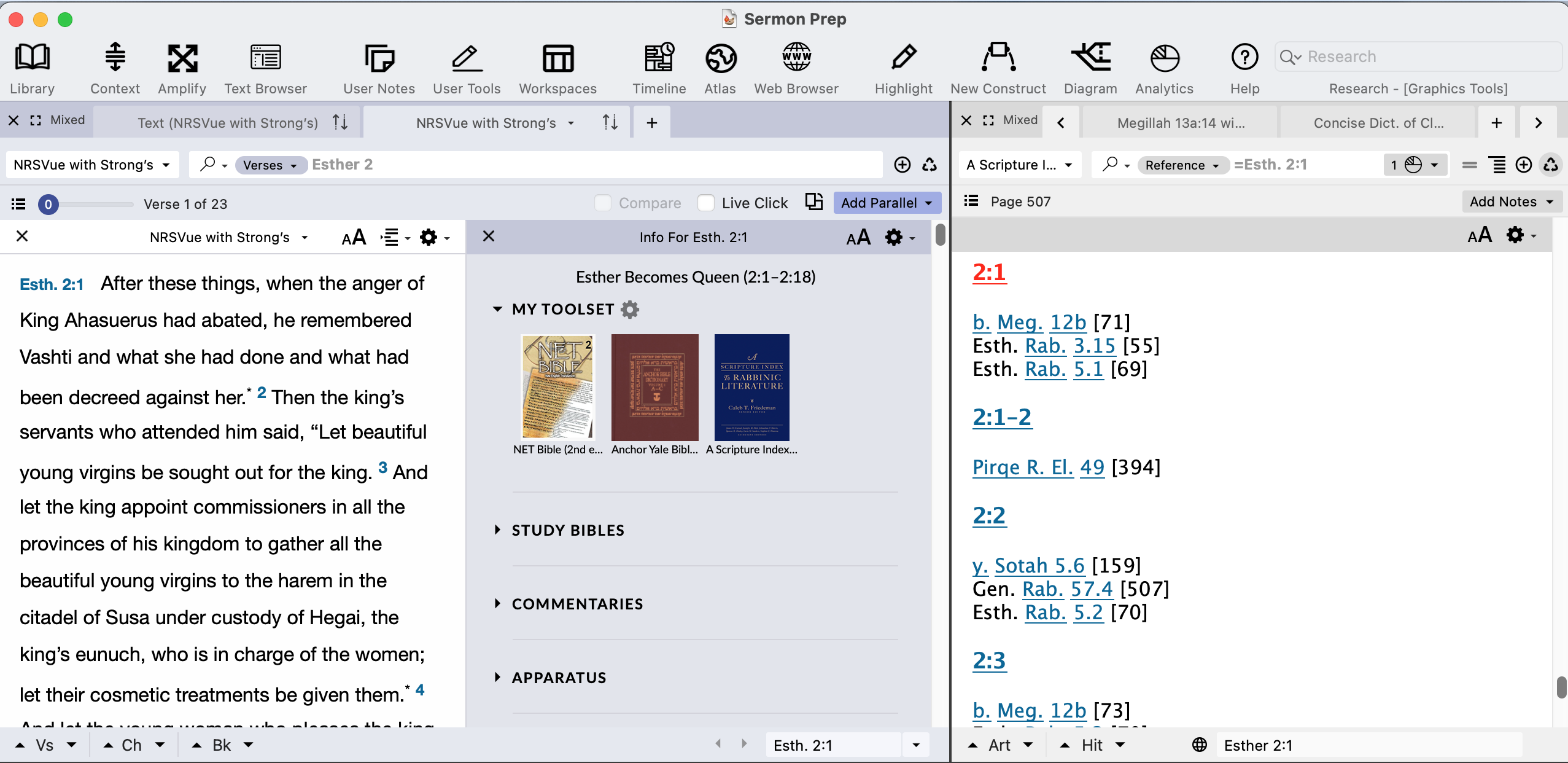
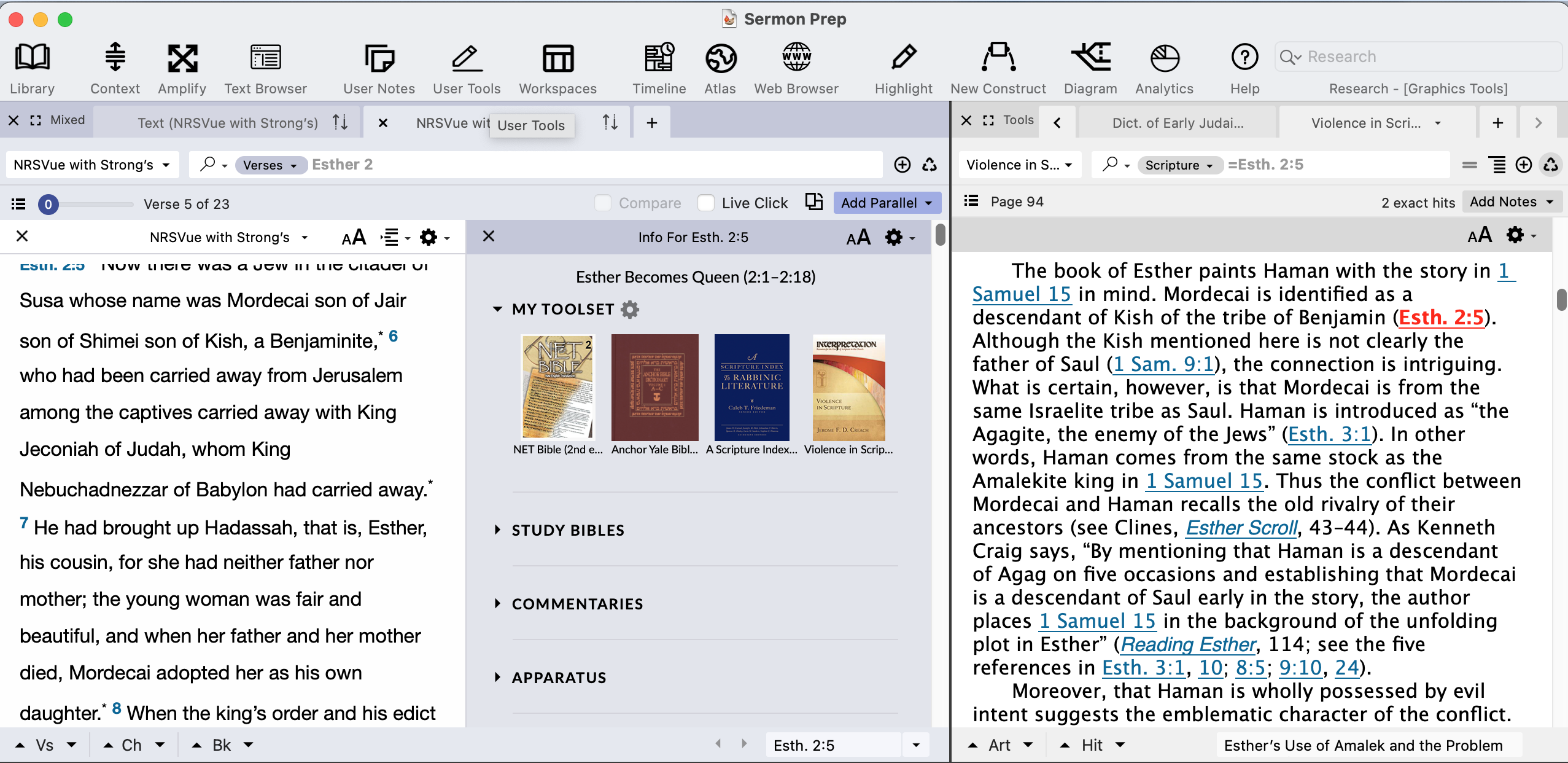
When Esther 2:5 is at the top of the pane, I discover that this verse is mentioned in the volume on Violence in Scripture that is part of the Interpretation “Resources” series. This takes me to helpful discussion of Mordecai, Haman, their genealogies and long standing conflicts:
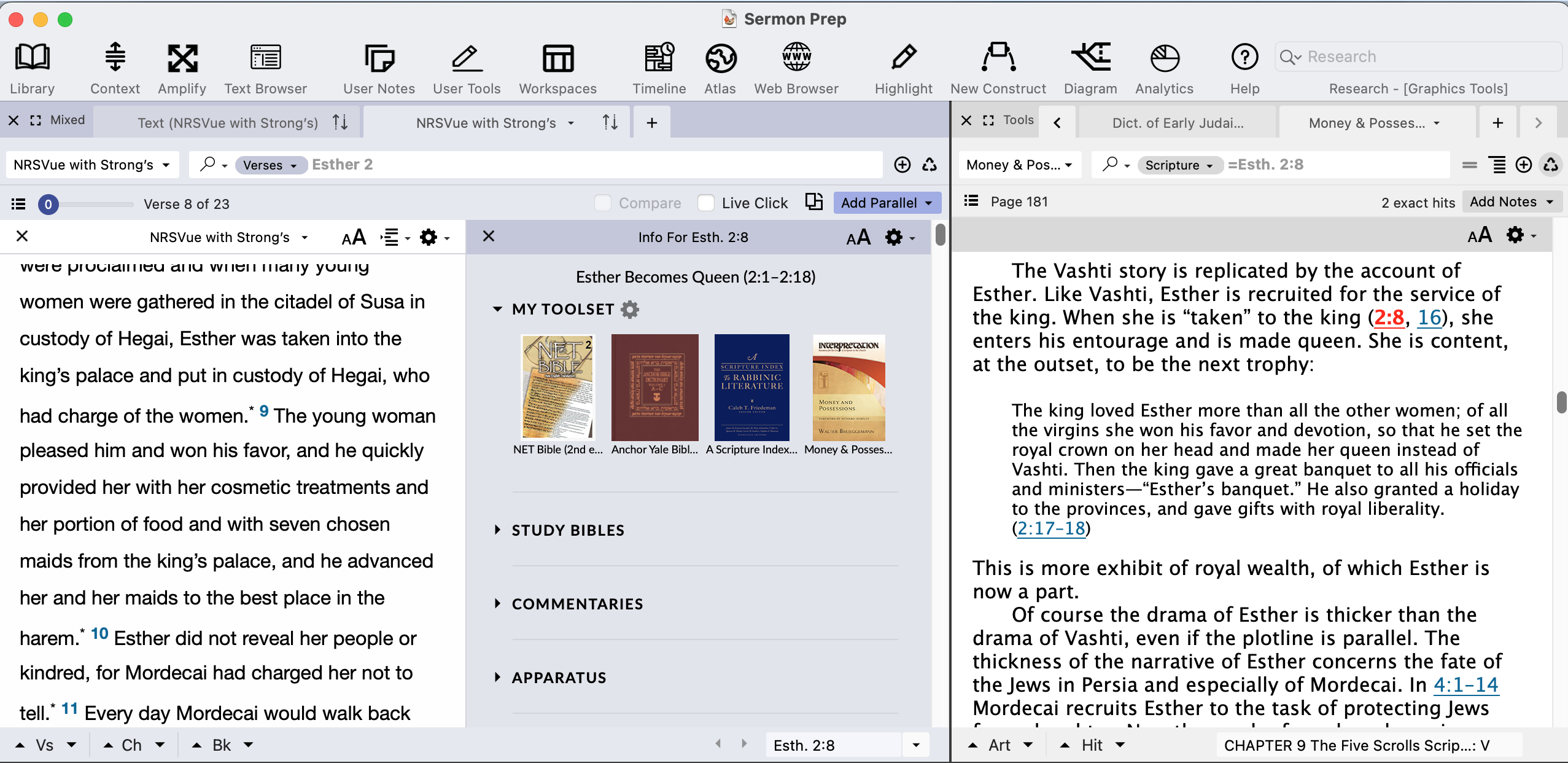
Similarly, at Esther 2:8 I find that this passage is discussed in the “Money and Possessions” volume of the same Interpretation series:
One last example, which I noticed only while working on this post: Esther has an entire entry in the Dictionary of Early Judaism:
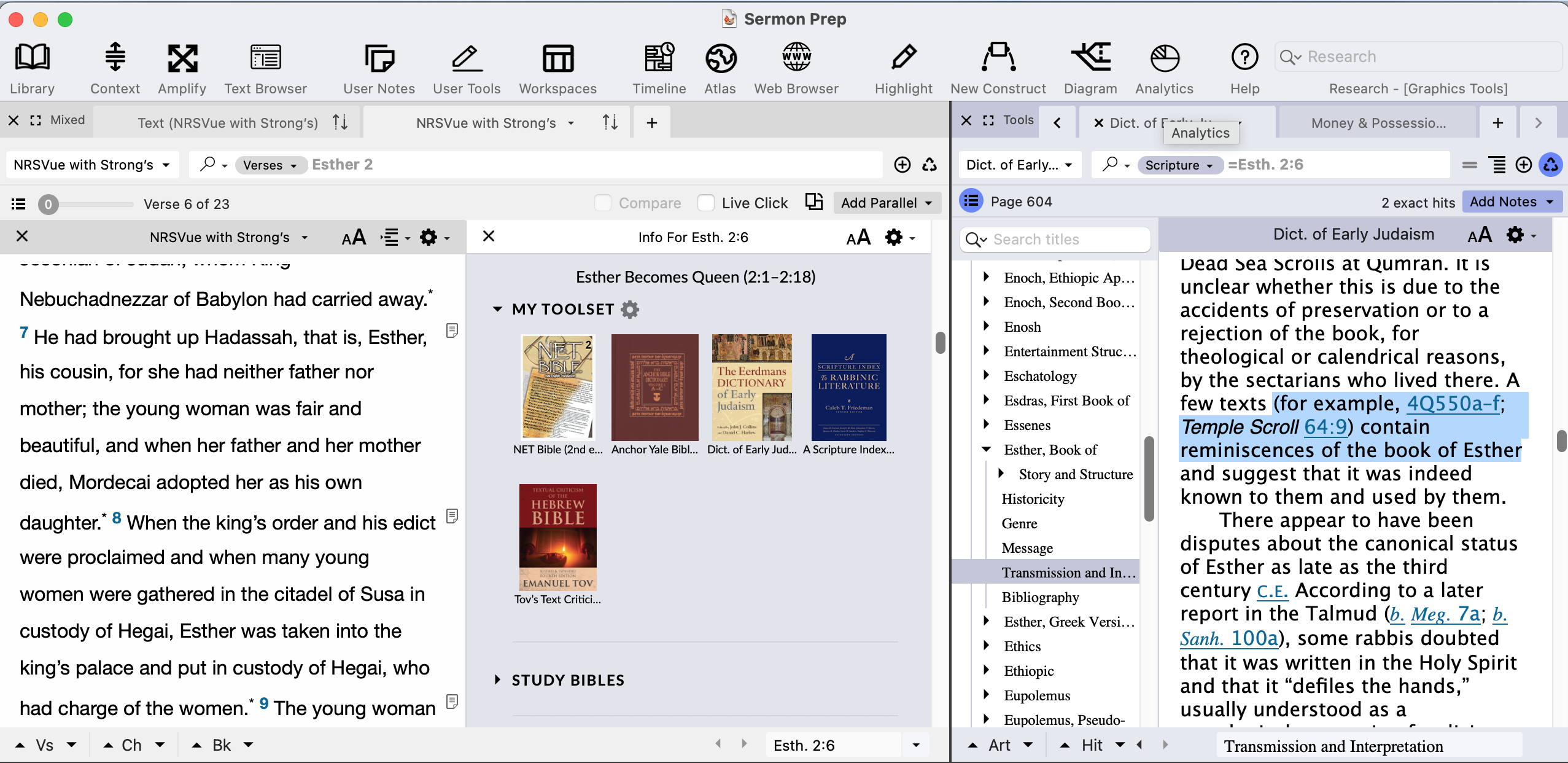
While I likely would have thought to check the Anchor Bible dictionary on my own, without the prompting of the info pane, and did run a cross at least some of the rabbinic references in my other exegetical work, I would not have known to consult many of the other resources that the “My toolset” section of the info pane revealed to me.
If you are interested in learning more about the info pane, there are a whole host of videos about it on Accordance's Youtube channel, some very brief about only one facet of the info pane, others more comprehensive (including a recent hour long webinar!). Here is the list: https://www.youtube.com/@accordance/search?query=info%20pane
-

Very helpful and interesting. Thanks!
1 -

Thank you for sharing this Lorinda Hoover ! I always enjoy seeing how others use the Accordance software. You have prodded me to take a look at what I may wish to add to My Toolset.
1 -

This is one of my (Nathan) favorite features in the Info Pane. Thanks for sharing!
0 -

This is great, Lorinda Hoover ! Thanks for taking the time to write this up and share it.
In a Study Bible notes Webinar I just led, for some reason, I could add Josephus Notes (as it is a Tool) to My Toolset, but it didn't come up with a reference I knew was there when scrolling through a Bible text (I successfully found the given reference in the module itself: Gen 37:10).
Does anyone reading this know: Is this a bug? Why wouldn't Josephus Notes work with MyToolset? It's the same syntax (search field set to Reference, search verse with = sign) that works fine for, say, a Dictionary.
0 -
I don't have Josephus notes, but I'm pretty sure that the main Josephus modules are considered “Text” tools, and the notes a “Translator's Notes” module. Gregory of Nyssa, the Pseudepigrapha and the Apostolic Fathers, among others, which I so have, work this way.
Are you sure when you found it yourself you were searching for Reference and not Scripture? With non-Biblical texts, the Reference search searches for “verse” references “native” to that book. So a “Reference” search in the Gregory of Nyssa Notes looks for references to a specific chapter or verse in his Catechism.
To be more specific, I could see looking at the Gregory of Nyssa notes module that Luke 5:31 is referred to in one of the notes near the beginning of the module, on a note related to Catechism 8:25. If I do a Reference search for Luke in the Gregory of Nyssa Notes module, I get no results. But if I do a Scripture search, I find it. By contrast, if I do a Reference search for Cat 8:25, I find that note, but a Scripture search for Luke 5 will provoke an error as the “Cat” does not exist in the Bible.
What would get you closer to this is the Comprehensive Cross References..when I scroll to Genesis 37, and command click on Comprehensive Cross References in “My Toolset,” with a little bit of scrolling I find this entry:
37:1–16 Josephus, Antiquities 2.7–16
In my explorations, I also noted that with non-Biblical texts, the info pane is limited to My Toolset and Tools (a category which is not used with Biblical texts): the Tools automatically contain translator's notes and cross references for the text being used/studied.
1 -
Thanks for the reply Lorinda Hoover! Yes, you're right. I was searching Josephus Notes by Scripture, but flipped it around in my head before posting above!
So I get one hit searching Josephus Notes by Scripture for =genesis 37.10 (or three hits for genesis 37). I know there's something there.
Starting from a different module, take the Dictionary of Early Judaism. I Scripture search it for =Genesis 12.1 and get 3 hits. Then, as expected, if I've added this tool to My Toolset, the Info Pane (with a Bible text open to Genesis 12:1) surfaces these hits. Clicking the book cover image from Info Pane opens (as expected) the dictionary in a new zone with Scripture search =Gen 12.1. So all good there.
It's just that I expected the same behavior from Josephus Notes, because Josephus Notes is a module separate from the Josephus text, and thus a Tool in Accordance. So therefore add-able to My Toolset.
And if Info Pane is pulling up books that have hits for a Scripture search for a given verse (as with Dictionary of Early Judaism, above), why won't it do it for Josephus Notes?
Best I can figure is this: if I add to My Toolset another Tool (NET Bible Notes, 2nd edition.) that is ultimately tied to a Text, it comes up in Info Pane with hits, but clicking it open reveals it's being searched by Reference, which makes sense, because you want the Notes open to whatever verse you're in.
Accordance can tell the difference between NET Notes (search by Reference) and Dictionaries (search by Scripture), but it looks like it must be searching Josephus Notes by Reference, thus not returning any hits.
I wonder if this is expected behavior (e.g., not “a bug”), but it sure would be nice if Accordance could tell the difference with Tools that essentially support / are tied to (primary) Texts that are not the Bible, and still pulled them open by Bible Reference.
Hope this makes sense… Lorinda Hoover, am I missing something in the above?
0 -
No, I think you've got it. The one thing I would say is that while I would love for Accordance to be able to handle something like Josephus Notes (or Apostolic Father notes) to function as you suggest when the main pane is a Biblical text, I would also want it to function as it does now when I have the text it is related to (Josephus, Apostolic Fathers, etc.) is in the main pane and the info pane is being used. I think it would be challenging to write the code in such a way that such a distinction were possible. (Says someone who is not a programmer)
1
Please sign in to leave a comment.
Comments
7 comments