HIde Book References Before Paragraphs Within Chapters

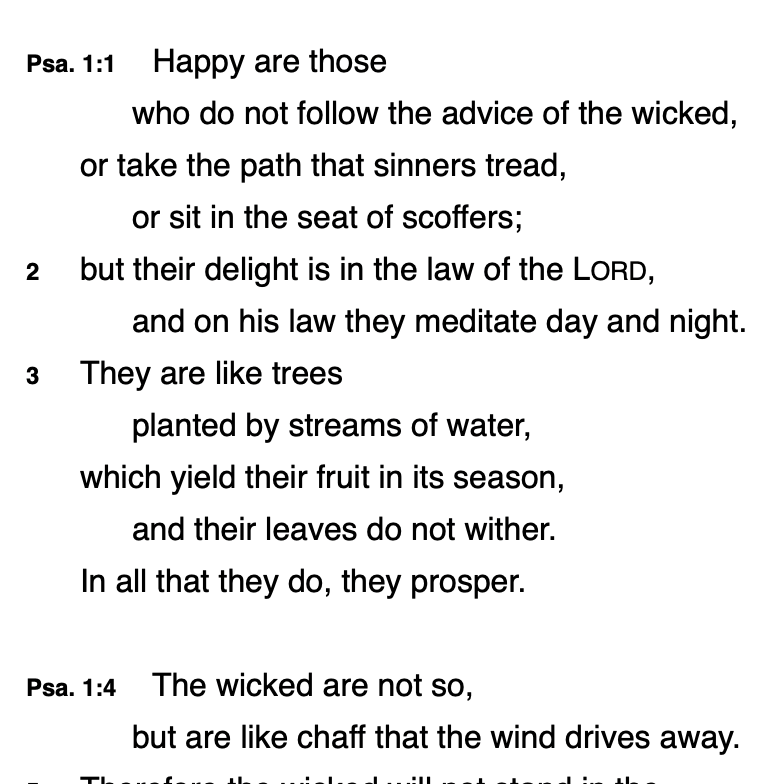
I saw this issue come up in the old Accordance forums. But there was no real answer given. Is there a way to hide book references for new paragraphs within chapters? For example, Psalm 1. I'm fine with “Psa. 1:1” at the beginning. However, I'd like to be able to do away with the “Psa. 1:4” and just have a “4” there. It becomes frustrating when one is cutting and pasting texts into another document. I've searched the display pane and there is no setting for this.
-

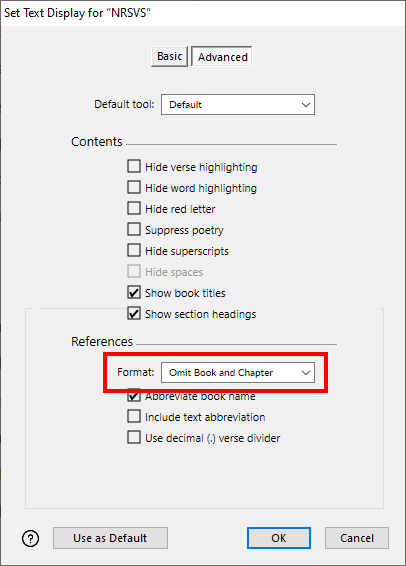
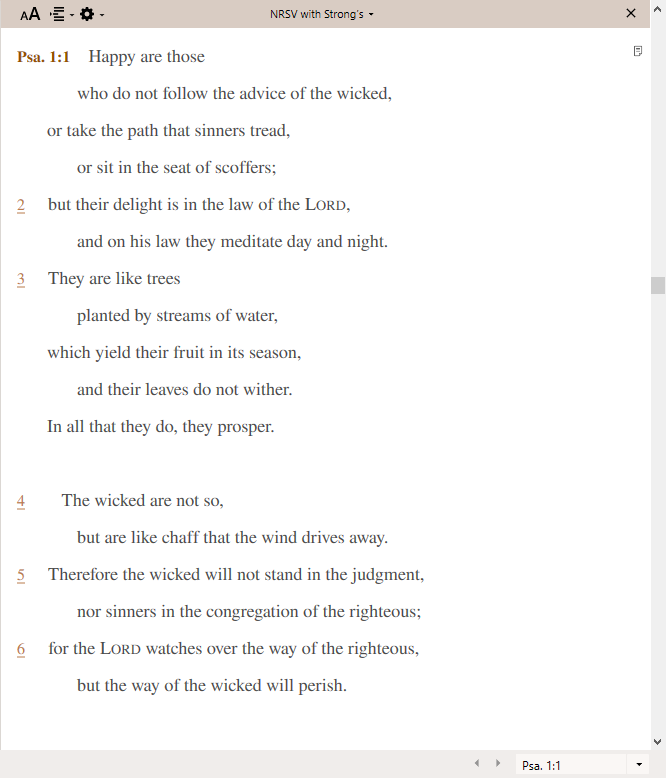
Hi Jeff Young. Does using the Omit Book and Chapter reference format work for you?
 0
0 -
Hey! Thank you for the response, Steven. That works partly; and shows just the beginning of the book (Psalm 1). So when you come to Psalm 2 it's just 2:1 …
But what I'm really looking to do (didn't explain as well) is have the book name at the start of a chapter but not show up every paragraph.
Ideally I'd like to be able to have something like:
Psalm 1:1 …
then the book name show up again at
Psalm 2:1 …
But not appear at say Psalm 1:4 …
0 -
Hey Jeff Young. Yeah, sorry for the misunderstanding on my part. I don't know of any other option to include the book name at the beginning of every chapter while omitting it at the beginning of each interior paragraph. So I guess this will stay open as a valid feature request for now. 🙂
1
Please sign in to leave a comment.
Comments
3 comments