what happened to iOS accordance night mode
Answered
In QuickTip: Accordance Mobile: Night Mode, it show a quick way to display in night mode - I can not find this in my mobile accordance. Please show where this feature is located. I noticed the QuickTip also showed a themes option, which I cannot find either
-

The app has probably changed since the video was made. In the main Settings and under “Appearance” there is a “Match System Dark Mode” for the option to set according in the main settings for the phone. It looks like, though, if turned off then you get the option to set as shown in the video.
0 -

According to the video, it is found by tapping the AA button hear the top of the screen. But when I tap that button, I do not see the same options as what show in the video.
The video shows this:
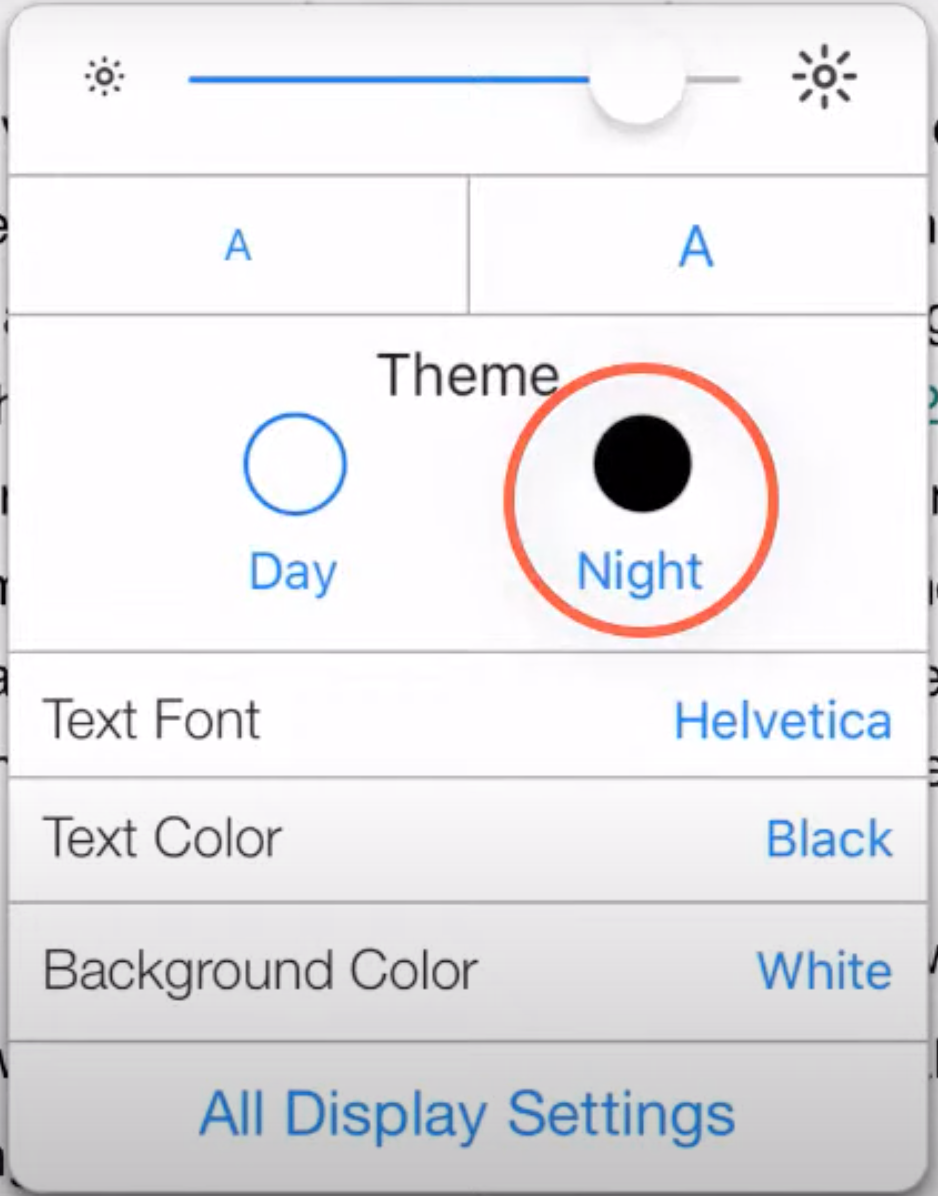
I see this:
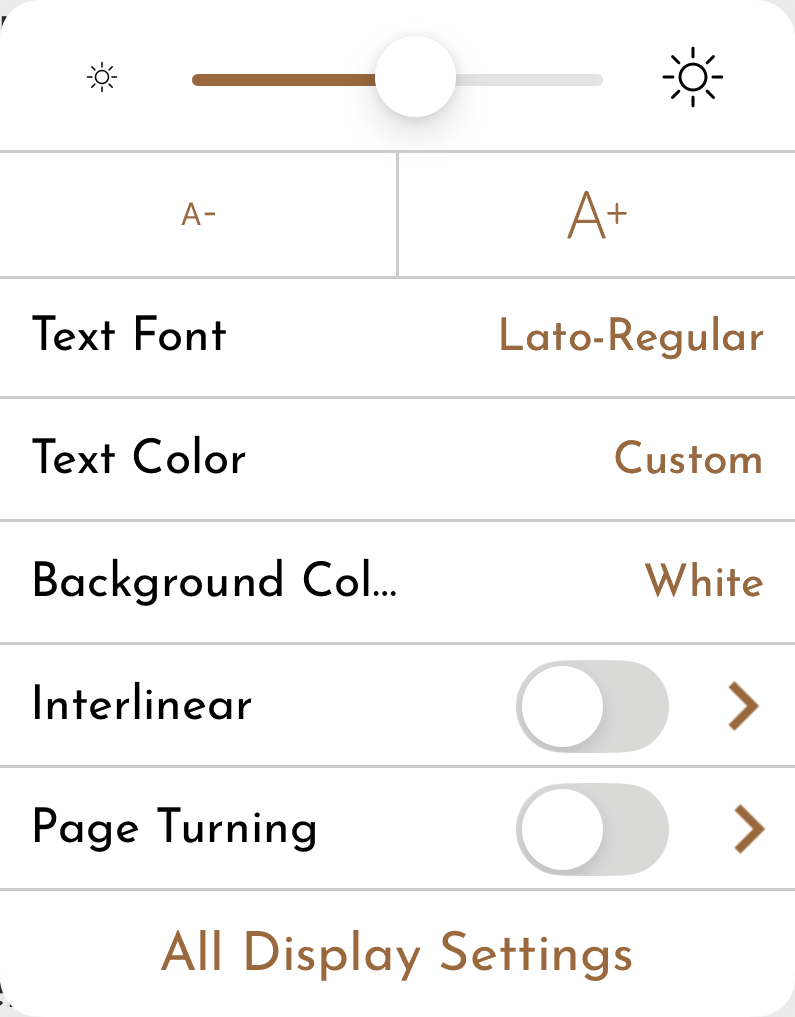
I thought at first it might be an Android/iOS difference, since the video is titled “Accordance Mobile” and doesn't specify. But the speaker mentions iPhone specifically.
I'm working on an iPhone 15 running iOS 18.5, and using the current Accordance for iOS beta.
0 -

I just use this setting:
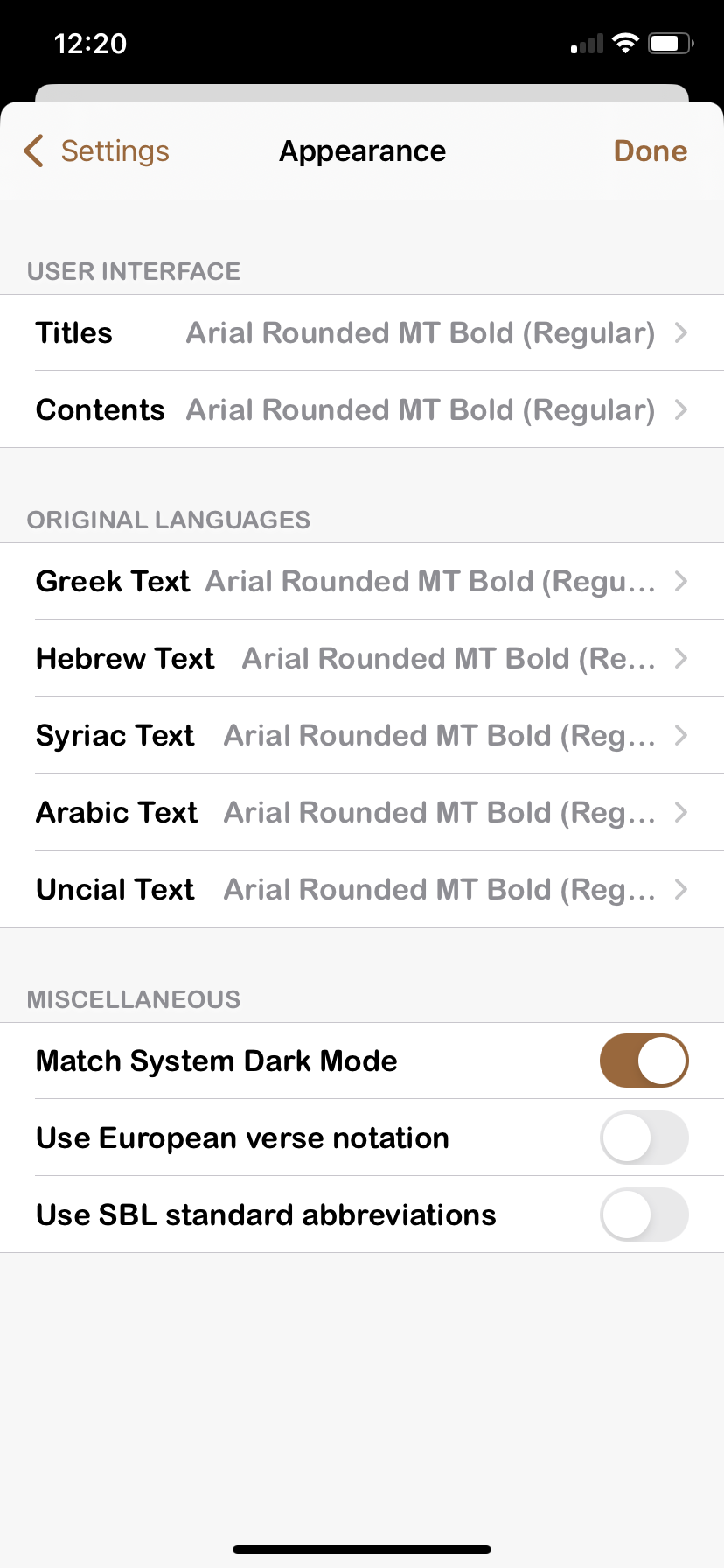
And switch the setting on my iPhone to dark mode.
0 -
As a follow-up: Turns out I had the “match system dark mode” set to "on" in the screenshots above. As David Voth said, turning that switch to off changes what shows up when tapping the AA button, and the day/night mode options appear. (David and I were apparently posting at the same time, as I did not see his post before I made mine).
I will say that the quick tip video should have spelled this out.
To find the match system dark mode button:
-tap the library button that shows up at the bottom of the screen ( you may have to tap on an empty space to make the bottom men bar appear)
-tap on the gear button at the bottom of the pop-up that now appears
-tap “Appearance”
The switch in question is near the bottom of this window
0 -

Is there anything we need to address here?
0 -
I think the only thing that would need to be changed is an update to the video. On YouTube it mentions it as 9 years old. The video doesn't mention the option to set according to the system appearance. The video depends turning off from the system setting.
0 -
We can make a new video on this. Thanks!
0
Post is closed for comments.
Comments
7 comments